Dell System Board Mode Configuration User's Manual
Summary
This document provides system board replacement procedures and AMT Manageability Mode setup for Dell Latitude and Precision Mobile Workstations. It covers reading configuration labels, entering configuration numbers during initialization, and programming Service Tags. Includes warnings about irreversible changes. Intended for authorized service technicians replacing system boards.
Page 1 Text Content
R939HA02.fm Page 1 Thursday, March 17, 2011 1:56 PM
About Warnings WARNING: A WARNING indicates a potential for property damage, personal injury, or death.
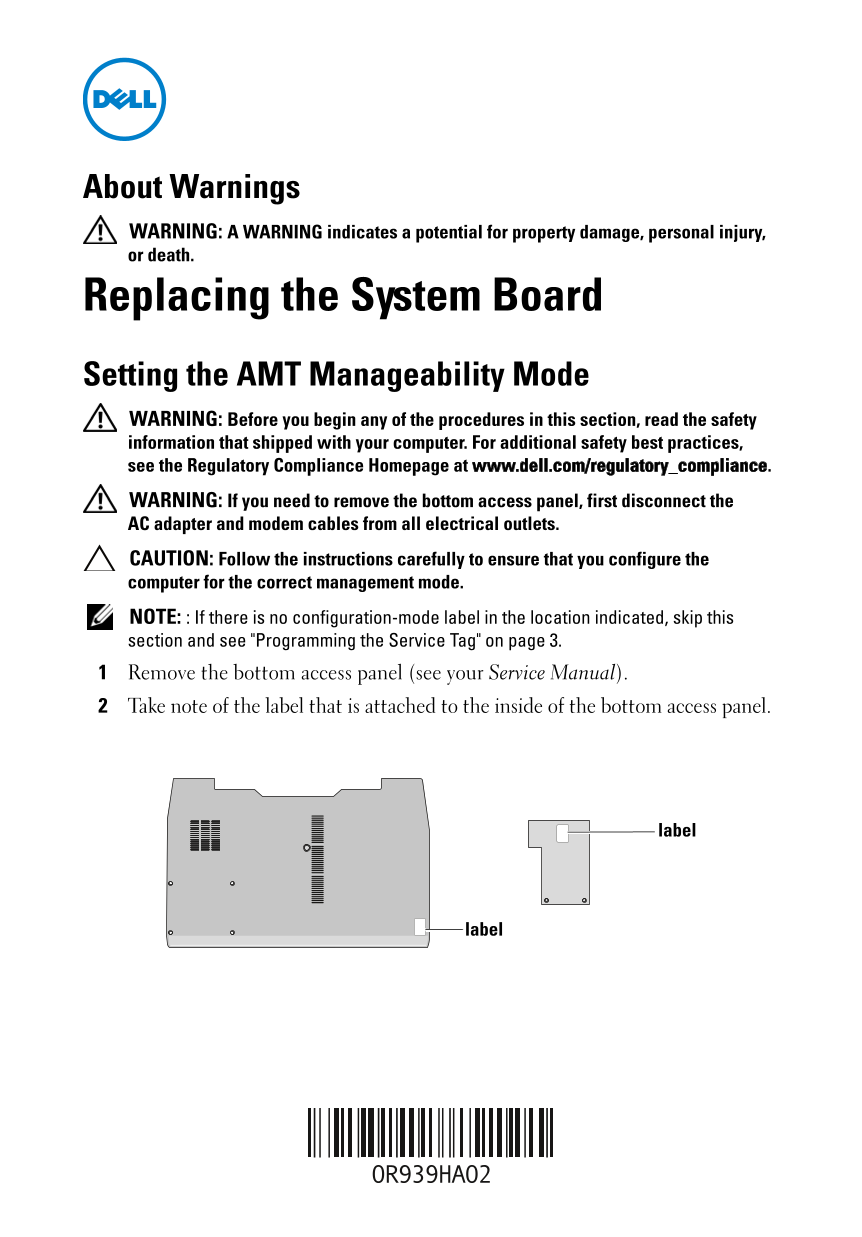
Replacing the System Board Setting the AMT Manageability Mode WARNING: Before you begin any of the procedures in this section, read the safety information that shipped with your computer. For additional safety best practices, see the Regulatory Compliance Homepage at www.dell.com/regulatory_compliance. WARNING: If you need to remove the bottom access panel, first disconnect the AC adapter and modem cables from all electrical outlets. CAUTION: Follow the instructions carefully to ensure that you configure the computer for the correct management mode. NOTE: : If there is no configuration-mode label in the location indicated, skip this section and see "Programming the Service Tag" on page 3. Remove the bottom access panel (see your Service Manual). Take note of the label that is attached to the inside of the bottom access panel.
label
label
Page Summary Contents For Dell System Board Mode Configuration User's Manual
Manual Details
| Brand | Dell |
|---|---|
| Pages | 4 |
| File Size | 541.60 KB |
| Published | June 29, 2026 |
Enter the captcha to get the download link:

Frequently Asked Questions
What must I do before removing the access panel?
Disconnect the AC adapter and modem cables from all electrical outlets.
How is AMT managed mode configured after replacement?
Use the configuration-mode number found on the label inside the bottom access panel, then enter it during initialization.
What if my Service Tag needs programming?
Press <F2> in setup, enter the tag, and either reboot with AC connected or power cycle after connecting AC.
Is there a requirement to disable components for FIPS 201 compliance?
Yes, these steps involve downloading utilities and selecting 'FIPS Compliant,' which disables the contactless smart card reader.