Replacing the System Board in Dell Systems Owner's Manual and User Guide
Summary
Dell Latitude E5400/E5500 and Precision M6400 system board replacement guide with AMT manageability mode setup (March 2009) covering bottom access panel removal, configuration-mode label identification, initialization screen prompts, and correct management mode selection for replacement procedures.
Page 1 Text Content
R939Ham1-edited.fm Page 1 Tuesday, November 3, 2009 4:59 PM
Replacing the System Board About Warnings WARNING: A WARNING indicates a potential for property damage, personal injury, or death.
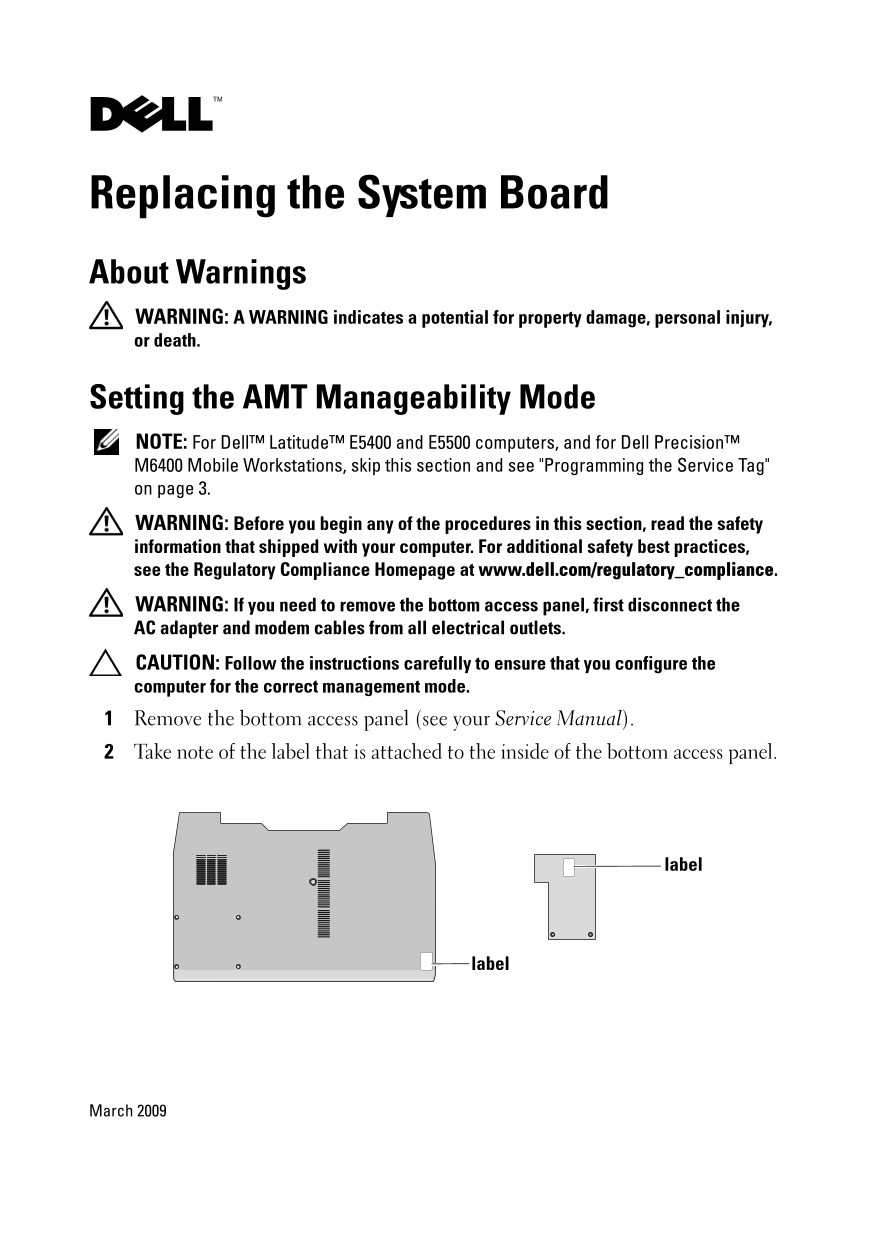
Setting the AMT Manageability Mode NOTE: For Dell™ Latitude™ E5400 and E5500 computers, and for Dell Precision™ M6400 Mobile Workstations, skip this section and see "Programming the Service Tag" on page 3. WARNING: Before you begin any of the procedures in this section, read the safety information that shipped with your computer. For additional safety best practices, see the Regulatory Compliance Homepage at www.dell.com/regulatory_compliance. WARNING: If you need to remove the bottom access panel, first disconnect the AC adapter and modem cables from all electrical outlets. CAUTION: Follow the instructions carefully to ensure that you configure the computer for the correct management mode. Remove the bottom access panel (see your Service Manual). Take note of the label that is attached to the inside of the bottom access panel.
label
label
March 2009
Page Summary Contents For Replacing the System Board in Dell Systems Owner's Manual and User Guide
Manual Details
| Brand | Dell |
|---|---|
| Pages | 4 |
| File Size | 300.67 KB |
| Published | July 03, 2026 |
Enter the captcha to get the download link:

Frequently Asked Questions
What must I do before opening the bottom access panel?
First, disconnect both the AC adapter and modem cables from all electrical outlets.
How do I program a system that shows 'Service Tag has not been programmed'?
Press <F2> to enter setup, then enter the Service Tag. Reboot if the AC Adapter is connected, or cycle power with the adapter attached if it is not.
What happens if I select the wrong configuration-mode number?
You cannot change the management mode afterward, and your computer may not operate as expected.
Are there specific steps for FIPS 201 compliance?
Yes, you must download utilities from Dell Support and run them, selecting 'FIPS Compliant,' provided you have a FED account.