PHILIPS MCD706 Quick User Guide
Summary
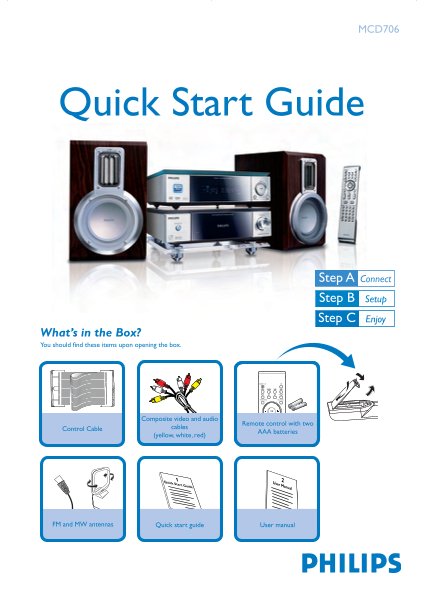
Quick start guide for the Philips MCD706 Micro Hi-Fi DVD system, a compact home audio system with DVD playback. Package contents: main unit, two speakers, remote control with 2 AAA batteries, composite video/audio cables (yellow/white/red), FM and MW antennas, quick start guide, and user manual. Setup steps: (1) connect speaker cables with polarity, (2) connect FM and MW antennas, (3) connect control cable between units, (4) connect composite video/audio cables to TV, (5) connect AC power cords.
Page 1 Text Content
MCD706
Quick Start Guide
What’s in the Box? You should find these items upon opening the box.
Composite video and audio
Remote control with two
Control Cable cables
AAA batteries
(yellow, white, red)
Quick Start Guide User Manual
FM and MW antennas Quick start guide User manual
MCD706 QUG_Eng 2007.6.22, 16:401
Page Summary Contents For PHILIPS MCD706 Quick User Guide
Manual Details
| Brand | Philips |
|---|---|
| Pages | 4 |
| File Size | 1009.81 KB |
| Published | June 15, 2026 |
Enter the captcha to get the download link:

Frequently Asked Questions
How do I set the physical clock time on the system?
In standby mode, press and hold CLOCK/RDS. Use VOLUME+/- to adjust hours or minutes, then press CLOCK/RDS again to confirm.
How should I connect the basic components when setting up the unit?
Connect speaker cables (1), attach MW and FM antennas (2), use the control cable (3) before plugging in power cords (5).
What should I do if my TV does not support progressive scan signals?
You must either turn off your TV's progressive scan mode or switch it to 'interlaced' mode. Alternatively, deactivate the feature via SYSTEM MENU -> DISC and “1”.
Can I use memory cards with the USB slot?
Yes, but remember that memory cards require an additional card reader unit to work properly with this Hi-Fi system.