Philips CID3610 Quick User Guide
Summary
Upgrade your vehicle's interior audio experience with this advanced car stereo system. The CID3610 unit offers comprehensive multimedia functionality, supporting Bluetooth calling, integrated navigation, and media playback via USB, SD/MMC card, CD, DVD, and VCD formats. This manual provides a detailed guide for setup, including wiring connections, pairing your mobile devices, setting date/time, accessing phone records, and operating the full range of navigational and radio features. Ideal for car owners looking to modernize their dashboard with seamless connectivity and entertainment.
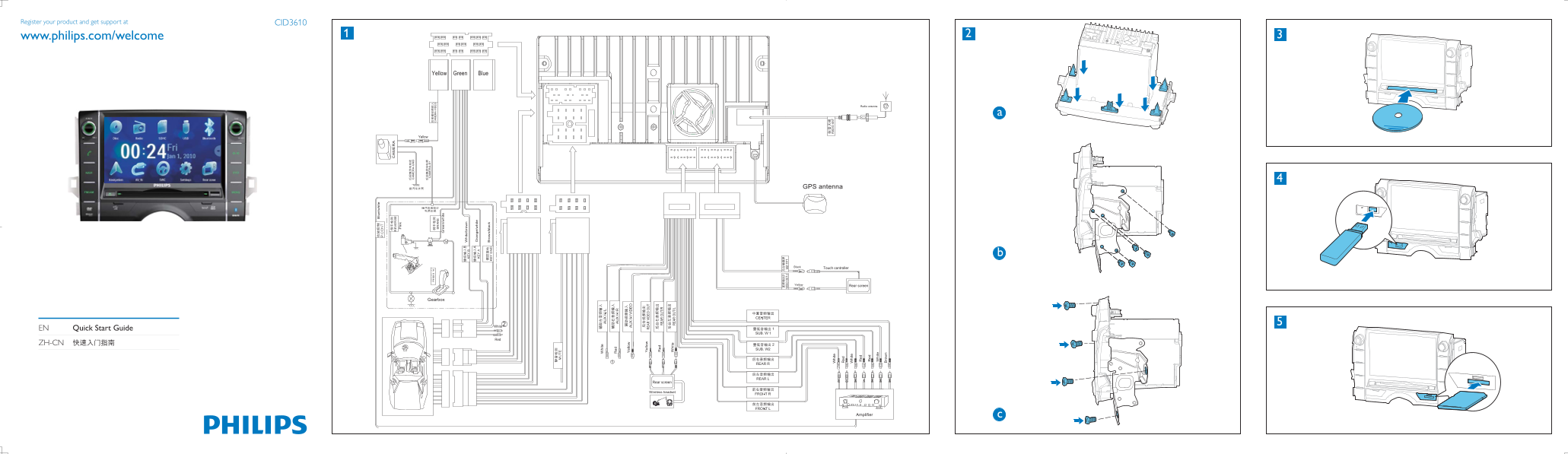
Page 1 Text Content
Register your product and get support at CID3610
www.philips.com/welcome
Radio antenna
EN Quick Start Guide ZH-CN
Page Summary Contents For Philips CID3610 Quick User Guide
Page 1
Register your product and get support at CID3610 www.philips.com/welcome Radio antenna EN Quick Start Guide ZH-CN
Page 2
EN Set time 4 Briefly tap or to tune to a radio station 5 Tap or to select the paired phone, then 1 [ Set date and time 1 Tap [Time]. by step. tap . 1 Tap to display main menu. 2 Tap on the displayed ...
Manual Details
| Brand | Philips |
|---|---|
| Pages | 2 |
| File Size | 582.35 KB |
| Published | June 04, 2026 |
14 views
Enter the captcha to get the download link:
