PHILIPS DC320 Quick User Guide (English)
Summary
Elevate your home audio experience with this comprehensive Docking Entertainment System. Designed as an all-in-one unit, it seamlessly streams music from your docked iPod or iPhone alongside traditional FM radio broadcasts and acts as a robust alarm clock. This user manual provides complete instructions on setup, featuring detailed guides for setting customizable alarms (ALM 1/2), programming timers, selecting sources, and mastering every function of the versatile audio equipment. Ideal for any consumer seeking reliable, multi-source entertainment and wake-up solutions.
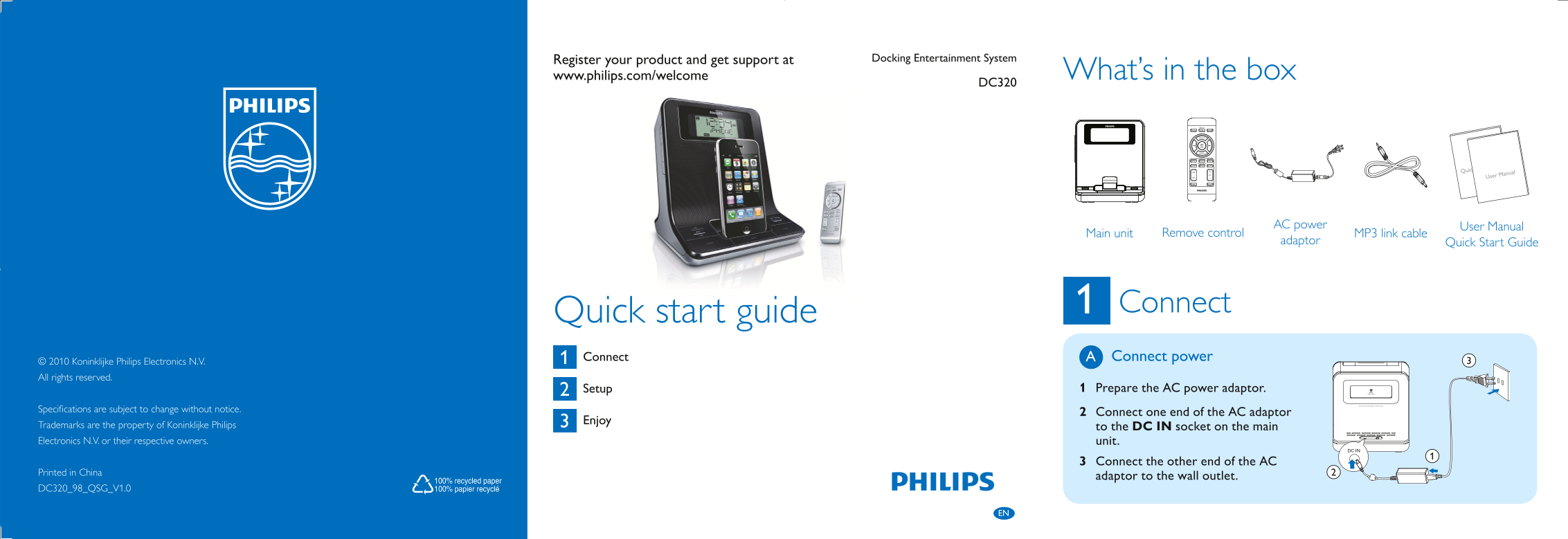
Page 1 Text Content
Register your product and get support at Docking Entertainment System
www.philips.com/welcome What’s in the box DC320
Quick Start Guide
User Manual
AC power User Manual
MP3 link cable Main unit
adaptor Remove control Quick Start Guide
Connect
Quick start guide Connect Connect power A
© 2010 Koninklijke Philips Electronics N.V. All rights reserved.
Setup 1 Prepare the AC power adaptor.
Specifications are subject to change without notice.
2 Connect one end of the AC adaptor
Enjoy 3
Trademarks are the property of Koninklijke Philips to the DC IN socket on the main Electronics N.V. or their respective owners. unit.
3 Connect the other end of the AC
Printed in China
adaptor to the wall outlet.
DC320_98_QSG_V1.0
DC320_98_QSG_EN.indd 2-4 3/16/2010 10:10:50 AM
Page Summary Contents For PHILIPS DC320 Quick User Guide (English)
Manual Details
| Brand | Philips |
|---|---|
| Pages | 2 |
| File Size | 1.30 MB |
| Published | July 06, 2026 |
Enter the captcha to get the download link:

Frequently Asked Questions
How do I physically set up and power on the unit?
Connect one end of the AC adaptor to the DC IN socket, the other end to a wall outlet, then connect the main unit.
How can I activate or deactivate the alarm timer mode?
Press and hold ALM 1 or ALM 2 for two seconds. If it's already active, you must press SET TIME/PROG for two seconds to activate/deactivate.
What steps are required to set a new alarm time?
Select the desired alarm (ALM 1 or ALM 2), press and hold ALM 1/ALM 2, follow prompts to set hour/minute, and confirm with SET TIME/PROG.
Can I play music from my phone via the dock?
Yes. Place the iPod/iPhone in the dock, select 'iPod/iPhone' using SOURCE, and press PLAY. You can manage playlists through the iPhone menu.