Philips CID3289 Quick Start Guide
Summary
This is a Philips audio system user manual, likely for a CD/VCD/DVD changer unit with integrated amplifier and speaker connections. The manual covers setup instructions for connecting speakers, subwoofer, and external audio sources, disc playback operations, radio tuning, audio settings, and remote control functions. It includes diagrams for rear panel connections and front panel controls. Target users are consumers setting up a home audio entertainment system with multi-disc playback capabilities and surround sound support.
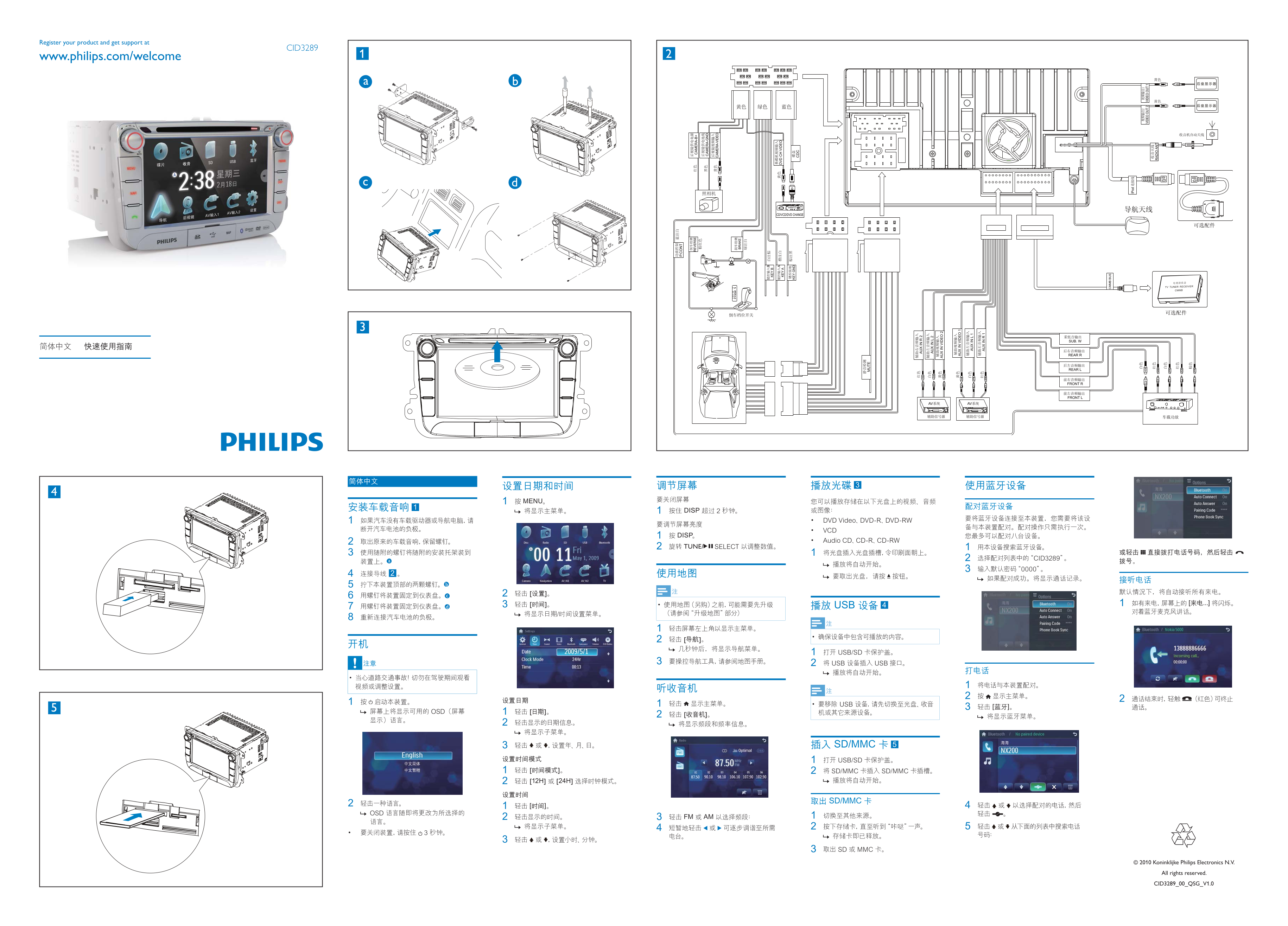
Page 1 Text Content
Register your product and get support at
CID3289
www.philips.com/welcome
SANYO
CD/VCD/DVD CHANGE
DISP TUNE/
EV ER SE AM ER A- B+
AM ER A-
CA ER A- VI DE
[12H] [24H] VD ID EO
FM AM
Koninklijke Philips Electronics N.V.
All rights reserved. CID3289_00_QSG_V1.0
IN ID
IN ID
IP od
VI DE OU VI DE OU
RA DI AN
Page Summary Contents For Philips CID3289 Quick Start Guide
Manual Details
| Brand | Philips |
|---|---|
| Pages | 1 |
| File Size | 2.46 MB |
| Published | July 04, 2026 |
Enter the captcha to get the download link:

Frequently Asked Questions
How do I adjust the front speaker balance?
Use the 'FRONT L' and 'FRONT R' buttons on the front panel to adjust the left and right front speaker frequency output.
Can this system play DVDs?
Yes, it has a DVD change function as indicated by the 'CD/VCD/DVD CHANGE' label.
Where can I get product support?
Register and get support at www.philips.com/welcome, as indicated by the product ID CID3289.
What should I do if there is no sound?
Check the speaker connections, especially the front left (FRONT L) and right (FRONT R) channels, and the subwoofer (SUB.W) output.
Is there a rear camera input?
Yes, there is a reverse camera input labeled 'CAMERA-VIDEO' (usually yellow).