Page 1
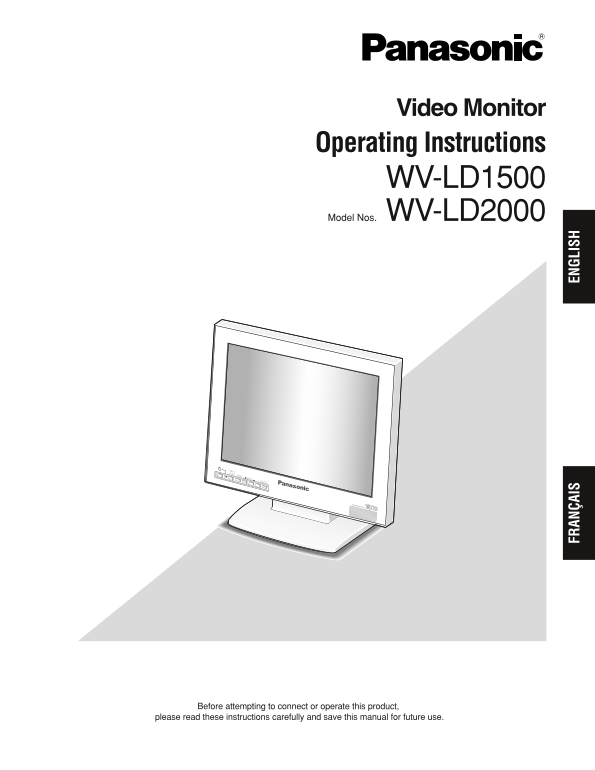
Video Monitor Operating Instructions WV-LD1500 Model Nos. WV-LD2000 Video Monitor WV-LD FR AN ÇA IS EN GL IS Before attempting to connect or operate this product, please read these instructions carefu...
Page 2
ENGLISH VERSION CAUTION For Canada RISK OF ELECTRIC SHOCK This Class A digital apparatus complies with Canadian DO NOT OPEN ICES-003. CAUTION: TO REDUCE THE RISK OF ELECTRIC SHOCK, For U.S.A NOTE: Thi...
Page 3
IMPORTANT SAFETY INSTRUCTIONS 1) Read these instructions. 2) Keep these instructions. 3) Heed all warnings. 4) Follow all instructions. 5) Do not use this apparatus near water. 6) Clean only with dry ...
Page 4
LIMITATION OF LIABILITY THIS PUBLICATION IS PROVIDED "AS IS" WITHOUT WAR- THIS PUBLICATION COULD INCLUDE TECHNICAL INAC- RANTY OF ANY KIND, EITHER EXPRESS OR IMPLIED, CURACIES OR TYPOGRAPHIC...
Page 5
CONTENTS IMPORTANT SAFETY INSTRUCTIONS ........................................................................................ LIMITATION OF LIABILITY ...................................................
Page 6
PRECAUTIONS Refer all work related to the installation of this appa- Do not mount the monitor on places subject to con- ratus to qualified service personnel or system stant vibrations. That may cause ...
Page 7
PREFACE Video Monitor WV-LD1500/2000 is 15"/20" LCD monitor, using a high-brightness liquid crystal panel and (3D)* sepa- ration circuit for improved definition of picture display. *NTSC sys...
Page 8
MAJOR OPERATING INSTRUCTIONS AND THEIR FUNCTIONS Front View Rear View OUTIN IN OUT IN OUT DC IN PC IN AUDIO S-VIDEO VIDEO-B VIDEO-A Video Monitor WV-LD1500 These are the illustrations of WV-LD1500. Au...
Page 9
!3 Audio output connector (AUDIO OUT) !6 Video output B connector (VIDEO-B OUT) Supplies an audio signal accepted by the AUDIO IN Supplies a composite video signal accepted by the connector to another...
Page 10
INSTALLATIONS WARNING Mounting on the Wall The installations described in the figures should be To mount the monitor on the wall, a mounting bracket made by qualified service personnel or system (loca...
Page 11
CONNECTIONS Connection Example Other video monitors PC output Audio input Video input (VGA) IN OUT IN OUT IN OUT DC IN PC IN AUDIO S-VIDEO VIDEO-B VIDEO-A Power cord (supplied) AC adapter (supplied) S...
Page 12
Camera Connection To Output Audio Signal Connect the video output connector of camera to the Connect the AUDIO IN connector of this monitor to the VIDEO IN connector with a coaxial cable. audio output...
Page 13
POWER-ON Before operation, check the connections between monitors Notes: and external devices (cameras, digital disk recorders, etc.) When no input signal is supplied to the monitor, "NO (Refer t...
Page 14
AUDIO VOLUME CONTROL By pressing the + or – button during picture display, you can adjust the audio volume level. While the + or – button is pressed, the volume level is displayed on the screen. –: Au...
Page 15
Move the cursor to the following setting items by pressing the C or D button. Then, adjust the levels by pressing the + or – button. Setting item Effect Setting value BRIGHTNESS Brightness level goes ...
Page 16
4. Move the cursor to AUTO by pressing the C or D button. Then, press the MENU button. The picture display position will be adjusted automatically. Manual adjustment If picture display position is not...
Page 17
5. To return to the top menu, move the cursor to EXIT by Language Setup pressing the C or D button. Then, press the MENU You can select the language for monitor display. button. Note: If the power is ...
Page 18
TROUBLESHOOTING Check the following before requesting repair. If a trouble cannot be corrected even after checking and trying remedy, contact your dealer. Reference pages Cause/solution Symptom Check ...
Page 19
SPECIFICATIONS Video Monitor Power Source: 12 V DC, 4.58 A (using the supplied AC adapter) Power Consumption: WV-LD2000: 51 W (including the supplied AC adapter) WV-LD1500: 43 W (including the supplie...
Page 20
SELECT INPUT MENU SELECT AUDIO Video Monitor WV-LD1500 SELECT INPUT MENU SELECT AUDIO Video Monitor WV-LD WV-LD1500 WV-LD2000 (Unit: mm) AC Adapter Power Source: 100 V AC to 240 V AC, 50/60 Hz Output ...
Page 21
VERSION FRANÇAISE (FRENCH VERSION) CAUTION ATTENTION RISK OF ELECTRIC SHOCK DO NOT OPEN RISQUE DE CHOCS ELECTRIQUES NE PAS OUVRIR ATTENTION: AFIN DE PRÉVENIR LE RISQUE DE CHOCS ÉLECTRIQUES, NE PAS RET...
Page 22
INSTRUCTIONS DE SÉCURITÉ IMPORTANTES 1) Veiller à lire ces instructions. 2) Conserver ces instructions. 3) Tenir compte de tous les avertissements. 4) Se conformer à toutes les instructions. 5) Ne pas...
Page 23
LIMITATION DE RESPONSABILITÉ CETTE PUBLICATION EST FOURNIE "COMME TEL" SANS CETTE PUBLICATION A PU INCLURE DES GARANTIE DE TOUTE SORTE, EXPRÈS OU IMPLICITE, INEXACTITUDES TECHNIQUES OU DES E...
Page 24
TABLE DES MATIÈRES INSTRUCTIONS DE SÉCURITÉ IMPORTANTES ......................................................................... LIMITATION DE RESPONSABILITÉ ............................................
Page 25
MESURES DE PRÉCAUTION Tous les travaux connexes à l’installation de cet Libérer un espace d'au moins 5 cm {2 pouces} des appareil doivent être confiés à des techniciens deux côtés, au-dessus, en-desso...
Page 26
PRÉFACE Le moniteur vidéo WV-LD1500/2000 est un moniteur vidéo à cristaux liquides de 15 pouces/20 pouces faisant usage d'un panneau à cristaux liquides à haute luminosité et un circuit de séparation ...
Page 27
INSTRUCTIONS PRINCIPALES D'UTILISATION ET LEURS FONCTIONS Panneau frontal Vue arrière OUTIN IN OUT IN OUT DC IN PC IN AUDIO S-VIDEO VIDEO-B VIDEO-A Video Monitor WV-LD1500 Ce sont les illustrations du...
Page 28
!3 Connecteur de sortie son (AUDIO OUT) !6 Connecteur de sortie vidéo B (VIDEO-B OUT) Applique un signal audio accepté par le connecteur Applique un signal vidéo composite vidéo accepté par AUDIO IN à...
Page 29
INSTALLATIONS AVERTISSEMENT Fixation sur un mur Les installations décrites dans les figures doivent être Pour installer le moniteur vidéo sur un mur, une platine de faites par le personnel de dépannag...
Page 30
BRANCHEMENTS Exemple de connexion Autres moniteurs vidéo Ordinateur personnel Sortie PC Entrée son Entrée vidéo (VGA) IN OUT IN OUT IN OUT DC IN PC IN AUDIO S-VIDEO VIDEO-B VIDEO-A Cordon d'alimentati...
Page 31
Connexion de la caméra vidéo Comment délivrer un signal audio Raccorder le connecteur de sortie vidéo de la caméra Raccorder le connecteur d'entrée AUDIO IN de ce vidéo au connecteur VIDEO IN à l'aide...
Page 32
MISE SOUS TENSION Avant toute utilisation, vérifier les connexions entre les Remarques: moniteurs vidéo et les périphériques externes (caméras Si aucun signal d'entrée n'est appliqué au moniteur vidéo...
Page 33
COMMANDE DE VOLUME AUDIO Le fait d'appuyer sur le bouton + ou – pendant l'affichage de l'image, il est possible de régler le niveau de sortie audio. Alors que le bouton + ou – est pressé, le niveau de...
Page 34
3. Amener le curseur sur les rubriques de paramétrage suivantes en appuyant sur le bouton C ou D. Régler ensuite les niveaux en appuyant sur le bouton + ou –. Rubriques de réglage Effet Valeur de para...
Page 35
4. Amener le curseur sur AUTO du menu en appuyant sur la touche C ou D. Appuyer sur le bouton MENU. La position d'affichage de l'image sera automatiquement réglée. Réglage manuel Si toutefois la posit...
Page 36
6. Pour retourner au menu d'ouverture, déplacer le Paramétrage de langue curseur sur SORTIE en appuyant sur le bouton C ou Il est possible de sélectionner la langue d'affichage du D. Appuyer ensuite s...
Page 37
DÉPANNAGE Vérifier les points suivants avant faire une demande de réparation. Si une panne ne peut pas être corrigée même après avoir vérifié et essayé d'y remédier, contacter votre distributeur. Page...
Page 38
CARACTÉRISTIQUES TECHNIQUES Moniteur vidéo Source d’alimentation: 12 V de courant continu , 4,58 A (en utilisant l'adaptateur d'alimentation secteur fourni) Puissance consommée: WV-LD2000: 51 W (y com...
Page 39
SELECT INPUT MENU SELECT AUDIO Video Monitor WV-LD1500 SELECT INPUT MENU SELECT AUDIO Video Monitor WV-LD WV-LD1500 WV-LD2000 (Unité: mm) Adaptateur d'alimentation secteur Source d’alimentation: 100 V...
Page 40
Panasonic System Solutions Company, Panasonic Canada Inc. Unit Company of Panasonic Corporation of North America 5770 Ambler Drive,Mississauga, Ontario, L4W 2T3 Canada (905)624-5010 Security Systems h...