# A B C D E F G H I J K L M N O P Q R S T U V W X Y Z

Panasonic TC58PS14 Television User Guide

Summary

This comprehensive user manual provides everything needed to operate your 1080p Class Plasma HDTV (available in 58” and 65” models). Designed for new owners, it offers detailed guides on first-time setup, utilizing menu functions, understanding controls, and adhering to essential safety precautions. The document also includes vital warranty details and contact information for reliable support across the U.S., Puerto Rico, and Canada, ensuring a smooth viewing experience.
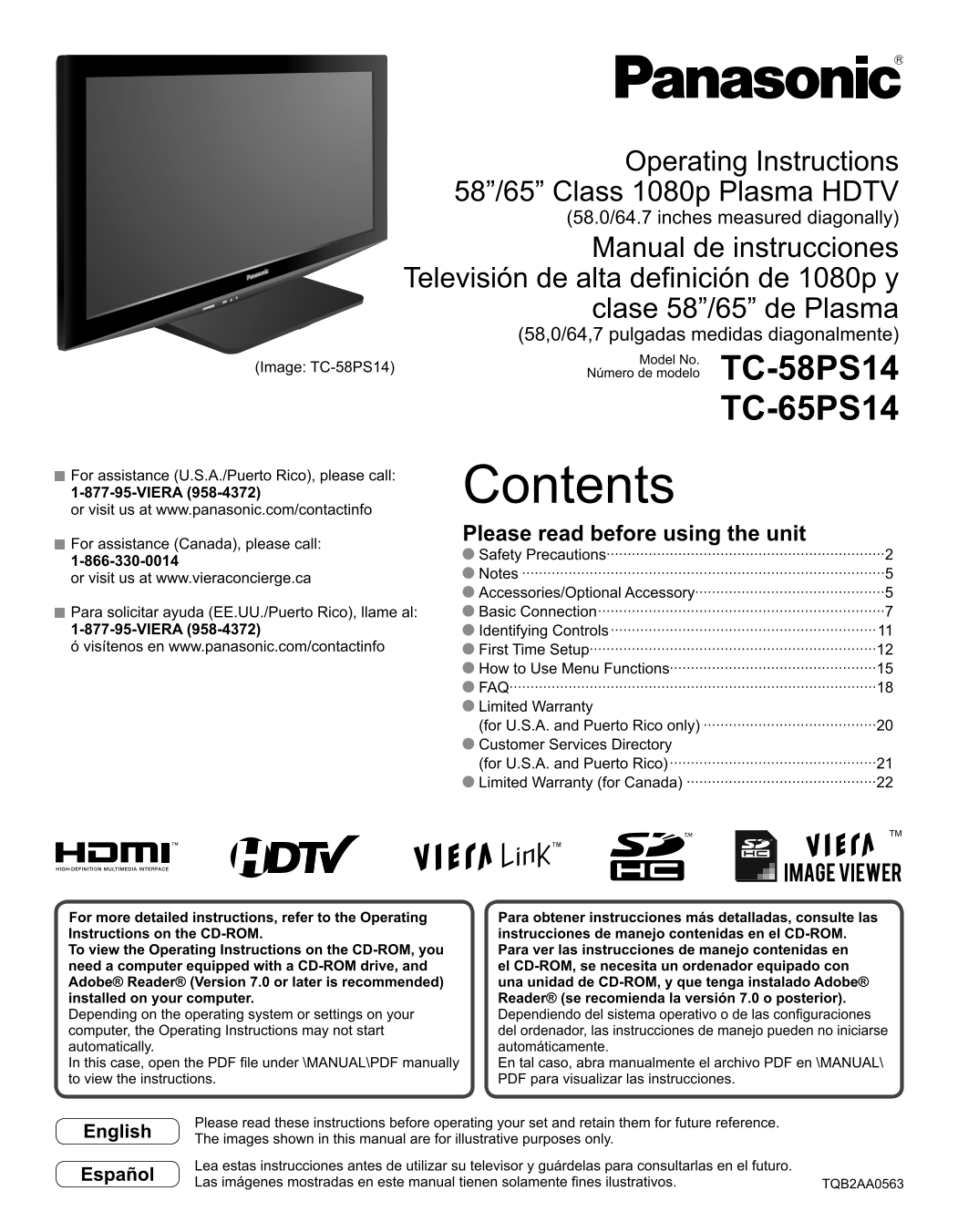
📄 Preview 📖 Table of Contents Contents PAGE OF 24

Page 1 Text Content

Operating Instructions

58”/65” Class 1080p Plasma HDTV (58.0/64.7 inches measured diagonally)

Manual de instrucciones

Televisión de alta definición de 1080p y

clase 58”/65” de Plasma (58,0/64,7 pulgadas medidas diagonalmente) Model No.

(Image: TC-58PS14) TC-58PS14

Número de modelo

TC-65PS14

For assistance (U.S.A./Puerto Rico), please call: 1-877-95-VIERA (958-4372) Contents or visit us at www.panasonic.com/contactinfo

Please read before using the unit

For assistance (Canada), please call:

Safety Precautions··································································2

Notes ······················································································5

or visit us at www.vieraconcierge.ca

Accessories/Optional Accessory·············································5 Para solicitar ayuda (EE.UU./Puerto Rico), llame al: Basic Connection ····································································7

1-877-95-VIERA (958-4372) Identifying Controls ·······························································11 ó visítenos en www.panasonic.com/contactinfo First Time Setup····································································12

How to Use Menu Functions·················································15 FAQ·······················································································18 Limited Warranty (for U.S.A. and Puerto Rico only) ·········································20 Customer Services Directory (for U.S.A. and Puerto Rico) ·················································21 Limited Warranty (for Canada) ·············································22

For more detailed instructions, refer to the Operating Para obtener instrucciones más detalladas, consulte las Instructions on the CD-ROM. instrucciones de manejo contenidas en el CD-ROM. To view the Operating Instructions on the CD-ROM, you Para ver las instrucciones de manejo contenidas en need a computer equipped with a CD-ROM drive, and el CD-ROM, se necesita un ordenador equipado con Adobe® Reader® (Version 7.0 or later is recommended) una unidad de CD-ROM, y que tenga instalado Adobe® installed on your computer. Reader® (se recomienda la versión 7.0 o posterior). Depending on the operating system or settings on your Dependiendo del sistema operativo o de las configuraciones computer, the Operating Instructions may not start del ordenador, las instrucciones de manejo pueden no iniciarse automatically. automáticamente. In this case, open the PDF file under \MANUAL\PDF manually En tal caso, abra manualmente el archivo PDF en \MANUAL\ to view the instructions. PDF para visualizar las instrucciones.

Please read these instructions before operating your set and retain them for future reference.

English

The images shown in this manual are for illustrative purposes only.

Lea estas instrucciones antes de utilizar su televisor y guárdelas para consultarlas en el futuro.

Español

Las imágenes mostradas en este manual tienen solamente fines ilustrativos. TQB2AA0563

Page Summary Contents For Panasonic TC58PS14 Television User Guide

Page 1 Operating Instructions 58”/65” Class 1080p Plasma HDTV (58.0/64.7 inches measured diagonally) Manual de instrucciones Televisión de alta definición de 1080p y clase 58”/65” de Plasma (58,0/64,7 pulgad...
Page 2 Safety Precautions The lightning flash with arrowhead within a triangle is CAUTION intended to tell the user that parts inside the product are a RISK OF ELECTRIC SHOCK risk of electric shock to person...
Page 3 WARNING/CAUTION When disconnecting the power supply cord, hold the WARNING plug, not the cord. Do not use the power supply cord if the plug or cord is Small parts can present choking hazard if acciden...
Page 4 Safety Precautions (Continued) Transport only in upright position Display panel is made of glass. Do not apply strong force Transporting the unit with its display panel facing upright or or impact to ...
Page 5 Notes Do not display a still picture for a long time This causes the image to remain on the plasma screen (“Image retention”). This is not considered a malfunction and is not covered by the warranty. ...
Page 6 Attaching the pedestal to TV ■Assembling the pedestal Accessories [TC-58PS14 (TBLX0102)] [TC-65PS14 (TBLX0126)] Assembly screws Fix securely with assembly screws Fix securely with assembly screws A . ...
Page 7 Basic Connection Example 1 Connecting Antenna (To watch TV) TV VHF/UHF Antenna VHF/UHF Antenna • NTSC (National Television System Committee): Conventional broadcasting • ATSC (Advanced Television Syst...
Page 8 Basic Connection (Continued) Example 2 Connecting DVD recorder (VCR) (To record/playback) TV DVD Recorder AV Equipment VHF/UHF Antenna If the source has a higher resolution signal (e.g. DVD Recorder (...
Page 9 Example 3 Connecting DVD recorder (VCR) and satellite receiver TV You can enjoy high-definition Satellite DVD Recorder programming by subscribing to Receiver VHF/UHF Antenna or high-definition satelli...
Page 10 Basic Connection (Continued) AV cable connections To use HDMI terminals AV Equipment HDMI 1 HDMI 2 HDMI AV OUT e.g. Blu-ray Disc player Connecting to HDMI terminals will enable you to enjoy high-defin...
Page 11 Identifying Controls TV controls/indicators Front of the TV SD card slot Back of the TV Selects channels in sequence Volume up/down POWER Remote control sensor button Within about 23 feet (7 meters) i...
Page 12 First Time Setup “First time setup” is displayed only when the TV is turned on for the first time after the power cord is inserted into a wall outlet and when “Auto power on” is set to “No”. Turn the ...
Page 13 Adjust the clock First time setup Language Clock ANT/Cable setup select Input labels Year: Select the year Clock Year Month: Select the month Month Day: Select the day select item Hour: Adjust the hou...
Page 14 First Time Setup (Continued) Select scanning mode (ALL channels/Analog only/Digital only) Auto program All channels Analog only Digital only select Auto program Start scanning the channels Progress 32...
Page 15 How to Use Menu Functions Various menus allow you to make settings for the picture, sound, and other functions so that you can enjoy watching TV best suited for you. Display menu Displays the function...
Page 16 How to Use Menu Functions ■ Menu list Menu Item Adjustments/Configurations (alternatives) [VIERA Link control] Selects equipment to access and operate. (Recorder/Home theater/Player/Camcorder/LUMIX) V...
Page 17 (Continued) ■ Menu list Menu Item Adjustments/Configurations (alternatives) Sets the mode to select the channel with Channel up/down button Channel surf mode (All/Favorite/Digital only/Analog only) • ...
Page 18 FAQ Before requesting service or assistance, please follow these simple guides to resolve the problem. If the problem still persists, please contact your local Panasonic dealer or Panasonic Service Ce...
Page 19 If there is a problem with your TV, please refer to the table below to determine the symptoms, then carry out the suggested check. If this does not solve the problem, please contact your local Panason...
Page 20 Limited Warranty (for U.S.A. and Puerto Rico only) PANASONIC CONSUMER ELECTRONICS COMPANY, DIVISION OF PANASONIC CORPORATION OF NORTH AMERICA One Panasonic Way Secaucus, New Jersey 07094 Panasonic Pla...
Page 21 Customer Services Directory (for U.S.A. and Puerto Rico) Customer Services Directory (United States and Puerto Rico) Obtain Product Information and Operating Assistance; locate your nearest Dealer or ...
Page 22 Limited Warranty (for Canada) Panasonic Canada Inc. PANASONIC PRODUCT - LIMITED WARRANTY Panasonic Canada Inc. warrants this product to be free from defects in material and workmanship and agrees to r...
Page 24 Customer’s Record The model number and serial number of this product can be found on its back cover. You should note this serial number in the space provided below and retain this book, plus your purc...

Manual Details

Brand Panasonic
Pages 24
File Size 1.64 MB
Published July 16, 2026
0 views

Enter the captcha to get the download link:

captcha

Frequently Asked Questions

Where is the model number and serial number located?

The model and serial numbers can be found on the product's back cover.

What safety precautions should I follow when operating the set?

Do not expose it to moisture, do not block ventilation openings, and unload power during lightning storms.

How can I view the detailed operating instructions?

You may need a computer with CD-ROM drive and Adobe Reader, or manually open the PDF file in MANUAL.