# A B C D E F G H I J K L M N O P Q R S T U V W X Y Z

Panasonic TC47LE54 Television User Guide

Summary

Maximize your viewing experience with the Owner’s Manual for the Panasonic 1080p Class LCD HDTV (47” or 55”). This comprehensive guide is essential reading for new owners, detailing everything from initial setup and required connections (HDMI) to interpreting all advanced features. The manual provides critical safety precautions, troubleshooting FAQs, and step-by-step instructions necessary to safely and optimally operate your new television set.
📄 Preview 📖 Table of Contents Contents PAGE OF 24

Page 1 Text Content

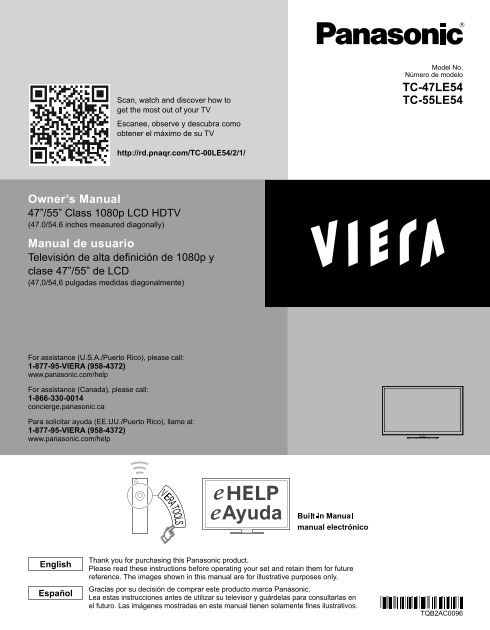
Model No. Número de modelo

TC-47LE54 TC-55LE54Scan, watch and discover how to

get the most out of your TV Escanee, observe y descubra como obtener el máximo de su TV

http://rd.pnaqr.com/TC-00LE54/2/1/

Owner’s Manual 47”/55” Class 1080p LCD HDTV (47.0/54.6 inches measured diagonally) Manual de usuario Televisión de alta definición de 1080p y clase 47”/55” de LCD (47,0/54,6 pulgadas medidas diagonalmente)

For assistance (U.S.A./Puerto Rico), please call: 1-877-95-VIERA (958-4372) www.panasonic.com/help

For assistance (Canada), please call: 1-866-330-0014 concierge.panasonic.ca

Para solicitar ayuda (EE.UU./Puerto Rico), llame al: 1-877-95-VIERA (958-4372) www.panasonic.com/help

manual electrónico

Thank you for purchasing this Panasonic product.

English

Please read these instructions before operating your set and retain them for future reference. The images shown in this manual are for illustrative purposes only. Gracias por su decisión de comprar este producto marca Panasonic.

Español

Lea estas instrucciones antes de utilizar su televisor y guárdelas para consultarlas en el futuro. Las imágenes mostradas en este manual tienen solamente fines ilustrativos.

TQB2AC0096

tc_47_55le54.indb 1 3/2/2012 1:45:18 PM

Page Summary Contents For Panasonic TC47LE54 Television User Guide

Page 1 Model No. Número de modelo TC-47LE54 TC-55LE54Scan, watch and discover how to get the most out of your TV Escanee, observe y descubra como obtener el máximo de su TV http://rd.pnaqr.com/TC-00LE54/2/1/...
Page 2 This product incorporates the following software or technology: (1) the software developed independently by or for Panasonic Corporation, (2) the software owned by third party and licensed to Panasoni...
Page 3 VIERA Link™ is a trademark of Panasonic Corporation. HDMI, the HDMI logo and High- Contents Definition Multimedia Interface are trademarks or registered trademarks of HDMI Licensing LLC in the United ...
Page 4 Safety Precautions The lightning flash with arrowhead CAUTION within a triangle is intended to tell the user that parts inside the product are a risk of electric shock to persons. RISK OF ELECTRIC SHO...
Page 5 19) An outside antenna system should not be located in the vicinity of overhead power lines, other electric light, power circuits, or where it can fall into such power lines or circuits. When installi...
Page 6 FCC and IC STATEMENT This equipment has been tested and found to comply with the limits for a Class B digital device, pursuant to Part 15 of the FCC Rules. These limits are designed to provide reasona...
Page 7 CEA CHILD SAFETY NOTICES WALL MOUNTING: IF YOU DECIDE TO WALL MOUNT WARNING YOUR FLAT PANEL DISPLAY, ALWAYS: Flat panel displays are not always supported on the • Use a mount that has been recommended...
Page 8 Accessories/Optional Accessory Accessories Check you have all the items shown. Accessories Remote Control Batteries for the Remote Pedestal Transmitter• N2QAYB000705 Control Transmitter (2)• AA Batter...
Page 9 Attaching the pedestal to TV ■Assembling the pedestal Fix securely with assembly screws A (Total 4 screws). Tighten screws firmly. Make sure that the bracket is Bracket Accessories anchored before fix...
Page 10 Installing the remote’s batteries Close Caution Incorrect installation may cause battery leakage and corrosion, resulting in damage to the remote control. Note the correct • Do not mix old and new bat...
Page 11 Connections Connection Panels Back of the TV SD card slot USB1/2 terminal Ethernet PC connector terminal ●For , , connections, please refer to p. 12 Antenna or Cable connection Back of the TV VHF/UHF ...
Page 12 AV cable connection To use HDMI terminals Best AV Equipment HDMI AV OUT e.g. Blu-ray Disc player DVI OUT HDMI-DVI AV Equipment Conversion cable (not in use) e.g. Blu-ray Disc player white white AUDIO ...
Page 13 Audio connection Audio equipment Optical cable DIGITAL AUDIO IN e.g. Amplifier PC / Computer connection (VGA) Component/AV adapter Connect cable which matches the (not in audio out terminal on the com...
Page 14 Identifying Controls TV controls/indicators Front of the TV Back of the TV Changes the input mode Chooses Menu and Submenu entries (Press and hold down for MENU function) Selects channels in sequence ...
Page 15 First Time Setup The first time setup screen is displayed only when the TV is turned on for the first time, after the power cord is inserted into a wall outlet and when “Auto power on” is set to “No”....
Page 16 Using e HELP (Built-in Manual) e HELP (built-in manual) helps you understand how to easily operate the TV features by pressing the VIERA TOOLS button. Display e HELP OK select VIERA TOOLS [Top page] W...
Page 17 Frequently Asked Questions (FAQ) Questions Answers Check that the batteries are fresh, are of the same type and are installed with the correct polarity (+ & -). Why doesn’t the Remote To operate o...
Page 18 Specifications TC-47LE54 TC-55LE54 Power Source AC 110 - 127 V, 60 Hz Power Consumption (Rated power / Standby power) Panel System LCD panel (LED backlight) 47 ” class 55 ” class Screen size (47.0 inc...
Page 19 Limited Warranty (for U.S.A. and Puerto Rico only) Panasonic Consumer Marketing Company of North America, Division of Panasonic Corporation of North America One Panasonic Way Secaucus, New Jersey 0709...
Page 20 Customer Services Directory (for U.S.A. and Puerto Rico) Customer Services Directory (United States and Puerto Rico) Obtain Product Information and Operating Assistance; locate your nearest Dealer or ...
Page 21 Limited Warranty (for Canada) Panasonic Canada Inc. 5770 Ambler Drive, Mississauga, Ontario L4W 2T3 PANASONIC PRODUCT – LIMITED WARRANTY Panasonic Canada Inc. warrants this product to be free from def...
Page 22 TC-47LE54 47" LCD HDTV SPECIFICATIONS Dimensions (W x H x D) 43.6" (1,107 mm) x 28.1" (712 mm) x 10.6" (268 mm) (Including TV stand) 43.6" (1,107 mm) x 26.3" (666 mm) x 2...
Page 23 TC-55LE54 55" LCD HDTV SPECIFICATIONS Dimensions (W x H x D) 50.5" (1,281 mm) x 32.0" (811 mm) x 11.2" (282 mm) (Including TV stand) 50.5" (1,281 mm) x 30.2" (765 mm) x 2...
Page 24 USA Only: Disposal may be regulated in your community due to Environmental considerations. For disposal or recycling information, please visit Panasonic website: http://www.panasonic.com/environmental...

Manual Details

Brand Panasonic
Pages 24
File Size 1.31 MB
Published June 16, 2026
4 views

Enter the captcha to get the download link:

captcha

Frequently Asked Questions

Who should I call for support in Puerto Rico or the U.S.A.?

For assistance, please call 1-877-95-VIERA (958-4372) or visit www.panasonic.com/help.

What should I do if I need to dispose of the TV in the U.S.?

Visit http://www.panasonic.com/environmental for disposal information, or call 1-888-769-0149 for regulated recycling details.

How can I find my model and serial numbers?

The Model Number and Serial Number can be found on the product's back cover.

What technology protects streamed content?

The device uses PlayReady digital right management technology, licensed by Microsoft Corporation.