# A B C D E F G H I J K L M N O P Q R S T U V W X Y Z

Panasonic SC-HT400 User Guide and Manual

Summary

Elevate your home entertainment experience with this powerful Audio System Receiver. Designed for optimal performance across multiple sources—including DVD, VCR, CD, and Tuner inputs—it delivers immersive surround sound quality. The comprehensive user manual guides you step-by-step through setup, connecting speakers, mastering advanced audio settings (DSP, Dolby), and safe daily operation. Essential reading for homeowners building a complete, high-fidelity multi-source media center.
📄 Preview 📖 Table of Contents Contents PAGE OF 20

Page 1 Text Content

TV VCR DVD

AUDIO TUNER/BAND TAPE CD VOLUME

DIRECT TUNING/ DISC ENTER

≥10/ENTER54 INPUT SELECTOR

POWER

TOP MENU MENU SFC MODE DIGITAL INPUT

ENTER

DISPLAY SUBWOOFER DOWN UP

SPEAKERS - HELP - BAND

EFFECT LEVEL +– – RESET – FM MODE MEMORY DVD 6CH INPUTSUBWOOFERTAPE MONITOR

DISC/ DECK 1/2 SOUND MODE SFC TEST TUNING SOUND MODE DSP PRO LOGIC 2 DOLBY BASS/TREBLE

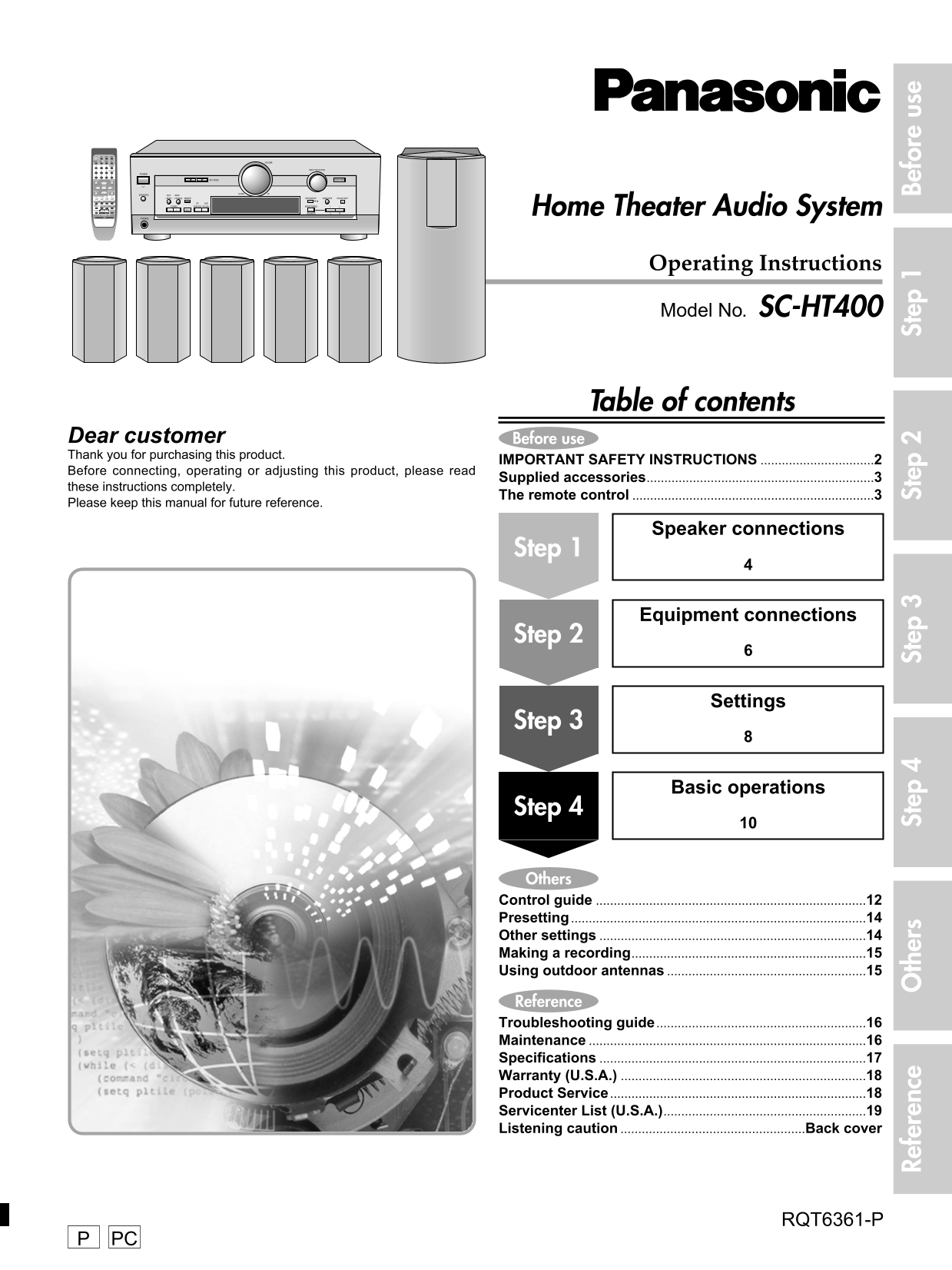
TV/VIDEO CH MUTING 1y PRESET Home Theater Audio System

VOLUME +– BALANCE

PHONES

Operating Instructions

Model No. SC-HT400

Table of contents

Dear customer Before use Thank you for purchasing this product.

IMPORTANT SAFETY INSTRUCTIONS ................................2

Before connecting, operating or adjusting this product, please read

Supplied accessories................................................................3

these instructions completely.

The remote control ....................................................................3

Please keep this manual for future reference.

Speaker connections

Step 1

Equipment connections

Step 2

Settings

Step 3

Basic operations

Step 4

Others Control guide ............................................................................12

Re fe re nc th er St ep Presetting ...................................................................................14 St ep St ep St ep Be fo re se

Other settings ...........................................................................14 Making a recording..................................................................15 Using outdoor antennas ........................................................15

Reference Troubleshooting guide ...........................................................16 Maintenance ..............................................................................16 Specifications ...........................................................................17 Warranty (U.S.A.) .....................................................................18 Product Service ........................................................................18 Servicenter List (U.S.A.).........................................................19 Listening caution ....................................................Back cover

RQT6361-P

Page Summary Contents For Panasonic SC-HT400 User Guide and Manual

Page 1 TV VCR DVD AUDIO TUNER/BAND TAPE CD VOLUME DIRECT TUNING/ DISC ENTER ≥10/ENTER54 INPUT SELECTOR POWER TOP MENU MENU SFC MODE DIGITAL INPUT ENTER DISPLAY SUBWOOFER DOWN UP SPEAKERS - HELP - BAND EFFECT...
Page 2 IMPORTANT SAFETY INSTRUCTIONS Read these operating instructions carefully before using the unit. Follow the safety instructions on the unit and the safety precautions listed below. Keep these operatin...
Page 3 WARNING: CAUTION TO REDUCE THE RISK OF FIRE, ELECTRIC SHOCK OR PRODUCT DAMAGE, DO NOT RISK OF ELECTRIC SHOCK EXPOSE THIS APPARATUS TO RAIN, DO NOT OPEN MOISTURE, DRIPPING OR SPLASHING AND CAUTION:TO R...
Page 4 Speaker connections Step 1 2 3 4 Attach the stickers to the speaker cords Attach the rubber feet to the speaker The 6 speaker cords are all the same. Attach these rubber feet to prevent vibration caus...
Page 5 Connecting the speakers to the receiver Speaker cords ¡Connect the cords so the numbers on the stickers match the numbers under the terminals. ¡Connect the red cords to the red terminals (+) and the b...
Page 6 Step 3 4 Equipment connections Stereo connection cable Video connection cable White (L) Red (R) To connect equipment, refer to the appropriate operating Changing the digital input settings instruction...
Page 7 Peripheral equipment and cables sold separately unless otherwise indicated. Optical fiber cable Coaxial cable CD, Tape deck and antennas Antennas Tape deck FM indoor antenna (included) Fix the other e...
Page 8 Step 1 2 Settings Change the settings to suit your equipment to the environment in which you are using it. Before making any changes, read the descriptions of the settings, note the factory settings a...
Page 9 INPUT SELECTOR SFC MODEw LEVEL EFFECT LEVEL +– DISC/ VOLUME DECK 1/2 SOUND MODE SFC TEST INPUT SELECTOR POWER TV/VIDEO CH MUTING DIGITAL INPUT TEST SFC MODE yy SPEAKERS VOLUME +– SPEAKERS - HELP - BAN...
Page 10 1 2 3 Basic operations Step STEREO mode POWER Switch on. SOUND MODE SPEAKERS STEREO Use this mode to play digital or analog stereo sources or to play surround sources through two speakers. When surrou...
Page 11 DIRECT TUNING/ DISC ENTER VOLUME ≥10/ENTER54 INPUT SELECTOR TOP MENU MENU SFC MODEw ENTER LEVEL DISPLAY SUBWOOFER DOWN UP POWER EFFECT LEVEL +– VOLUME EFFECT DISC/ DECK 1/2 SOUND MODE SFC TEST +– INPU...
Page 12 Control guide Band select/FM mode select button Memory button [MEMORY] [-BAND, –FM MODE] For presetting radio stations. For switching between AM and FM. If reception is poor in FM, press and hold unti...
Page 13 Volume control [VOLUME] Tape monitor button/indicator [TAPE MONITOR] For monitoring sound when recording to a 3-head cassette deck. Also used when you have connected a graphic equalizer to the TAPE te...
Page 14 Presetting Other settings TUNING - BAND MEMORY INPUT SELECTOR SFC MODEw – FM MODE VOLUME INPUT SELECTOR POWER SFC MODE DIGITAL INPUT VOLUME INPUT SELECTOR SPEAKERS - HELP - BAND DOWN UP POWER – RESET ...
Page 15 Making a recording Using outdoor antennas INPUT SELECTOR FM outdoor antenna ¡Disconnect the FM indoor antenna. ¡The antenna should be installed by a competent technician. ¡Twist the coaxial cable’s sh...
Page 16 Troubleshooting guide Before requesting service, make the below checks. If you are in doubt about some of the check points, or if the remedies indicated in the chart do not solve the problem: In the U...
Page 17 Specifications (IHF’78) AMPLIFIER SECTION FM TUNER SECTION Rated minimum sine wave RMS power output Frequency range 87.9–107.9 MHz 40 Hz–20 k Hz both channels driven Sensitivity 11.2 d Bf (2 µV, IHF ’...
Page 18 Warranty (U.S.A.) Panasonic Consumer Electronics Company, Panasonic Sales Company, Division of Matsushita Electric Division of Matsushita Electric Corporation of America of Puerto Rico, Inc. One Panas...
Page 19 Servicenter List (U.S.A.) Re fe re nc th er St ep St ep St ep St ep Be fo re se RQT6361
Page 20 Listening caution THE FOLLOWING APPLIES ONLY IN THE U.S.A. CAUTION: This equipment has been tested and found to comply with the limits for a Class B digital device, pursuant to Part 15 of the EST. 192...

Manual Details

Brand Panasonic
Pages 20
File Size 1.58 MB
Published July 22, 2026
0 views

Enter the captcha to get the download link:

captcha

Frequently Asked Questions

How do I space the unit for proper ventilation?

Allow at least 10 cm (4 inches) clearance from the rear of the unit, and ensure materials like curtains do not obstruct the vents.

What safety precaution must I take if I use an outdoor antenna?

You must ground the entire antenna system to protect against voltage surges and built-up static charges.

Is there any special warning when using the power cord?

The cord must be routed so it is not walked on or pinched, and you should never take hold of the plug or cord with wet hands.