Panasonic RR-US361 RR-US360 IC Recorder Operating Instructions
Summary
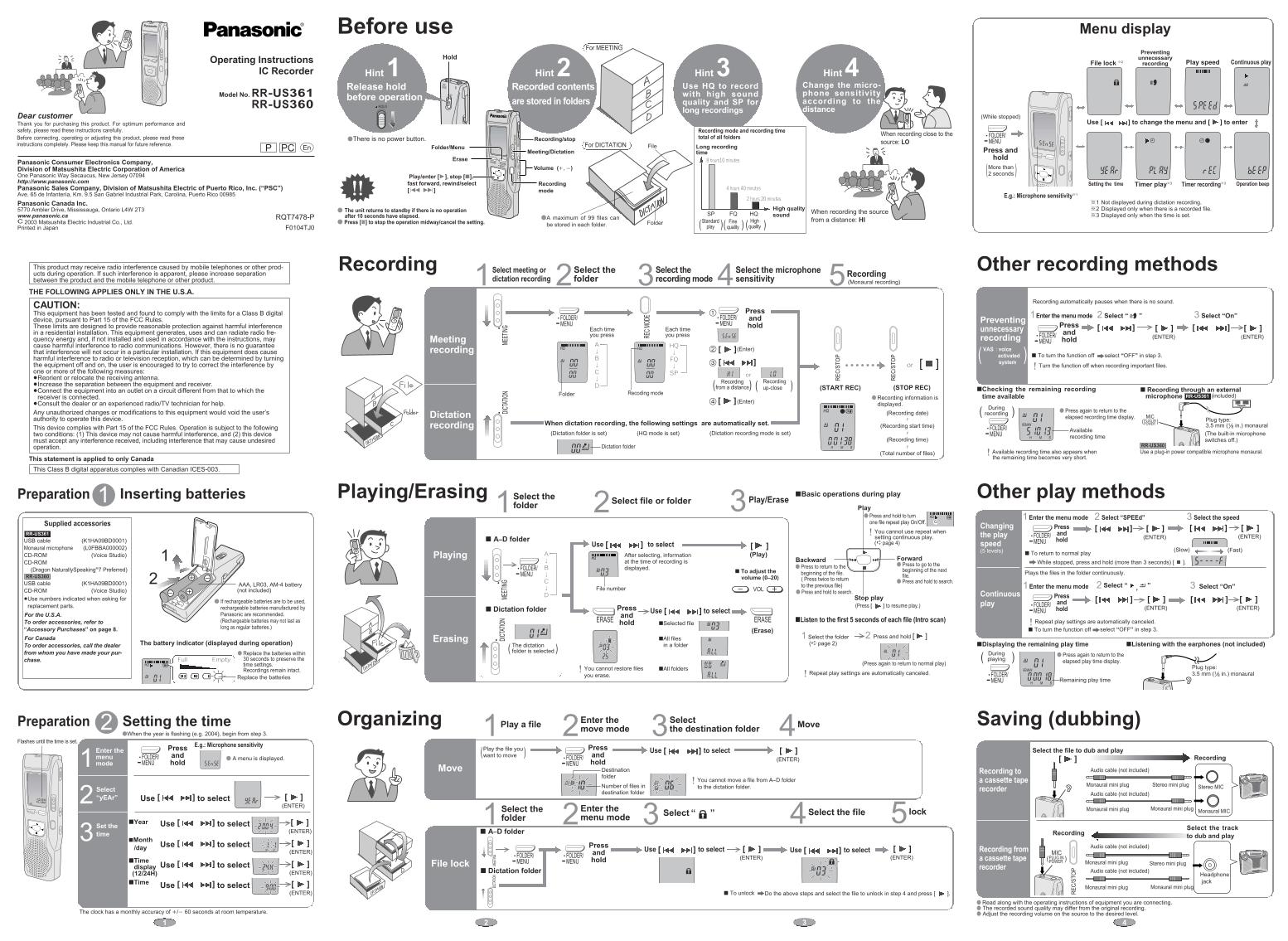
This manual covers the operating instructions for the Panasonic RR-US361 IC recorder, designed for high-quality meeting and dictation recording. It details setup, recording modes, file management, and PC connectivity.
Manual Details
| Brand | Panasonic |
|---|---|
| Pages | 2 |
| File Size | 890.35 KB |
| Published | June 16, 2026 |
4 views
Enter the captcha to get the download link:

Frequently Asked Questions
How do I start a recording?
Press the REC/STOP button to start recording. Press it again to stop.
How many files can be stored?
A maximum of 99 files can be stored in each folder.
What are the different recording modes for?
Use HQ for high sound quality and SP for long recordings from a distance.
How do I prevent accidental recordings?
Engage the HOLD switch to lock the controls and prevent unnecessary recording.
What happens if I don't operate the device?
The unit returns to standby if there is no operation after 10 seconds.