Panasonic RR-US050 IC Recorder Operating Instructions
Summary
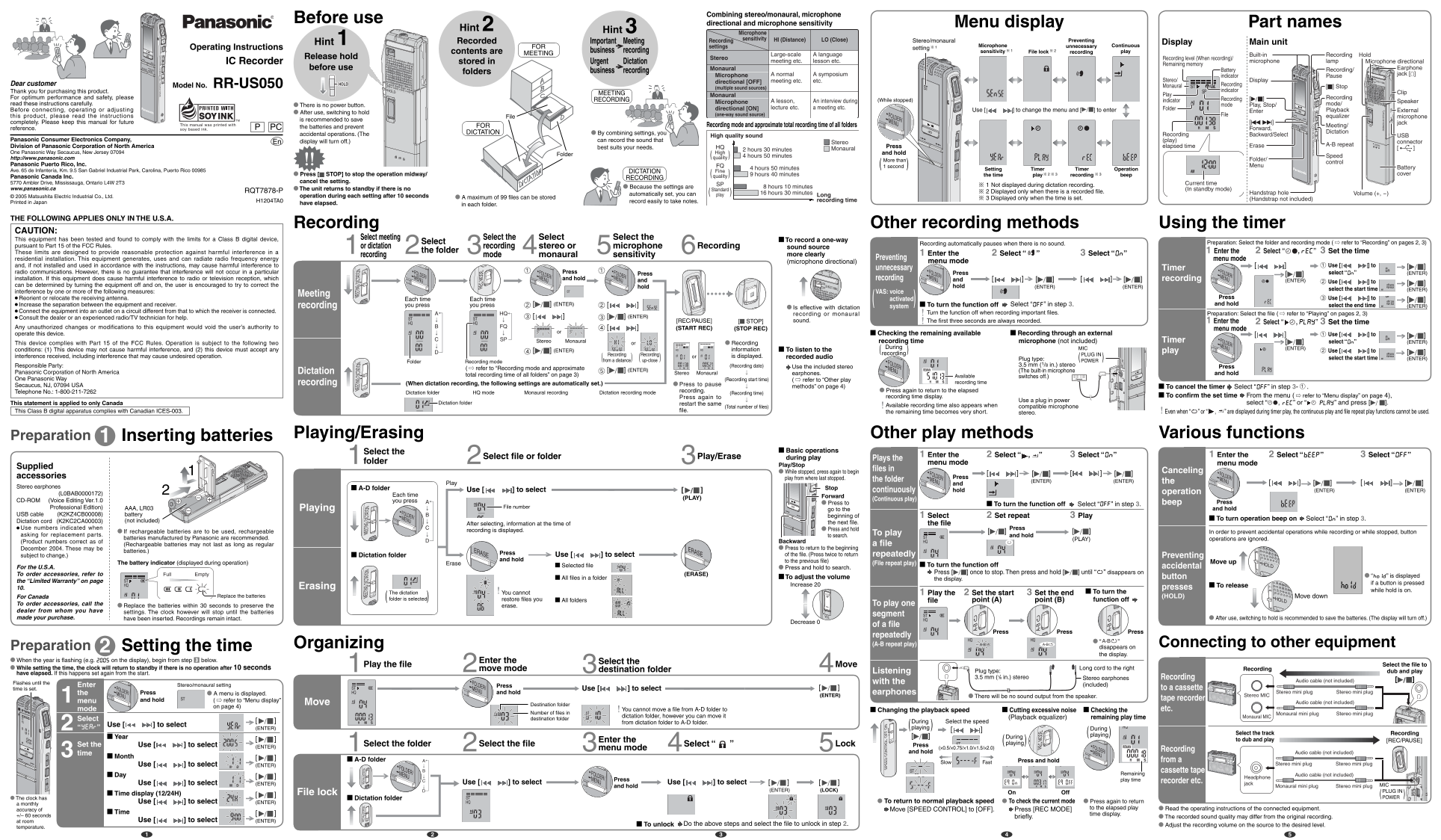
This manual covers the operating instructions for the Panasonic RR-US050 IC Recorder, a device designed for high-quality business, meeting, and dictation recording. Featuring versatile recording modes including stereo and monaural, it allows users to adjust microphone sensitivity and directional settings to suit various sound environments. The guide explains how to navigate menus, utilize timer recording, and manage files to ensure optimal performance and easy playback of your voice notes.
Manual Details
| Brand | Panasonic |
|---|---|
| Pages | 2 |
| File Size | 1.61 MB |
| Published | June 15, 2026 |
Enter the captcha to get the download link:

Frequently Asked Questions
How do I prevent accidental operation of the IC recorder?
After use, switch to hold mode to save batteries and prevent accidental operations. The display will turn off.
What are the two microphone sensitivity settings?
HI (Distance) for far sounds and LO (Close) for nearby sounds.
What is the maximum recording time in monaural SP mode?
With Panasonic alkaline batteries, monaural SP mode allows up to 16 hours 30 minutes of recording.
How should I clean the unit?
Wipe with a soft, dry cloth. Never use alcohol, paint thinner, or benzine.