Panasonic RR-US395 IC Recorder Operating Instructions
Summary
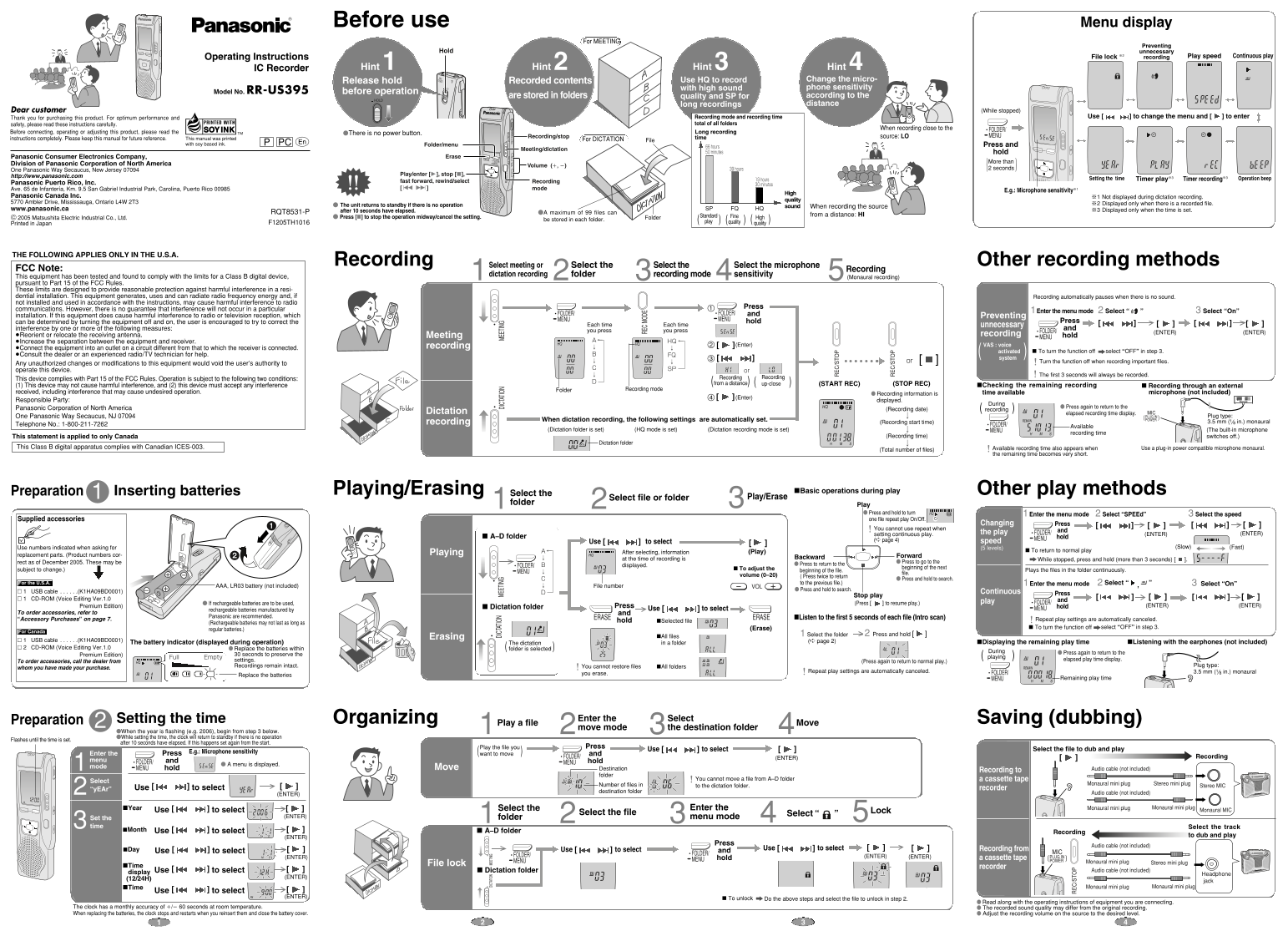
Panasonic IC Recorder RR-US395 manual covering meeting and dictation recording. Designed for high-quality audio capture with HQ, SP, and FQ modes. Includes features like voice activation, file management, and USB connectivity for seamless computer transfer.
Manual Details
| Brand | Panasonic |
|---|---|
| Pages | 2 |
| File Size | 1.10 MB |
| Published | June 15, 2026 |
5 views
Enter the captcha to get the download link:

Frequently Asked Questions
How do I prevent accidental recording?
Press and hold the HOLD button to lock the controls and prevent unintended operations.
What recording quality modes are available?
HQ (high quality), SP (standard play), and FQ (fine quality) for different recording needs.
How do I set the microphone sensitivity for distance recording?
Change microphone sensitivity to HI (high) via the menu for recording from a distance, or LO for close-up.
How does the Voice Activated System (VAS) work?
VAS automatically pauses recording when no sound is detected, and resumes when sound is heard again.