HP Scanjet Enterprise 7500 Flatbed Scanner HP Scanjet Enterprise 7500 Flow 7500 - Installation Guide
Summary
This comprehensive installation guide is designed for users setting up the HP Scanjet Enterprise 7500/Flow 7500 high-volume scanner. It provides step-by-step instructions covering unboxing, powering the device, connecting cables, and installing all required drivers and optional software (such as OCR). Follow this manual to ensure a smooth setup experience, guaranteeing that professionals can quickly begin scanning and digitizing large volumes of documents with minimal technical difficulty.
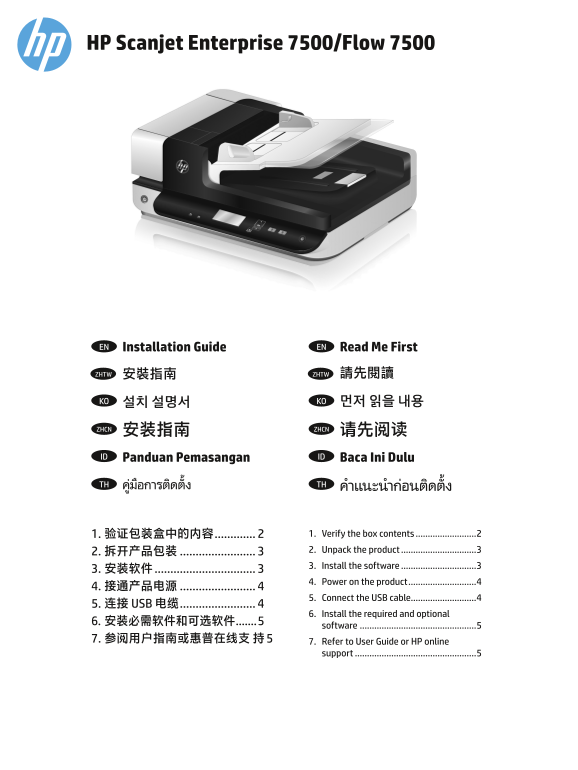
Page 1 Text Content
HP Scanjet Enterprise 7500/Flow 7500
Installation Guide EN Read Me First EN
安裝指南 ZHTW 請先閱讀ZHTW
설치 설명서 KO 먼저 읽을 내용KO
安装指南 ZHCN 请先阅读ZHCN
Panduan Pemasangan ID Baca Ini Dulu ID
ูม่อืการตดิตัง้ TH คำาแนะนำากอ่นตดิตัง้TH
1. 验证包装盒中的内容 ............. 1. Verify the box contents .........................2 2. 拆开产品包装 ........................ 2. Unpack the product ...............................3 3. Install the software ...............................3
4. Power on the product ............................4
5. Connect the USB cable...........................4
5. 连接 USB 电缆 ........................
6. Install the required and optional
software ................................................5
7. 参阅用户指南或惠普在线支 持 5 7. Refer to User Guide or HP online
support ..................................................5
Page Summary Contents For HP Scanjet Enterprise 7500 Flatbed Scanner HP Scanjet Enterprise 7500 Flow 7500 - Installation Guide
Manual Details
| Brand | HP |
|---|---|
| Pages | 8 |
| File Size | 1.82 MB |
| Published | June 02, 2026 |
Enter the captcha to get the download link:

Frequently Asked Questions
When should I connect the USB cable?
Wait and only connect it when the software installation process explicitly prompts you to do so.
What optional software is available for document text recognition (OCR)?
You can install I.R.I.S. Readiris Pro, which specializes in Optical Character Recognition (OCR).
Are there any safety cautions during setup or handling?
Be careful when tilting the unit and ensure you do not accidentally let the Automatic Document Feeder (ADF) cover open.
Where can I find further user guides or product support?
You should reference your User Guide, or visit www.hp.com/support and search for your specific product.