Page 1
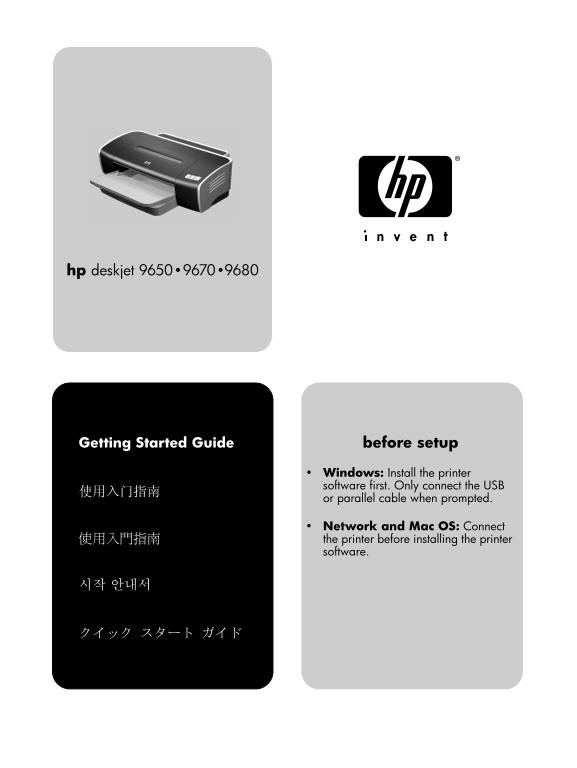
Euclid GSG_5-6language.book Page 1 Saturday, June 21, 2003 10:58 PM hp deskjet 9650 • 9670 • 9680 Getting Started Guide before setup Windows: Install the printer software first. Only connect the USB o...
Page 2
Euclid GSG_5-6language.book Page 2 Saturday, June 21, 2003 10:58 PM
Page 3
Euclid GSG_5-6language.book Page 1 Saturday, June 21, 2003 10:58 PM Copyright Information 版权信息 © 2003 Copyright Hewlett-Packard Development Company, LP © 2003 Copyright Hewlett-Packard Development Com...
Page 4
Euclid GSG_5-6language.book Page 2 Saturday, June 21, 2003 10:58 PM 如果本产品没有正常运行,请参阅 Starter CD 上联机用户指南 中的“故障排除”。 如果產品無法正常的操作,請參閱 Starter CD 中螢幕使用者手 冊的《疑難排解》。 11如果本产品没有正常运行,请参阅 Starter CD 上联机用户指南 中的“故障...
Page 5
Euclid GSG_5-6language.book Page 1 Saturday, June 21, 2003 10:58 PM hp deskjet 9670 hp deskjet 9680 hp 56 hp 57 hp 58 Step 1: Check the package contents. Step 2: Remove the packing materials. 1) HP De...
Page 6
Euclid GSG_5-6language.book Page 2 Saturday, June 21, 2003 10:58 PM Step 3: Identify printer parts (front). 8) input tray lock, 9) paper width guide, 10) small media guide, 1) Extendable input tray, 2...
Page 7
Euclid GSG_5-6language.book Page 3 Saturday, June 21, 2003 10:58 PM Identify printer parts (back). Step 4: Connect the power cord. 1) Power input, 2) power supply module 3) rear access panel, 1) Conne...
Page 8
Euclid GSG_5-6language.book Page 4 Saturday, June 21, 2003 10:58 PM Step 5: Load the paper. 4) Insert up to 150 sheets of paper, print-side down along the right 1) Raise the output tray. 2) Press the ...
Page 9
GSG_Guide.fm Page 5 Sunday, June 22, 2003 1:39 AM Step 6: Turn on the printer and install the print cartridges. 6) Insert the print cartridge into the left cradle. 7) Push down the 1) Press the Power ...
Page 10
Euclid GSG_5-6language.book Page 6 Saturday, June 21, 2003 10:58 PM The printer aligns the print cartridges and prints an alignment If the printer does not print, make sure: 1) The power light is lit,...
Page 11
Euclid GSG_5-6language.book Page 7 Saturday, June 21, 2003 10:58 PM IEEE 1284 - B Step 7: Install the software and connect the printer. If you have connected the printer to the computer before you Ins...
Page 12
Euclid GSG_5-6language.book Page 8 Saturday, June 21, 2003 10:58 PM Step 8: Test the software installation. Step 9: Register the printer. After you complete the software installation and connect the R...
Page 13
Euclid GSG_5-6language.book Page 9 Saturday, June 21, 2003 10:58 PM Congratulations! Getting more information. Your printer is ready to use. For information about using the See the onscreen user’s gui...
Page 14
Euclid GSG_5-6language.book Page 1 Saturday, June 21, 2003 10:58 PM Hewlett-Packard Limited Warranty Statement HP product Duration of Limited Warranty Software 90 days Accessories 90 days Print cartri...
Page 15
Euclid GSG_5-6language.book Page 1 Saturday, June 21, 2003 10:58 PM Hewlett-Packard 有限保修声明 HP 产品 有限保修期限 软件 90 天 附件 90 天 打印墨盒 90 天 有限保修范围 责任限制 Hewlett-Packard 向最终用户保证:以上列出的 HP 产 在当地法律允许的范围内,本“保修声明”中提供的...
Page 16
Euclid GSG_5-6language.book Page 1 Saturday, June 21, 2003 10:58 PM Hewlett-Packard 有限保固聲明 HP 產品 有限保固期限 軟體 90 天 配件 90 天 列印墨匣 90 天 Hewlett-Packard 向一般使用者客戶保證,上述 HP 產 在當地法律允許的範圍內,此《保固聲明》所提供的補 償,是客戶唯一而所有...
Page 17
Euclid GSG_5-6language.book Page 1 Saturday, June 21, 2003 10:58 PM Hewlett-Packard 제한 보증 조항 HP 제품 제한 보증 기간 소프트웨어 90일 액세서리 90일 인쇄 카트리지 90일 프린터 주변 장치 하드웨어 (자세한 내용은 아래 참조 1년 제한 보증 범위 책임의 제한 Hewlett-Pack...
Page 18
Euclid GSG_5-6language.book Page 1 Saturday, June 21, 2003 10:58 PM Hewlett-Packard の限定保証 HP製品 限定保証期間 ソフトウェア 90日 アクセサリ 90日 プリント カートリッジ 90日 プリンタ周辺ハードウェア(詳細については下記を参照) 1年 限定保証の範囲 限定責任 Hewlett-Packardは、ご...
Page 19
Euclid GSG_5-6language.book Page 2 Saturday, June 21, 2003 6:27 PM
Page 20
Euclid GSG_5-6language.book Page 1 Saturday, June 21, 2003 10:58 PM printed on recycled paper copyright © 2003 Hewlett-Packard Company printed in Singapore http://www.hp.com/support/dj9600