# A B C D E F G H I J K L M N O P Q R S T U V W X Y Z

HP Color LaserJet CM1015 CM1017 Multi-Function Printer Series - (Multiple Language) Getting Started Guide

Summary

Introducing the HP Color LaserJet CM1017 MFP, a versatile multi-function printer designed for professional printing needs. This comprehensive getting started guide provides step-by-step instructions for new users, ensuring easy setup right out of the box. Learn how to unbox, configure, and operate your device efficiently—including detailed guidance on cartridge installation, navigating the LCD interface, and advanced functions like copying from memory cards and inputting network settings. Essential reading for anyone new to the HP CM1017 MFP who wants a quick and flawless start.
📄 Preview PAGE OF 16

Page 1 Text Content

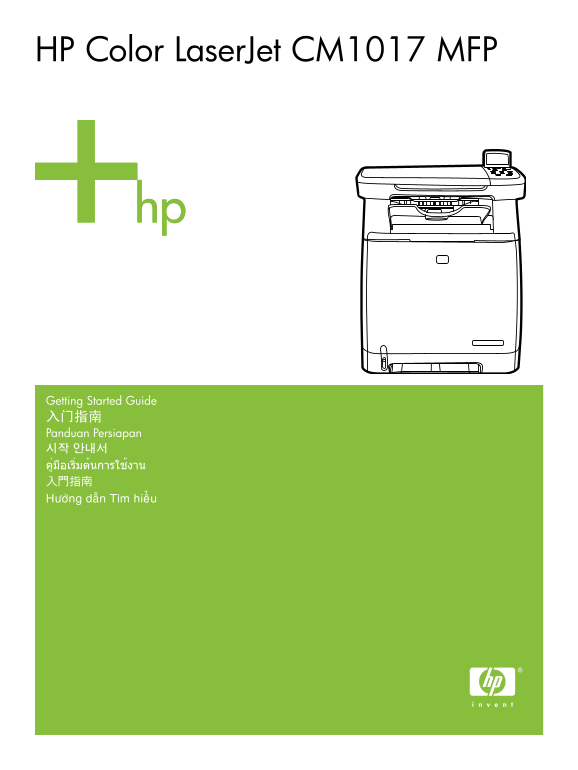
HP Color Laser Jet CM1017 MFP

Getting Started Guide 入门指南 Panduan Persiapan 시작 안내서 คู่มือเริ่มต้นการใช้งาน 入門指南 Höôùng daãn Tìm hieâÛu

Page Summary Contents For HP Color LaserJet CM1015 CM1017 Multi-Function Printer Series - (Multiple Language) Getting Started Guide

Page 1 HP Color Laser Jet CM1017 MFP Getting Started Guide 入门指南 Panduan Persiapan 시작 안내서 คู่มือเริ่มต้นการใช้งาน 入門指南 Höôùng daãn Tìm hieâÛu
Page 2 Copyright and License 版权和许可证 © 2006 Copyright Hewlett-Packard Development Company, L.P. ©2006 Copyright Hewlett-Packard Development Company, L.P. Reproduction, adaptation or translation without prior ...
Page 3 • Unpack the MFP. •从包装中取出 MFP。 • Buka kemasan MFP. • MFP 포장을 벗깁니다. • แกะหีบห่อบรรจุ MFP • 拆開 MFP 的包裝。 • Môû MFP. • Select a sturdy, well-ventilated, dust-free area to position the MFP. • 选择稳固、无尘、通风良好之...
Page 4 • Insert CD, follow instructions to complete setup. • 插入 CD,按照提示完成安装。 • Masukkan CD, ikuti petunjuk untuk menyelesaikan konfigurasi. • CD를 넣고 지침에 따라 설정을 완료합니다. • ใส่ซีดี ปฏิบัติตามคำแนะนำเพื่อดำเนินกา...
Page 5 • Remove print cartridge shipping locks and reinstall cartridges. • 取下打印碳粉硒鼓的装运锁定,然后重新安装碳粉硒鼓。 • Lepaskan pengaman paket kartrid cetak, kemudian pasang kembali kartrid. • 프린트 카트리지 고정 장치를 제거하고 카트리지를 다시 ...
Page 6 • Remove the tray 2 lock, adjust paper guides, and load paper. • 取下纸盒 2 的锁,调整纸张导板,然后装入纸张。 • Lepaskan 2 pengunci baki, atur pengarah kertas, kemudian masukkan kertas. • 용지함 2의 잠금 장치를 풀고 급지 조정대를 조정한 후, ...
Page 7 • Install bezel, rotate display, remove clear cover. • 安装面板盖,旋转显示屏,取下透明膜。 • Pasang pelapis panel, putar layar, lepaskan penutup transparan. • 베젤을 설치하고 디스플레이를 들어올린 후 투명 덮개를 벗깁니다. • ติดตั้งแผ่นปิดแผงควบ...
Page 8 Network • Connect LAN to MFP. • 将 LAN 连接到 MFP。 • Pasang LAN ke MFP. • LAN을 MFP에 연결합니다. • เชื่อมต่อ LAN เข้ากับ MFP • 將 LAN 連接到 MFP。 • KeâÙt noâÙi LAN vôùi MFP. Network USB • Set default language and l...
Page 9 Network USB • Test memory card reader: Insert card, view photos on graphical display and remove card. • 测试存储卡阅读器:插入卡,在图形显示屏上查看照片,然后取出卡。 • Tes pembaca kartu memori: Masukkan kartu, tampilkan foto pada ...
Page 10 Network USB • Copy configuration page to test copy functionality. Under Start Copy, press “Color”. • 复印配置页以测试复印功能。在“开始复印”下,按“彩色”。 • Salin halaman konfigurasi untuk menguji fungsionalitas penyalinan. D...
Page 11 USB • Connect the USB to the computer and MFP when the software prompts you. • 当软件显示提示时,将 USB 连接到计算机和 MFP。 • Pasang USB ke komputer dan MFP bila perangkat lunak memintanya. • 소프트웨어에서 해당 메시지가 표시되면 USB를...
Page 12 ไท Ba ha sa In do ne si Informasi tambahan En gl is Additional Information See the electronic user guide in your HP Program Group or www.hp.com/support/clj CM1015_CM1017 for more information about the...
Page 13 Thoâng tin Theâm En gl is Ti eâÙn Vi eät Xem höôùng daâÕn ngöôøi duøng ñieän töœ trong Nhoùm chöông trình HP cuøa baïn hoaëc www.hp.com/support/clj CM1015_CM1017 ñeâÛ bieâÙt theâm thoâng tin veâØ nhöõ...
Page 14 ไท Ba ha sa In do ne si Menggunakan layar grafis Layar grafis berwarna menampilkan menu, foto, dan pesan. Layar dapat ditarik dan dimiringkan agar dapat dilihat dengan jelas. Gunakan tanda panah pada ...
Page 15 Ti eâÙn Vi eät 使用控制面板上的箭頭,在 HP Color Laser Jet CM1017 MFP 上瀏覽 • 按向上箭頭或向下箭頭可瀏覽所有控制面板功能表。 • 按返回,返回上一個功能表。 • 按輸入按鈕,進行選擇。 按向左箭頭或向右箭頭可完成以下工作: • 增加或減少各種影印和照片功能表中水平捲軸的值。 • 在圖形顯示器瀏覽記憶卡中的照片。 • 輸入 IP 位址。 Duøng ...
Page 16 © 2006 Hewlett-Packard Development Company, L.P. www.hp.com *CB395-90906* *CB395-90906* CB395-90906

Manual Details

Brand HP
Pages 16
File Size 1.54 MB
Published June 01, 2026
65 views

Enter the captcha to get the download link:

captcha

Frequently Asked Questions

What is required for proper setup of the MFP?

Select a sturdy, well-ventilated, dust-free area to position the MFP. After unboxing, follow instructions on the CD or this booklet.

How do I handle startup procedures after unpacking?

Remove all exterior and interior orange tape, then remove print cartridge shipping locks and reinstall cartridges.

What should be done if the device causes interference?

Try reorienting/relocating receiving antennas, increasing separation between equipment, or connecting to a different circuit outlet. Consult a qualified technician if issues persist.