HP Color LaserJet 2600n Getting Started Guide - (Multiple Language)
Summary
Essential guide for setting up and maintaining your HP Color LaserJet 2600n series. This comprehensive resource provides users with detailed operation instructions, troubleshooting steps, safety notices, and regulatory compliance information. It ensures you can maximize the performance of your color laser printer through simple setup and expert usage guidance.
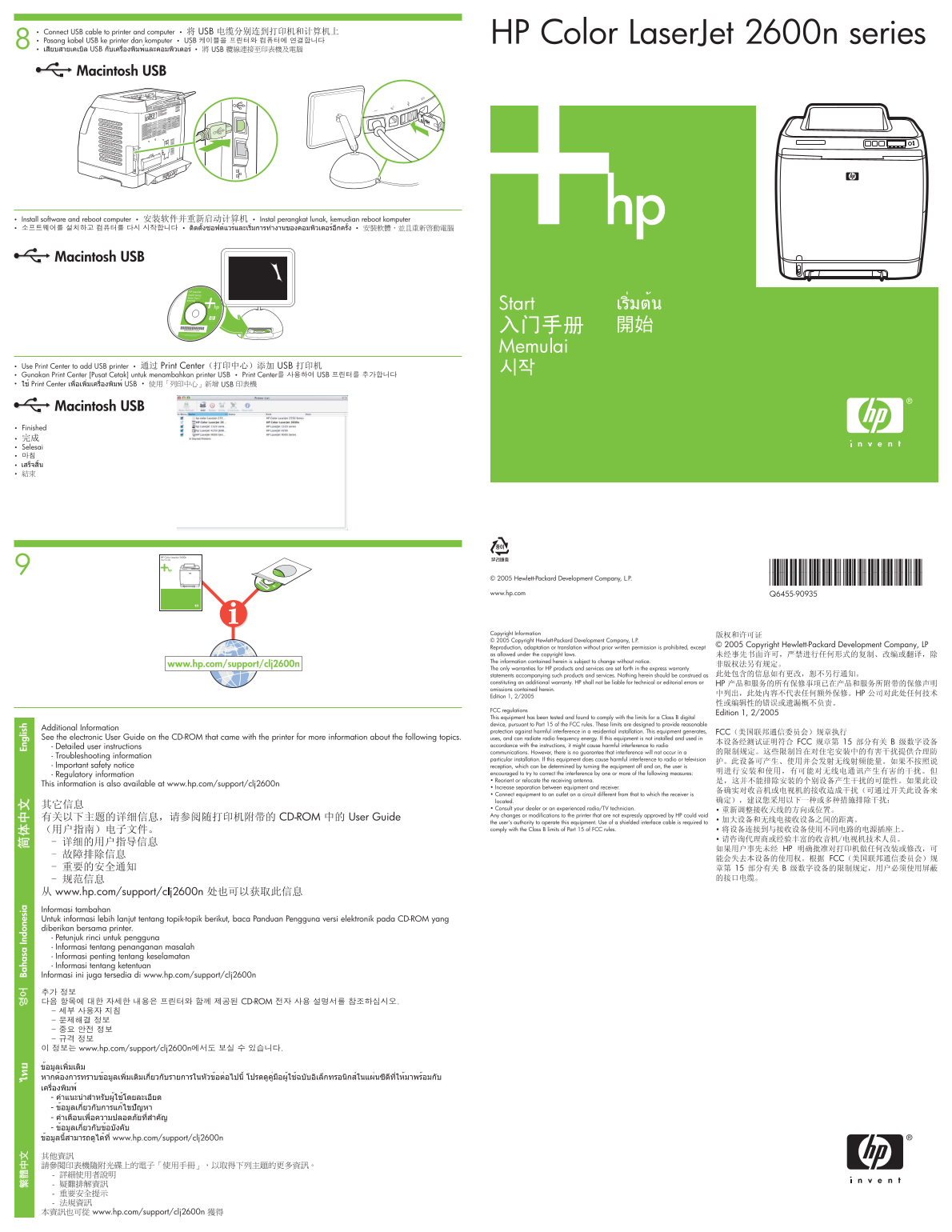
Page 1 Text Content
Ba ha sa In do ne si En gl is
HP Color Laser Jet 2600n series8
Macintosh USB
Macintosh USB
Macintosh USB
© 2005 Hewlett-Packard Development Company, L.P. *Q6455-90935* www.hp.com Q6455-90935
Copyright Information © 2005 Copyright Hewlett-Packard Development Company, L.P. Reproduction, adaptation or translation without prior written permission is prohibited, except as allowed under the copyright laws. The information contained herein is subject to change without notice.
www.hp.com/support/clj2600n
The only warranties for HP products and services are set forth in the express warranty statements accompanying such products and services. Nothing herein should be construed as constituting an additional warranty. HP shall not be liable for technical or editorial errors or omissions contained herein. Edition 1, 2/2005
FCC regulations This equipment has been tested and found to comply with the limits for a Class B digital device, pursuant to Part 15 of the FCC rules. These limits are designed to provide reasonable
Additional Information
protection against harmful interference in a residential installation. This equipment generates,
See the electronic User Guide on the CD-ROM that came with the printer for more information about the following topics. uses, and can radiate radio frequency energy. If this equipment is not installed and used in
- Detailed user instructions accordance with the instructions, it might cause harmful interference to radio communications. However, there is no guarantee that interference will not occur in a
- Troubleshooting information
particular installation. If this equipment does cause harmful interference to radio or television
- Important safety notice reception, which can be determined by turning the equipment off and on, the user is
- Regulatory information encouraged to try to correct the interference by one or more of the following measures: • Reorient or relocate the receiving antenna.
This information is also available at www.hp.com/support/clj2600n
• Increase separation between equipment and receiver. • Connect equipment to an outlet on a circuit different from that to which the receiver is located. • Consult your dealer or an experienced radio/TV technician. Any changes or modifications to the printer that are not expressly approved by HP could void the user's authority to operate this equipment. Use of a shielded interface cable is required to comply with the Class B limits of Part 15 of FCC rules.
Informasi tambahan Untuk informasi lebih lanjut tentang topik-topik berikut, baca Panduan Pengguna versi elektronik pada CD-ROM yang diberikan bersama printer. - Petunjuk rinci untuk pengguna - Informasi tentang penanganan masalah - Informasi penting tentang keselamatan - Informasi tentang ketentuan Informasi ini juga tersedia di www.hp.com/support/clj2600n
Page Summary Contents For HP Color LaserJet 2600n Getting Started Guide - (Multiple Language)
Manual Details
| Brand | HP |
|---|---|
| Pages | 2 |
| File Size | 1.99 MB |
| Published | June 15, 2026 |
Enter the captcha to get the download link:

Frequently Asked Questions
How do I read detailed instructions for the printer?
Read the electronic User Guide on the CD-ROM that came with the printer.
What should I do if the printer causes harmful radio frequency interference?
Try reorienting or relocating the receiving antenna, increasing separation between equipment and receiver, or connecting equipment to a different circuit outlet.
Does unauthorized modification void my warranty?
Yes, any changes or modifications not expressly approved by HP could void your user's authority to operate this equipment.