# A B C D E F G H I J K L M N O P Q R S T U V W X Y Z

EXTECH InfraRed (IR) Thermometer with Wireless Datalogger, Type K Input & Laser Pointer Model 42560 User's Manual and Instruction Book

Summary

This industrial-grade IR Thermometer accurately measures non-contact surface temperature up to 1922°F, with optional Type K contact measurements. Featuring integrated wireless datalogging capabilities, an adjustable emissivity function, and a laser pointer for precise targeting. The comprehensive user manual guides professionals through setup, data logging methods, internal memory functions, and ergonomic operations. Ideal for industrial inspection, HVAC diagnostics, or research requiring precise and reliable temperature data recording.
📄 Preview PAGE OF 12

Page 1 Text Content

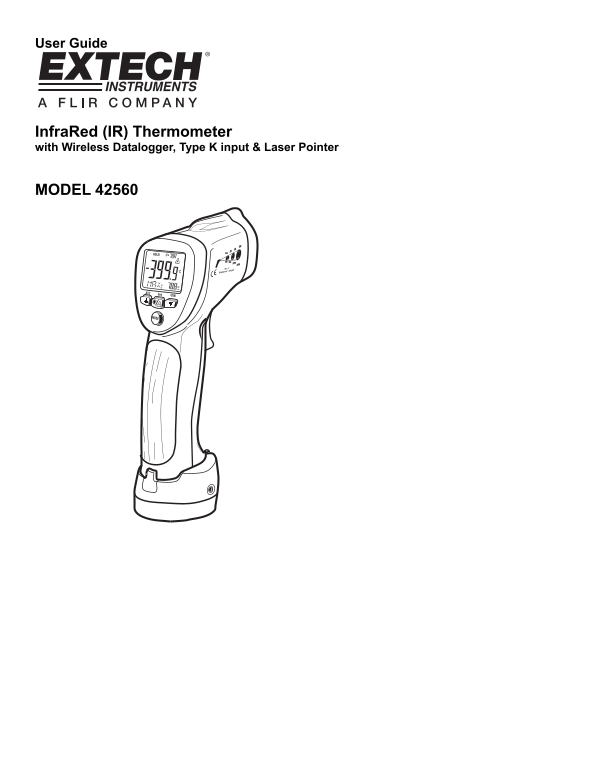
User Guide

Infra Red (IR) Thermometer with Wireless Datalogger, Type K input & Laser Pointer

MODEL 42560

Page Summary Contents For EXTECH InfraRed (IR) Thermometer with Wireless Datalogger, Type K Input & Laser Pointer Model 42560 User's Manual and Instruction Book

Page 1 User Guide Infra Red (IR) Thermometer with Wireless Datalogger, Type K input & Laser Pointer MODEL 42560
Page 2 Introduction Congratulations on your purchase of the Model 42560 IR Thermometer. The Model 42560 IR thermometer measures and displays non-contact (infrared) surface temperature to a maximum of 1922o F...
Page 3 Descriptions Meter Description 1. Laser pointer 2. IR sensor 3. Measurement trigger 4. Battery compartment 5. LCD display 6. Function buttons* 7. Thermocouple 8. Optical interface (meter bottom) 9. Th...
Page 4 Display Description 1. Displays SCAN when trigger is depressed; Displays HOLD when trigger is released 2. Low battery 3. MODE button selection 4. Emissivity setting 5. USB PC communication icon 6. IR ...
Page 5 Operating Instructions Power 1. The meter is powered by one (1) 9V battery. 2. The transmitter base can also be powered by the 9V battery in the meter or by the supplied AC adaptor. IR (non-contact) M...
Page 6 The MODE button options The MODE button is used to select from a list of available meter functions. The selected function is displayed on the bottom line of the LCD. Each function is listed below alon...
Page 7 IR Measurement Notes 1. The object under test should be larger than the spot (target) size calculated by the field of view diagram (printed on the side of the meter and in this guide). 2. Before measu...
Page 8 Emissivity and IR Measurement Theory IR Thermometers measure the surface temperature of an object. The thermometer’s optics sense emitted, reflected, and transmitted energy. The thermometer’s electron...
Page 9 Datalogging Wireless Datalogging The Model 42560 is supplied with a Wireless Datalogging system for use with a PC. The kit contains software (CD-ROM), Transmitter base, and a USB Data Receiver. Readin...
Page 10 Analog Output The Model 42560 is supplied with a banana plug pair to 3.5mm mini-plug cable. The mini-plug end of the cable connects to the meter’s Transmitter base. The banana plug test lead end can b...
Page 11 Specifications Infrared Thermometer (Non-contact) Specifications Range / Resolution -58.0 to 1922.0o F (-50.0 to 1050.0o C) Resolution: 0.1o Accuracy ± 9o F (± 5o C) from -58 to -4o F (-50 to -20o C) ...
Page 12 Battery Replacement When the low battery symbol appears on the LCD, replace the meter’s battery (9V). The battery compartment is located behind the panel that surrounds the meter’s trigger (see diagra...

Manual Details

Brand Laser
Pages 12
File Size 247.79 KB
Published May 29, 2026
65 views

Enter the captcha to get the download link:

captcha

Frequently Asked Questions

What are the temperature limits for non-contact measurements on Model 42560?

The IR thermometer can measure temperatures up to a maximum of 1922 °F (1050 C).

Where do I replace the battery and adjust the main switches?

The battery compartment is located behind the panel surrounding the meter's trigger. The dip switches are located inside this compartment.

What precautions should be taken when using the laser pointer feature?

Do not point the beam toward anyone's eye or allow it to strike the eye from a reflective surface, and avoid use near explosive gases.

Does the device support both IR and contact temperature measurements?

Yes, besides non-contact measurements, the Type K thermocouple input allows for contact measurements up to 2498 °F (1370 C).