Dell Vostro 1220 Setup and Features Information
Summary
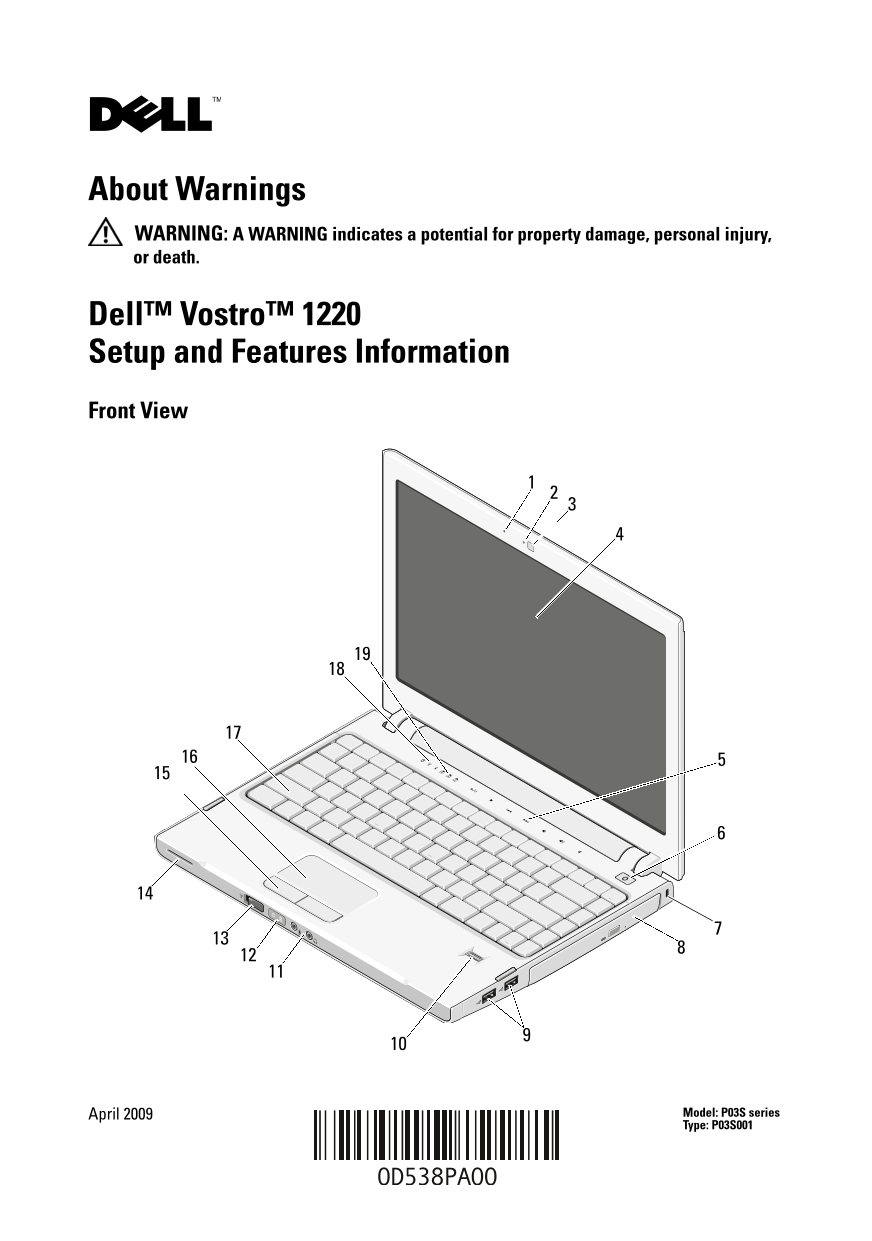
Dell Vostro 1220 Setup and Features Information. This quick reference guide provides setup instructions and feature overview for the Dell Vostro 1220 laptop computer (P03S series). It covers front and back view diagrams, port locations, quick setup procedures including AC adapter and network connection, and basic operational information. The document is designed for end users and small business customers who need to set up and begin using their Dell Vostro 1220 notebook computer.
Page 1 Text Content
D538Pcc0.fm Page 1 Wednesday, May 6, 2009 1:59 PM
About Warnings WARNING: A WARNING indicates a potential for property damage, personal injury, or death.
Dell™ Vostro™ 1220 Setup and Features Information Front View
April 2009 Model: P03S series Type: P03S001
Page Summary Contents For Dell Vostro 1220 Setup and Features Information
Manual Details
| Brand | Dell |
|---|---|
| Pages | 6 |
| File Size | 497.65 KB |
| Published | June 26, 2026 |
Enter the captcha to get the download link:

Frequently Asked Questions
How do I properly disconnect the AC adapter cable?
Grasp the connector, not the cable itself, and pull firmly but gently to avoid damaging the cable.
What is the minimum required memory for the computer?
The minimum memory requirement is 1 GB DDR2 800 MHz.
How should I store the computer according to its specifications?
The storage temperature range is -20° to 65°C (4° to 149°F), and relative humidity must be between 5% and 95% (noncondensing).
What can be placed in the ExpressCard or SD card reader slots?
Use the plastic blanks supplied with the computer when no ExpressCard or media card is installed; blanks from other computers may not fit.