Dell Venue 10 7000 Keyboard Quick User Guide
Summary
Dell Venue 10 Keyboard 7000 Series Quick Start Guide (2014) covering keyboard connection via tablet slots alignment, Bluetooth pairing procedure (scan and password entry), keyboard backlight/Caps Lock status, shortcut keys (search, screen lock, media playback, brightness, volume, wireless), and tablet disconnection by outward rotation.
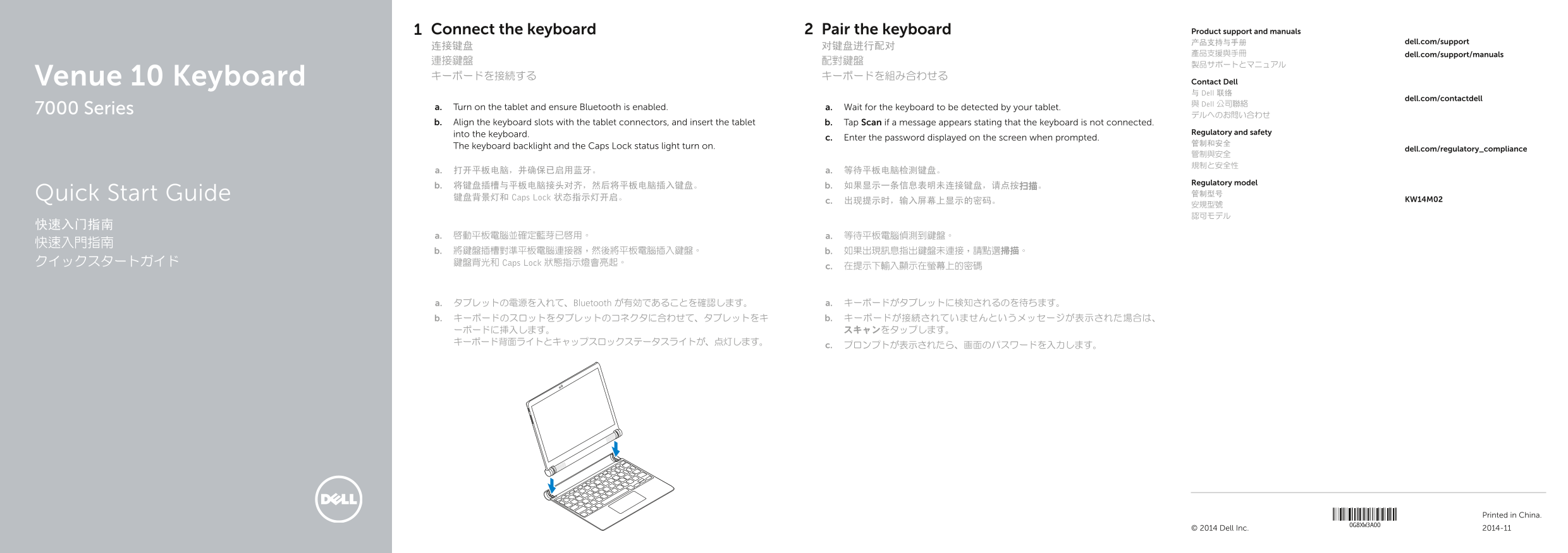
Page 1 Text Content
Connect the keyboard Pair the keyboard Product support and manuals
产品支持与手册 dell.com/support
產品支援與手冊 dell.com/support/manuals
Venue 10 Keyboard キーボードを接続する キーボードを組み合わせる
Contact Dell 与 Dell 联络
dell.com/contactdell
與 Dell 公司聯絡
7000 Series a. Turn on the tablet and ensure Bluetooth is enabled. a. Wait for the keyboard to be detected by your tablet.
b. Align the keyboard slots with the tablet connectors, and insert the tablet b. Tap Scan if a message appears stating that the keyboard is not connected.
into the keyboard. Regulatory and safety
c. Enter the password displayed on the screen when prompted.
The keyboard backlight and the Caps Lock status light turn on. dell.com/regulatory_compliance
Regulatory model
Quick Start Guide 管制型号
键盘背景灯和 Caps Lock 状态指示灯开启。 KW14M02
b. 將鍵盤插槽對準平板電腦連接器,然後將平板電腦插入鍵盤。 b. 如果出現訊息指出鍵盤未連接,請點選掃描。 クイックスタートガイド 鍵盤背光和 Caps Lock 狀態指示燈會亮起。
a. タブレットの電源を入れて、Bluetooth が有効であることを確認します。 a. キーボードがタブレットに検知されるのを待ちます。 b. キーボードのスロットをタブレットのコネクタに合わせて、タブレットをキ b. キーボードが接続されていませんというメッセージが表示された場合は、 ーボードに挿入します。 スキャンをタップします。
Printed in China. 2014-11© 2014 Dell Inc.
Page Summary Contents For Dell Venue 10 7000 Keyboard Quick User Guide
Manual Details
| Brand | Dell |
|---|---|
| Pages | 2 |
| File Size | 422.86 KB |
| Published | July 03, 2026 |
Enter the captcha to get the download link:

Frequently Asked Questions
How do I initiate the setup process for the keyboard?
Ensure Bluetooth is enabled on the tablet, wait for detection, then align and insert the tablet into the keyboard slots.
What should I do if the system says the keyboard is not connected?
Tap 'Scan' (扫描) when prompted by a message stating that the keyboard is not connected.
How can I physically disconnect the keyboard from the tablet?
Turn the tablet outward to disconnect the keyboard. This action serves as both the 'Back' and 'Search' functions.
What are some of the core features or shortcuts available on this setup?
The keypad includes controls for adjusting brightness, volume (Increase/Decrease), muting audio, cycle tracks, and accessing quick functions through dedicated keys like 'Home' and 'Action'.