Dell Venue 10-5050 Quick User Guide
Summary
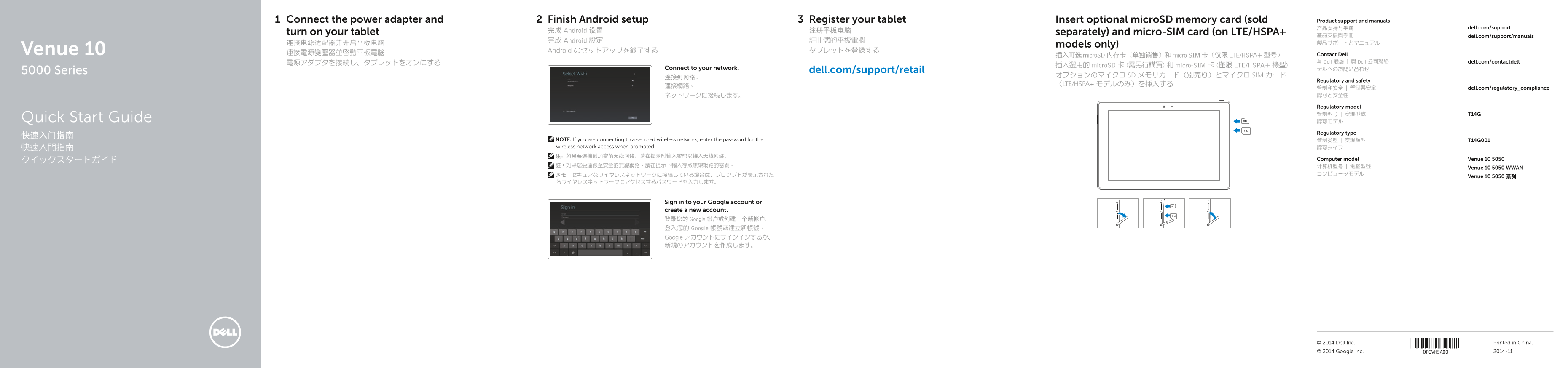
This Quick Start Guide for the Dell Venue 10 5000 Series Android tablet (model Venue 10 5050) provides setup instructions in English, Simplified Chinese, Traditional Chinese, and Japanese. It covers power adapter connection, Android setup completion, tablet registration, optional microSD and micro-SIM card insertion, network connectivity, and Google account sign-in. Includes hardware features, keyboard connection, tablet and dock modes, regulatory information, and Dell support resources.
Page 1 Text Content
Connect the power adapter and Finish Android setup Register your tablet Insert optional micro SD memory card (sold Product support and manuals
产品支持与手册 dell.com/support
turn on your tablet 完成 Android 设置 注册平板电脑 separately) and micro-SIM card (on LTE/HSPA+
產品支援與手冊 dell.com/support/manuals
完成 Android 設定 註冊您的平板電腦
models only)
Venue 10 Android のセットアップを終了する タブレットを登録する
連接電源變壓器並啟動平板電腦 Contact Dell
插入可选 micro SD 内存卡(单独销售)和 micro-SIM 卡(仅限 LTE/HSPA+ 型号)
電源アダプタを接続し、タブレットをオンにする 与 Dell 联络 | 與 Dell 公司聯絡 dell.com/contactdell
插入選用的 micro SD 卡 (需另行購買) 和 micro-SIM 卡 (僅限 LTE/HSPA+ 機型)
Connect to your network. デルへのお問い合わせ
5000 Series dell.com/support/retail
连接到网络。 オプションのマイクロ SD メモリカード(別売り)とマイクロ SIM カード
Regulatory and safety
(LTE/HSPA+ モデルのみ)を挿入する
連接網路。 管制和安全 | 管制與安全 dell.com/regulatory_compliance
Regulatory model 管制型号 | 安規型號 T14G
Quick Start Guide 認可モデル
Regulatory type
NOTE: If you are connecting to a secured wireless network, enter the password for the 管制类型 | 安規類型 T14G001 wireless network access when prompted. 認可タイプ
クイックスタートガイド Computer model Venue 10 5050
Venue 10 5050 WWAN
Venue 10 5050 系列
Sign in to your Google account or create a new account. 登录您的 Google 帐户或创建一个新帐户。 登入您的 Google 帳號或建立新帳號。 Google アカウントにサインインするか、 新規のアカウントを作成します。
© 2014 Dell Inc. Printed in China. © 2014 Google Inc. 2014-11
Page Summary Contents For Dell Venue 10-5050 Quick User Guide
Manual Details
| Brand | Dell |
|---|---|
| Pages | 2 |
| File Size | 366.89 KB |
| Published | July 01, 2026 |
Enter the captcha to get the download link:

Frequently Asked Questions
What steps are needed to set up and connect the tablet initially?
Connect the power adapter, complete Android setup, and then follow prompts to connect to your network.
Are all models compatible with micro-SIM cards and SD cards?
Micro-SIM cards are only for LTE/HSPA+ models, and optional microSD memory cards must be purchased separately.
How do I disconnect the tablet from the keyboard dock in Media mode?
Switch to Media mode, then press the Undock button on the dock panel and remove the tablet.