Dell Direct from Development - PowerEdge MX7000 Acoustical Options Owner's Manual Specification User Guide
Summary
Technical note from Dell PowerEdge Product Group addressing acoustical noise management for the PowerEdge MX7000 modular chassis platform. Analyzes the tradeoff between increased fan speeds required for component cooling and resulting acoustic output, recommending a three-pillar strategy for noise-sensitive deployments: configuration selection, software settings adjustments, and acoustical hardware accessories. Explicitly notes the MX7000 is not suitable for office or general-use space deploymen
Page 1 Text Content
Direct from Power Edge Product Group Development
Power Edge MX7000 Acoustical Options
Today’s server market is a challenging place to build quieter servers. Virtually every new generation of components require more power to drive incredible new features. Increased power means increased heat generation, stimulating
Tech Note by:
increased airflow to achieve required cooling. For technology-dense data center Paul Waters products like the Dell EMC Power Edge MX7000, increasing fan speed is the prescribed approach to deliver new features, though it comes with some
Victor Chen
acoustical output tradeoffs.
Amrita Maguire
Leveraging the new efficient thermal design of the MX70001, the acoustical design of MX7000 fits well within the Dell EMC metrics for standard unattended
SUMMARY
modular data center products. However, Dell EMC acoustical engineers are
For the majority of Power Edge aware of unique permanent or temporary applications where customers show MX7000 deployments, the increased acoustical noise sensitivity. For these applications, Dell EMC acoustical experience meets recommends a three-pillar strategy to achieve the desired level of noise for your customer expectations. application:
For customers deploying Configuration selection; MX7000 in noise-sensitive
Software settings
areas, a three-pillar strategy can help reduce the acoustical noise
Acoustical hardware
output.
Note: The MX7000 is not appropriate for office or general-use space
These pillars are: Configuration deployments with or without the following pillars. selection; Software settings; and Acoustical hardware.
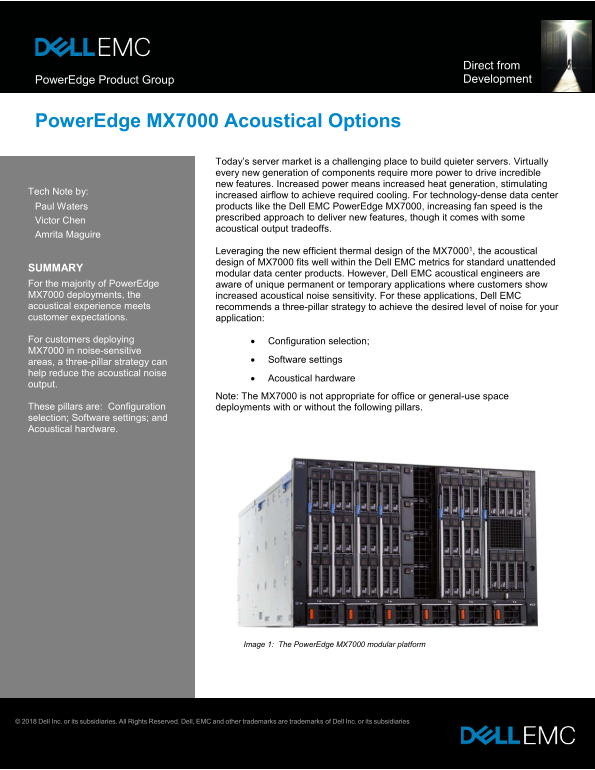
Image 1: The Power Edge MX7000 modular platform
© 2018 Dell Inc. or its subsidiaries. All Rights Reserved. Dell, EMC and other trademarks are trademarks of Dell Inc. or its subsidiaries
Page Summary Contents For Dell Direct from Development - PowerEdge MX7000 Acoustical Options Owner's Manual Specification User Guide
Manual Details
| Brand | Dell |
|---|---|
| Pages | 3 |
| File Size | 399.03 KB |
| Published | June 15, 2026 |
Enter the captcha to get the download link:

Frequently Asked Questions
What is the primary strategy for reducing noise in attended data center settings?
A three-pillar approach—Configuration selection, Software settings, and Acoustical hardware—is recommended for noise-sensitive deployments.
How can I reduce power consumption to minimize acoustics?
Choose lower wattage components, especially CPUs, and optimize DIMM counts to reduce the total sled power consumption.
Which modules are better for a quiet operation (IOM options)?
10 GbT and 25 GbE pass through, fabric expander module, and switching module provide a better acoustical experience than the fabric switching engine.
What is 'Sound Cap' and how does it work?
It is a software-based solution available in the BIOS/iDRAC GUI that limits acoustic output by applying a percentage-based power cap on rear fan modules.