Dell PowerEdge MX7000 Acoustical Baffle Specification Sheet User Guide
Summary
Dell EMC PowerEdge MX7000 Acoustical Baffle technical note. Describes an optional, tool-less snap-on baffle that attaches to the rear of the MX7000 chassis behind the rear fans to reduce noise in sensitive deployments. IT professionals surveyed reported the baffle improved sound quality to a kind of white noise. Designed for the 14th-generation PowerEdge modular platform, addressing the increased acoustical energy from high-density compute, storage, and networking in blade enclosures. Authored by Paul Waters and Amrita Maguire.
Page 1 Text Content
Direct from Power Edge Product Group Development
Power Edge MX7000 Acoustical Baffle
Modular systems can be loud: The power, density, scalability and dynamic range of rack-mounted modular systems (such as Power Edge blade enclosures and Power Edge FX2) requires a powerful cooling capability that can generate
Tech Note by:
more acoustical energy than a traditional rack-mount server. Customers that
Paul Waters choose the scalability and flexibility of a modular platform often sacrifice noise
sensitivity in the process and are left with few choices when it comes to
Amrita Maguire
mitigating the increased noise associated with these products. In the 14th- generation of Power Edge servers, Dell EMC has embraced this acoustical challenge and worked with a jury of IT professionals to develop several
SUMMARY
solutions for customers to reduce the noise impact of modular systems One of
For highly-sensitive noise
these solutions is the MX7000 Acoustical Baffle.
environments, the new Power Edge MX7000 offers an optional Acoustical Baffle.
Users have commented that the baffle improved sound quality “to a kind of white noise”.
Installation of the MX7000 Acoustical Baffle can be performed quickly in the field, no tools required.
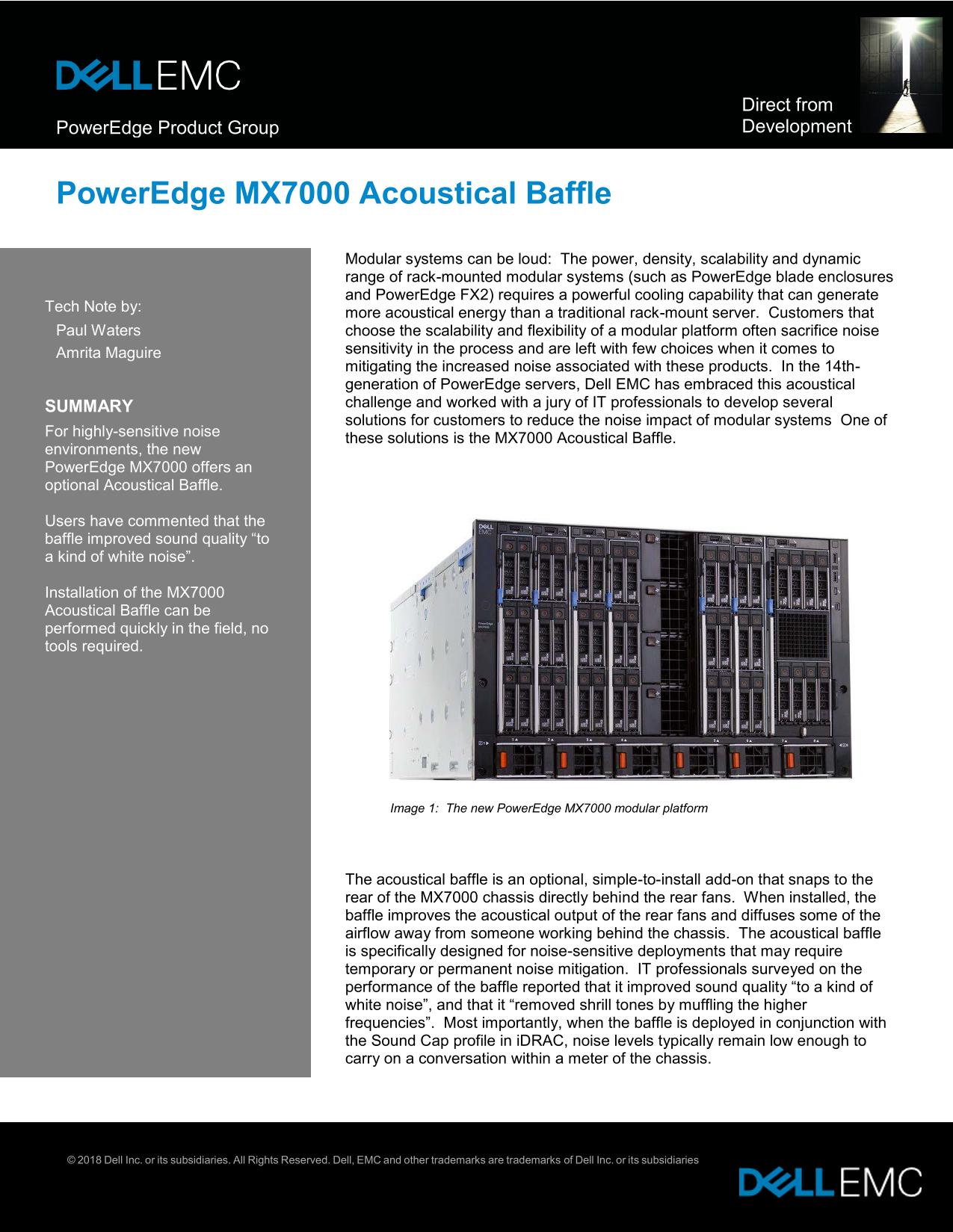
Image 1: The new Power Edge MX7000 modular platform
The acoustical baffle is an optional, simple-to-install add-on that snaps to the rear of the MX7000 chassis directly behind the rear fans. When installed, the baffle improves the acoustical output of the rear fans and diffuses some of the airflow away from someone working behind the chassis. The acoustical baffle is specifically designed for noise-sensitive deployments that may require temporary or permanent noise mitigation. IT professionals surveyed on the performance of the baffle reported that it improved sound quality “to a kind of white noise”, and that it “removed shrill tones by muffling the higher frequencies”. Most importantly, when the baffle is deployed in conjunction with the Sound Cap profile in i DRAC, noise levels typically remain low enough to carry on a conversation within a meter of the chassis.
© 2018 Dell Inc. or its subsidiaries. All Rights Reserved. Dell, EMC and other trademarks are trademarks of Dell Inc. or its subsidiaries
Page Summary Contents For Dell PowerEdge MX7000 Acoustical Baffle Specification Sheet User Guide
Manual Details
| Brand | Dell |
|---|---|
| Pages | 2 |
| File Size | 511.07 KB |
| Published | July 03, 2026 |
Enter the captcha to get the download link:

Frequently Asked Questions
How do I install the MX7000 Acoustical Baffle?
Access the rear of the chassis, align the baffle, and push until the tabs engage onto the chassis; no tools are required.
What environments benefit most from using the acoustical baffle?
It is ideal for noise-sensitive deployments where quiet operation is paramount to carry on a conversation within a meter of the chassis.
Are there any temperature or performance restrictions when using this product?
No, it is not recommended for CPUs greater than 140W TDP operating in environments warmer than 35°C, as system performance may be impacted.
Can the baffle be used for cable management?
No, the acoustical baffle cannot support the weight of cables and is explicitly not designed as a cable management tool.