Dell E2013H Outline Dimensions Specification Sheet User Guide
Summary
The Dell Monitor Outline Dimensions document provides technical drawings for monitor models E1713S and E2013H. Includes measurements in millimeters and inches for width, height, depth, tilt angles, and VESA mounting patterns. Specifies mounting hardware requirements (M4x10 screws). Intended for product designers, mounting solution manufacturers, and installation planners.
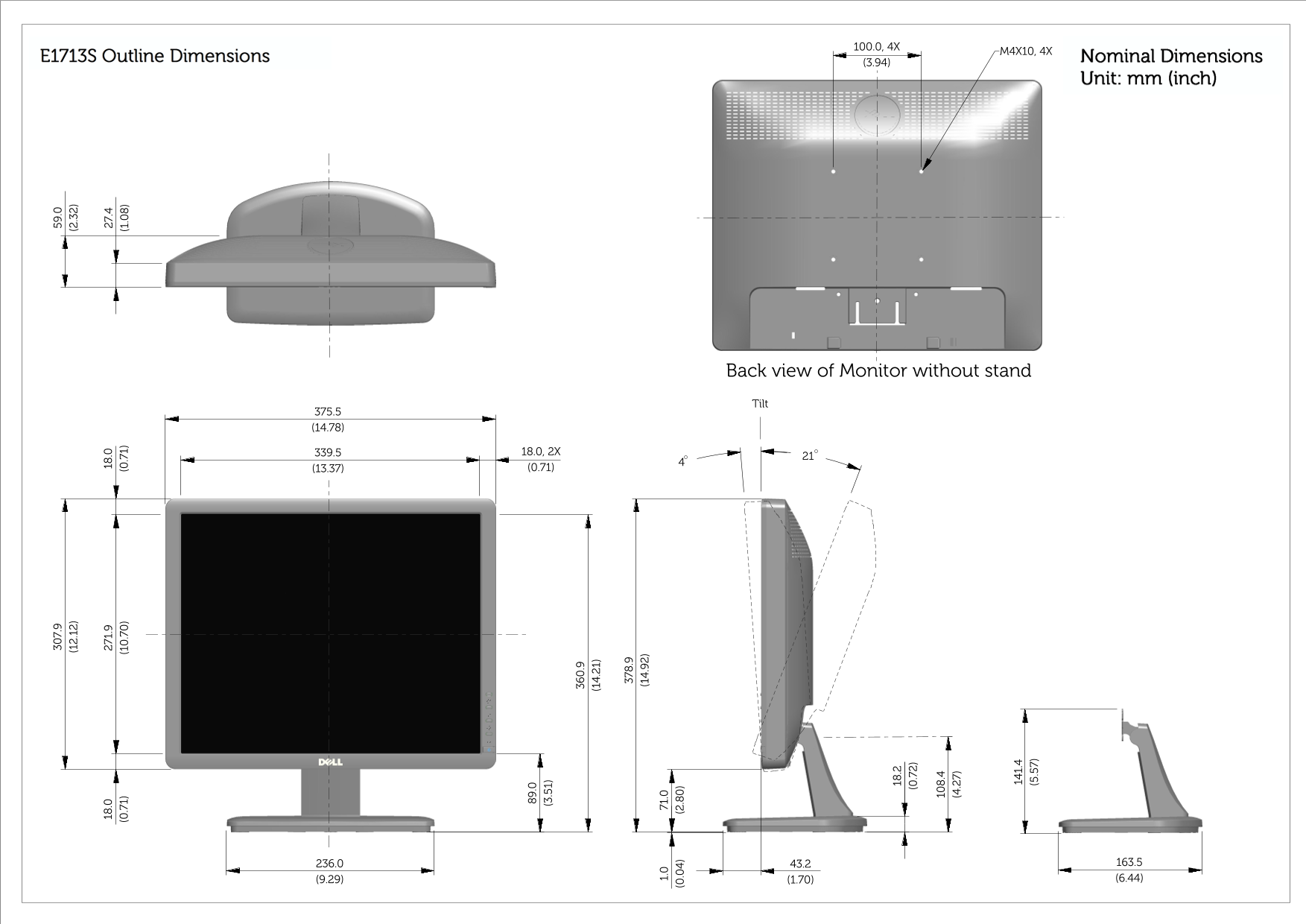
Page 1 Text Content
E1713S Outline Dimensions 7. .0 Nominal Dimensions
Unit: mm (inch)
Back view of Monitor without stand Tilt
Page Summary Contents For Dell E2013H Outline Dimensions Specification Sheet User Guide
Manual Details
| Brand | Dell |
|---|---|
| Pages | 4 |
| File Size | 1.31 MB |
| Published | June 29, 2026 |
Enter the captcha to get the download link:

Frequently Asked Questions
What are the mounting screw specifications?
The monitor uses M4X10 screws, with four locations for attachment.
How wide is the back of the monitor (dimensioning)?
Dimension measurements show a width of 360.9 mm (or 14.21 inches) and another set at 350.0 mm (or 13.78 inches).
Can the monitor be tilted or adjusted?
The manual provides dimensions for tilt angles, indicating adjustable placement is possible.
What are the rear connection points like?
It features visible screw holes and mounting options suitable for wall or stand attachment.