Page 1
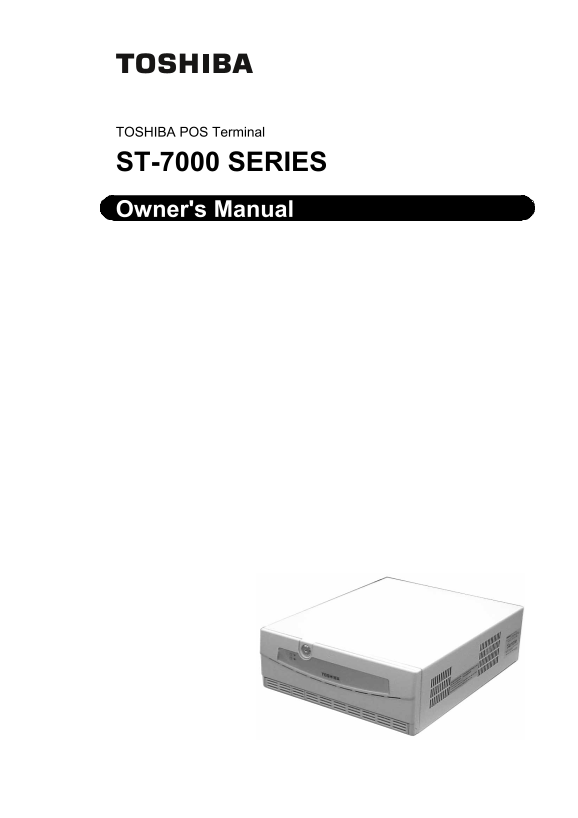
TOSHIBA POS Terminal ST-7000 SERIES Owner's Manual
Page 2
CE Compliance (for EU only) This product complies with the requirements of EMC and Low Voltage Directives including their amendments. WARNING This is a Class A product. In a domestic environment this ...
Page 3
Safety Summary EO1-12029 6DIHW\�6XPPDU\ Personal safety in handling or maintaining the equipment is extremely important. Warnings and Cautions necessary for safe handling are included in this manual. ...
Page 4
Safety Summary EO1-12029 If foreign objects (metal When unplugging the power cords, 'LVFRQQHFW 'LVFRQQHFW fragments, water, liquids) enter be sure to hold and pull on the plug WKH SOXJ WKH SOXJ the ma...
Page 5
EO1-12029 TABLE OF CONTENTS Page 1. INTRODUCTION----------------------------------------------------------------------------------------- 1- 1 1.1 Accessories -----------------------------------------...
Page 6
1. INTRODUCTION EO1-12029 1.1 Accessories 1. INTRODUCTION Thank you for choosing the TOSHIBA POS Terminal. This POS Terminal contains all the high performance register function necessary for a POS Ter...
Page 7
2. APPEARANCE EO1-12029 2. APPEARANCE 2. APPEARANCE < Front View > Front Panel Lock Front Panel Power LED HDD LED POWER LED Cover Catch HDD LED Reset Switch CD-RW Drive (Option) Volume Power Swi...
Page 8
3. CONNECTORS EO1-12029 3. CONNECTORS 3. CONNECTORS COM6 (Option)* Powered USB Line-out Not Used USB0 USB1 USB2 USB3 Mic-in PCI Slot AC Inlet AC Outlet 24V DC Outlet Not used (5VB) PS/2 (Mouse) DVI-D,...
Page 9
4. INSTALLATION PROCEDURE EO1-12029 4.1 Environment for Installation 4. INSTALLATION PROCEDURE 4.1 Environment for Installation 1. Provide a space of minimum 80 mm to the left, right, front, rear, and...
Page 10
5. HOW TO LOCK/UNLOCK THE FRONT PANEL EO1-12029 5. HOW TO LOCK/UNLOCK THE FRONT PANEL 5. HOW TO LOCK/UNLOCK THE FRONT PANEL << How to unlock the front panel >> Front Panel Lock Front Panel...
Page 11
6. GENERAL MAINTENANCE EO1-12029 6.1 Cleaning 6. GENERAL MAINTENANCE 6.1 Cleaning WARNING! 1. Be sure to disconnect the power cord prior to performing any maintenance. 2. Do not pour water directly on...
Page 12
7. TROUBLESHOOTING EO1-12029 7. TROUBLESHOOTING 7. TROUBLESHOOTING WARNING! If you cannot solve a problem with the following solutions, do not attempt to repair it by yourself. Turn the power off, unp...
Page 13
8. SPECIFICATIONS EO1-12029 8.1 Basic Specifications 8. SPECIFICATIONS 8.1 Basic Specifications Item Description Input voltage AC 100V-240V +10%, -10% 50/60Hz 4.6A-2.2A DC output voltage DC24V +5%, -5...
Page 14
8. SPECIFICATIONS EO1-12029 8.2 Options 8.2 Options Option name Type Description Drawer unit DRWST-51A-4MV-QM 24V-drive standard drawer DRWST-51A-8MV-QM Size and Weight: 460(W) x 400(D) x 115(H) mm, 1...
Page 15
English Waste Recycling information for users: Following information is only for EU-member states: The crossed out wheeled bin symbol is used to indicate that the product must not be treated as genera...
Page 16
E PRINTED IN JAPAN EO1-12029C