Toshiba IK-6210A IK-6410A IK-6420A User Manual
Summary
This comprehensive operational manual provides essential guidelines for the installation, safe use, and proper maintenance of your high-definition video surveillance system. It details crucial technical specifications, covers electrical safety precautions to prevent shock or fire risk, and offers step-by-step troubleshooting advice. This resource is intended for users and professional installers who require adherence to optimal operating procedures in both commercial and demanding outdoor environments.
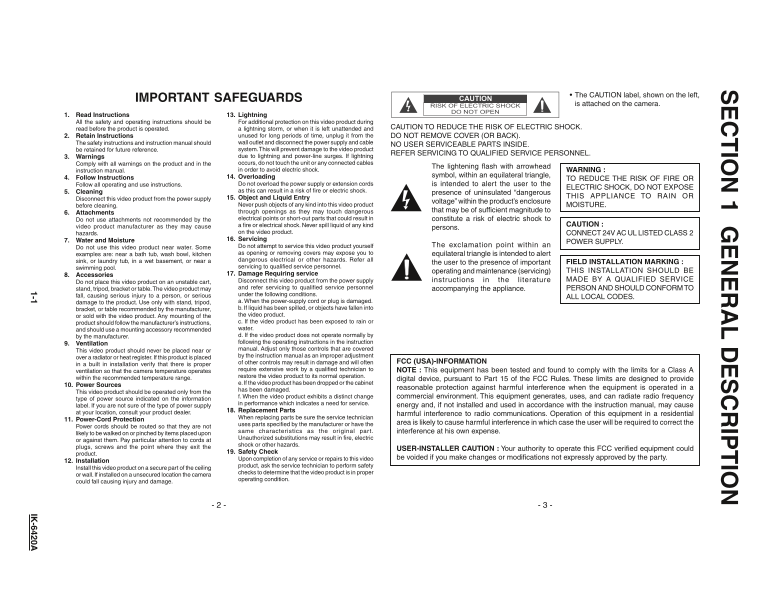
Page 1 Text Content
IO 1 G IP IO
The CAUTION label, shown on the left,
IMPORTANT SAFEGUARDS
is attached on the camera.
1. Read Instructions 13. Lightning All the safety and operating instructions should be For additional protection on this video product during
read before the product is operated. a lightning storm, or when it is left unattended and CAUTION TO REDUCE THE RISK OF ELECTRIC SHOCK.
2. Retain Instructions unused for long periods of time, unplug it from the DO NOT REMOVE COVER (OR BACK). The safety instructions and instruction manual should wall outlet and disconnect the power supply and cable
NO USER SERVICEABLE PARTS INSIDE.
be retained for future reference. system. This will prevent damage to the video product
REFER SERVICING TO QUALIFIED SERVICE PERSONNEL.
3. Warnings due to lightning and power-line surges. If lightning Comply with all warnings on the product and in the occurs, do not touch the unit or any connected cables
The lightening flash with arrowhead
instruction manual. in order to avoid electric shock. WARNING :
14. Overloading symbol, within an equilateral triangle,
4. Follow Instructions TO REDUCE THE RISK OF FIRE OR
Follow all operating and use instructions. Do not overload the power supply or extension cords is intended to alert the user to the
ELECTRIC SHOCK, DO NOT EXPOSE
5. Cleaning as this can result in a risk of fire or electric shock.
presence of uninsulated “dangerous
15. Object and Liquid Entry THIS APPLIANCE TO RAIN OR
Disconnect this video product from the power supply
voltage” within the product’s enclosure
before cleaning. Never push objects of any kind into this video product MOISTURE.
through openings as they may touch dangerous that may be of sufficient magnitude to
6. Attachments
Do not use attachments not recommended by the electrical points or short-out parts that could result in constitute a risk of electric shock to
video product manufacturer as they may cause a fire or electrical shock. Never spill liquid of any kind CAUTION :
persons.
hazards. on the video product. CONNECT 24V AC UL LISTED CLASS 7. Water and Moisture 16. Servicing
POWER SUPPLY.
Do not attempt to service this video product yourself The exclamation point within an
Do not use this video product near water. Some
examples are: near a bath tub, wash bowl, kitchen as opening or removing covers may expose you to equilateral triangle is intended to alert sink, or laundry tub, in a wet basement, or near a dangerous electrical or other hazards. Refer all
the user to the presence of important FIELD INSTALLATION MARKING :
swimming pool. servicing to qualified service personnel.
operating and maintenance (servicing) THIS INSTALLATION SHOULD BE
8. Accessories 17. Damage Requiring service
Disconnect this video product from the power supply instructions in the literature MADE BY A QUALIFIED SERVICE
Do not place this video product on an unstable cart,
stand, tripod, bracket or table. The video product may and refer servicing to qualified service personnel accompanying the appliance. PERSON AND SHOULD CONFORM TO fall, causing serious injury to a person, or serious under the following conditions.
ALL LOCAL CODES.
damage to the product. Use only with stand, tripod, a. When the power-supply cord or plug is damaged. bracket, or table recommended by the manufacturer, b. If liquid has been spilled, or objects have fallen into or sold with the video product. Any mounting of the the video product. product should follow the manufacturer’s instructions, c. If the video product has been exposed to rain or and should use a mounting accessory recommended water. by the manufacturer. d. If the video product does not operate normally by 9. Ventilation following the operating instructions in the instruction This video product should never be placed near or manual. Adjust only those controls that are covered over a radiator or heat register. If this product is placed by the instruction manual as an improper adjustment
of other controls may result in damage and will often FCC (USA)-INFORMATION
in a built in installation verify that there is proper
ventilation so that the camera temperature operates require extensive work by a qualified technician to NOTE : This equipment has been tested and found to comply with the limits for a Class A within the recommended temperature range. restore the video product to its normal operation.
digital device, pursuant to Part 15 of the FCC Rules. These limits are designed to provide
e. If the video product has been dropped or the cabinet
10. Power Sources
has been damaged. reasonable protection against harmful interference when the equipment is operated in a
This video product should be operated only from the
f. When the video product exhibits a distinct change commercial environment. This equipment generates, uses, and can radiate radio frequency
type of power source indicated on the information
in performance which indicates a need for service.
label. If you are not sure of the type of power supply energy and, if not installed and used in accordance with the instruction manual, may cause
18. Replacement Parts
at your location, consult your product dealer. harmful interference to radio communications. Operation of this equipment in a residential
When replacing parts be sure the service technician
11. Power-Cord Protection
uses parts specified by the manufacturer or have the area is likely to cause harmful interference in which case the user will be required to correct the
Power cords should be routed so that they are not
same characteristics as the original par t. interference at his own expense.
likely to be walked on or pinched by items placed upon
Unauthorized substitutions may result in fire, electric
or against them. Pay particular attention to cords at
shock or other hazards.
plugs, screws and the point where they exit the
USER-INSTALLER CAUTION : Your authority to operate this FCC verified equipment could
product. 19. Safety Check
Upon completion of any service or repairs to this video be voided if you make changes or modifications not expressly approved by the party.
12. Installation
product, ask the service technician to perform safety
Install this video product on a secure part of the ceiling
checks to determine that the video product is in proper
or wall. If installed on a unsecured location the camera
operating condition.
could fall causing injury and damage.
1-1 IK -6420A
Page Summary Contents For Toshiba IK-6210A IK-6410A IK-6420A User Manual
Manual Details
| Brand | Toshiba |
|---|---|
| Pages | 7 |
| File Size | 392.93 KB |
| Published | May 28, 2026 |
Enter the captcha to get the download link:

Frequently Asked Questions
What is the maximum recommended ambient temperature range for operation?
The camera operates in an ambient temperature range of 14°F to 122°F (-10°C to +50°C).
Does liquid contact affect the unit's use?
No; never spill any liquid on the video product or immerse it in water.
How should servicing be handled?
Do not attempt repairs yourself; always refer all servicing to qualified service personnel.
Is mounting safe if used with accessories?
Yes, but use only recommended stands, tripods, brackets, or tables that comply with all local codes.