SHARP EL-1750P Operation Manual
Summary
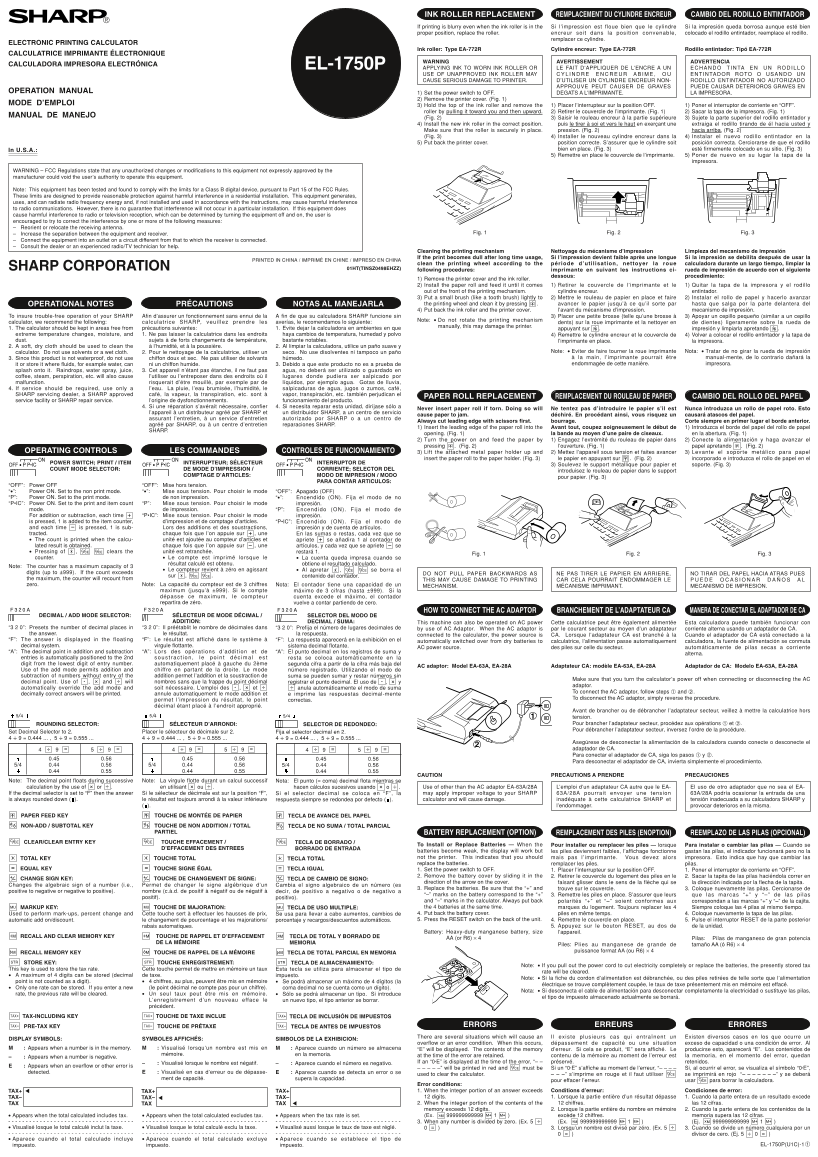
Detailed maintenance manual designed for owners of the electronic printing calculator. This guide provides comprehensive step-by-step instructions for key upkeep tasks, including safe replacement of the ink roller cartridge and thorough cleaning of the printing mechanism wheel. Essential reading to ensure optimal performance, maintain crisp print quality, and prevent damage when using your device.
Manual Details
| Brand | Sharp |
|---|---|
| Pages | 2 |
| File Size | 207.92 KB |
| Published | May 29, 2026 |
Enter the captcha to get the download link:

Frequently Asked Questions
What should I do if the printed text is blurry or dull?
You must clean the printing wheel by removing the cover, installing the paper roll, and using a small brush to gently clean the mechanism.
Can I use an unapproved ink roller for replacement?
No; using an unauthorized ink roller may cause serious deterioration or damage to the printer motor.
What is the specific part type needed for the ink roller replacement?
The manual specifies that the required component type for the ink roller (Cylindre encreur/Rodillo entintador) is EA-772R.
How do I begin the process of replacing the ink roller?
Set the power switch to OFF, then remove the printer cover before proceeding with the roller replacement steps.