Page 1
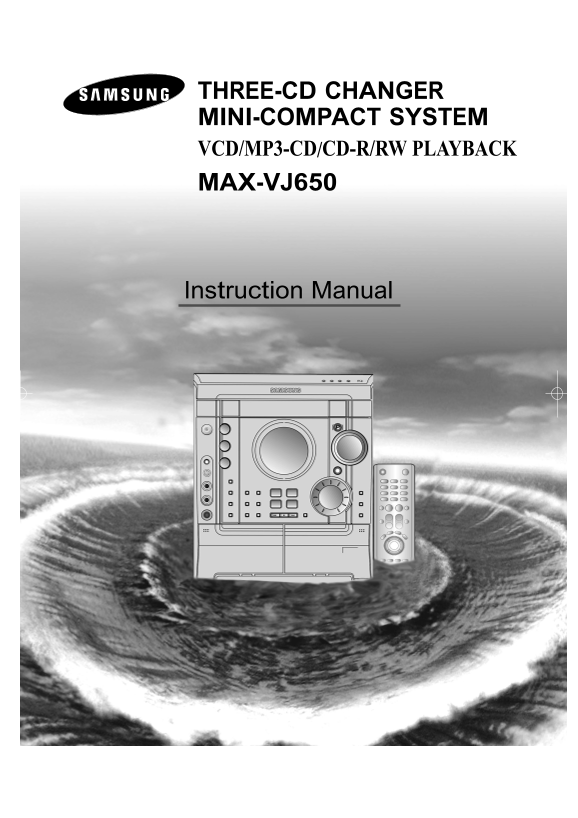
THREE-CD CHANGER MINI-COMPACT SYSTEM VCD/MP3-CD/CD-R/RW PLAYBACK MAX-VJ650 Instruction Manual
Page 2
Safety Warnings GB CLASS 1 LASER PRODUCT CLASS 1 LASER PRODUCT KLASSE 1 LASER PRODUKT This Compact Disc player is classified as a CLASS 1 LUOKAN 1 LASER LAITE LASER product. KLASS 1 LASER APPARAT PROD...
Page 3
Thank you for buying this SAMSUNG mini-compact system. Contents Please take time to read these instructions. They will allow you to operate your system with ease and take full advantage of its feature...
Page 4
Front Panel View GB 1. Sound Mode 18. Demo/Dimmer 2. Standby/On 19. Function Selection buttons 3. Treble 20. Cassette Deck 2 4. Bass 21. AI Sleep 5. Echo (option) 22. Timer On/Off 6. MIC Level(option)...
Page 5
Window Display 1. FM MODE (STEREO) 2. POWER SURROUND 3. VOLUME 4. POWER SOUND 5. SUPER BASS 6. TAPE 1/2 7. TAPE REVERSE MODE 8. TUNING MODE (AUTO) 9. PLAYING DISC NUMBER 10. MAIN DISPLAY (FUNCTION,FRE...
Page 6
Where to Install Your Rear Panel View Mini-Compact System To take full advantage of your new mini-compact system, follow these installation instructions before connecting the unit. Install the system ...
Page 7
Inserting Remote Control Batteries Insert or replace remote control batteries when you: Purchase the mini-compact system Find that the remote control is no longer operating correctly When replacing th...
Page 8
Connecting to an External Source Connecting to the Equipment The auxiliary input can be used to take advantage of the Using the Audio Cord, Connect the Audio Output Terminals (Left, sound quality of y...
Page 9
Connecting the AM (MW)/LW Aerial The AM aerial (for long and medium waves) can be: Placed on a stable surface Fixed to the wall (you must first remove the base) The AM aerial connector terminals are l...
Page 10
DEMO/DIMMER function Setting the Clock All functions available on the system can be viewed on the Your system is equipped with a clock which allows you to display and the display's brightness can be s...
Page 11
Loading and Changing Compact To replay the CD/MP3 Discs The disc changer can contain up to three 12 cm or 8 cm com- This is a player that enables the playback of audio CD, CD-R, pact discs without usi...
Page 12
Selecting a CD in the Disc changer MP3-CD PLAYBACK GB HOW TO PLAYBACK MP3-CD directly The CD function is automatically selected when Disc Skip is After inserting MP3-CD in the Set, Press button or pus...
Page 13
Function to skip through 10 Repeating One or All Tracks tracks at a time on the Compact Discs You can repeat indefinitely: Press the +10/0 button briefly while playing back a A specific track on a com...
Page 14
Checking or Changing Programmed Programming the Order of Playback Tracks You can decide: You can check or change your selection of tracks at any time. The order of the track desired to listen The trac...
Page 15
Video CD Player Playback Search Functions In order to playback video VIDEO-CD(‘S), make sure that your You can find a certain passage faster during playback. unit is connected to your TV set. This fun...
Page 16
When adjusting play speed Sound Selection Function GB Turn on the TV and set video mode. With this function, you can playback video CD’s that provide 2-channel tone(bilingual) in the original language...
Page 17
VCD View function This function can be used conveniently to search a desired track in a VCD. This function is possible in CD or VCD Ver 1.1 or Ver 2.0menu off mode. When you want to select a track IND...
Page 18
Searching for and Storing the Radio Stations GB You can store up to: 15 FM stations OPTION 15 AM stations 15 FM stations 8 AM(MW) stations OPTION 7 LW stations 15 FM stations 5 MW stations OPTION 5 SW...
Page 19
Selecting a Stored Station Improving Radio Reception You can improve the quality of radio reception by: You can listen to a stored radio station as follows: Rotating the FM or AM(MW) aerial Switch the...
Page 20
CD Synchro Record Feature Listening to a Cassette You can record a compact disc on a cassette in two different ways: Always treat your cassettes with care; refer, if necessary, to the section entitled...
Page 21
Selecting the Cassette Playback Recording a Radio Program Mode(Deck 2 Only) You can record a radio program of your choice. Your mini-compact system has three cassette playback modes which enable you t...
Page 22
Timer Function GB The timer enables you to switch the system on or off at If the timer switch on and off times are identical, the word ERROR is specific times. displayed. Example: You wish to wake up ...
Page 23
Power Surround/Power Sound Selecting Sound Mode Function Your mini-compact system is equipped with a preset equalizer Your mini-compact system is equipped with the function that allows you to choose t...
Page 24
Setting the System to Switch off Connecting Headphones Automatically You can connect a set of headphones to your mini-compact system so that you can listen to music or radio programmers While listenin...
Page 25
Cleaning Your Mini-Compact Safety Precautions System The following diagrams illustrate the precautions to be taken To obtain the best possible results from your mini-compact when using or moving your ...
Page 26
Precautions When Using Compact Before Contacting the After-Sales Discs Service Handle your compact discs with care. Always hold them by the It always takes a little time to become familiar with a new ...
Page 27
Technical Specifications SAMSUNG strives to improve its products at all times. Both the design specifications and these user instructions are thus subject to change without notice. RADIO SW(OPTION) Us...
Page 28
THIS APPLIANCE IS MANUFACTURED BY: AH68-01419A