Page 1
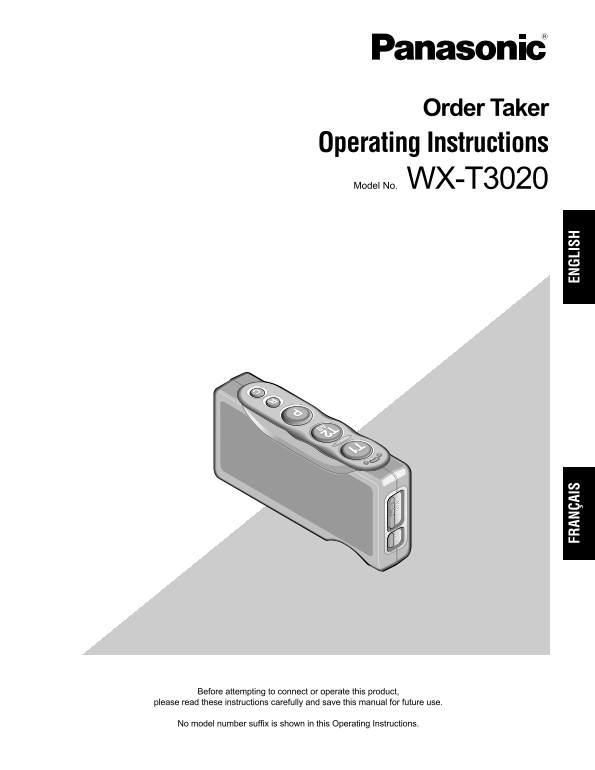
Order Taker Operating Instructions Model No. WX-T3020 FR AN ÇA IS EN GL IS Before attempting to connect or operate this product, please read these instructions carefully and save this manual for futur...
Page 2
For U.S.A. FEDERAL COMMUNICATIONS COMMISSION INTERFERENCE STATEMENT This equipment has been tested and found to comply with the limits for a Class A digital device, pursuant to part 15 of the FCC Rule...
Page 3
Limitation of Liability THIS PUBLICATION IS PROVIDED "AS IS" WITHOUT WARRANTY OF ANY KIND, EITHER EXPRESS OR IMPLIED, INCLUDING BUT NOT LIMITED TO, THE IMPLIED WARRANTIES OF MERCHANTABILITY,...
Page 4
Important Safety Instructions 1) Read these instructions. 2) Keep these instructions. 3) Heed all warnings. 4) Follow all instructions. 5) Do not use this apparatus near water. 6) Clean only with dry ...
Page 5
CONTENTS Limitation of Liability ................................................................................................................................... Disclaimer of Warranty ...............
Page 6
Preface Order Taker WX-T3020 is exclusively designed for Panasonic Wireless Communication System, which is used with drive-thru menu boards, etc. By using optional Headset WX-H3027, users can communic...
Page 7
Major Operating Controls and Their Functions VO EJ EC
Page 8
Battery Lock [EJECT] External Device Control Button [C] When removing the battery, slide out the lock. Press and hold the C button to turn on the external When loading a battery, insert the battery un...
Page 9
Battery Loading & Replacement Notes: Replacement Refer to the operating instructions included with the bat- tery and battery charger. Prepare a fully charged battery. Battery replacement is recomm...
Page 10
Operating Procedures Communications with Communications with Other Customers (TALK) Store Personnel (PAGE) Any store personnel wearing the headset can communicate Store personnel wearing the headset c...
Page 11
Control of the device control ter- Double-Drive-Thru connections minals When Double-Drive-Thru connections are made with the center module, any Order Taker is required to select the The device control...
Page 12
Manager Mode Canceling the Manager Mode (Only one Headset) 1. Hold down the power button for 2 seconds or more to turn off the Order Taker. Complete ID Registration to do this setting. The Order Taker...
Page 13
Auto-Talk-Lock setup (for only one Headset) For a Order Taker where Auto-Talk-Lock is set up, it has a function to select [Talk] automatically when the vehicle detector has become active, and you can ...
Page 14
Setup Procedures Caution: Setup of this product should only be performed by DIP Switch Setup qualified service personnel or system installers. An eight-bit DIP switch is provided for system setups. Th...
Page 15
SW#8: This switch selects RF Power. If you register IDs exceeding 32, the unused ID that has ON: Reduce Power been registered is automatically deleted in chronological OFF: Full power order. If ID reg...
Page 16
Troubleshooting Reference Symptom pages Cause/solution The headset ID is not registered in the center module of the tar- The power indicator blinks Register ID in the center module of the target. The ...
Page 17
Specifications Operating Frequency: 1 920 - 1 930 MHz Required Power Supply: Rechargeable Li-ion Battery, 3.7 V DC Control Function: Power (On/Off) Volume (Up/Down) Talk (T1/T2) Page Lane Selection (A...
Page 18
Standard Accessory Operating Instructions (this manual) ................................ 1 pc. Optional Accessories Battery (Li-ion 3.7 V DC, 1 100 m Ah) ............................... WX-B3030 Batte...
Page 19
VERSION FRANÇAISE (FRENCH VERSION) AVERTISSEMENT: • Cet appareil doit être mis à la terre. • Le périphérique doit être connecté à une prise de sortie secteur munie d'une connexion de mise à la terre d...
Page 20
Limitation de responsabilité CETTE PUBLICATION EST FOURNIE "COMME TEL" SANS GARANTIE DE TOUTE SORTE, EXPRÈS OU IMPLICITE, ÉTANT INCLUSE MAIS NON LIMITÉE AUX GARANTIES IMPLICITES DE LA VALEUR...
Page 21
Instructions de sécurité importantes 1) Veiller à lire ces instructions. 2) Conserver ces instructions. 3) Tenir compte de tous les avertissements. 4) Se conformer à toutes les instructions. 5) Ne pas...
Page 22
TABLE DES MATIÈRES Limitation de responsabilité ........................................................................................................................20 Déni de la garantie ............
Page 23
Préface Le preneur de commande WX-T3020 est exclusivement conçu pour être utilisé avec les systèmes de communication à liaison radio Panasonic dont on se sert dans les tableaux de menu de service clie...
Page 24
Principaux organes de commande et fonctions VO EJ EC
Page 25
Verrouillage de la batterie [EJECT] Indicateur d'alimentation Faire coulisser le verrouillage pour retirer la batterie. L'indicateur montre l'état actuel comme suit. Lors du chargement d'une batterie,...
Page 26
Chargement et remplacement de la batterie Remarques: Remplacement Se référer aux manuels d'utilisation qui accompagnent la batterie et le chargeur de batterie. Se munir d'une batterie complètement cha...
Page 27
Modes d'utilisation Communications avec les Communication avec d'autres clients (TALK) membres du personnel du Tout membre du personnel portant un combiné magasin (PAGE) microcasque peut communiquer e...
Page 28
Bornes de commande de <Pour une configuration de système double de service clientèle de passage> périphérique extérieur 1. Quand une connexion est maintenue sur le passage A, Les bornes de comma...
Page 29
Mode de gérant (seulement un Annulation du mode gérant combiné microcasque d'écoute) 1. Appuyer et immobiliser le bouton d'alimentation pendant au moins 2 secondes pour arrêter le preneur de Effectuer...
Page 30
Configuration de la fonction de verrouillage automatique pour parler (pour seulement un combiné microcasque d'écoute) (Auto-Talk-Lock) Pour un preneur de commande où la fonction de verrouillage automa...
Page 31
Procédures de configuration Précautions: La configuration de ce produit doit être exécutée par un personnel de dépannage qualifié ou des installateurs professionnels. OFF Paramétrage initial SW# Fonct...
Page 32
Si l'enregistrement d'identification est exécuté pour 2 ou Enregistrement d'identification davantage de combinés microcasque d'écoute, se 1. Appuyer sur le bouton d'enregistrement ID du module conform...
Page 33
Dépannage Pages de Symptôme référence Origine/Solution L'identification du combiné microcasque d'écoute n'est pas enregistrée dans le module central ciblé. Le témoin d'alimentation L'identification du...
Page 34
Caractéristiques techniques Fréquence d'utilisation: 1 920 - 1 930 MHz Alimentation requise: Batterie rechargeable Li-ion, 3,7 V à courant continu Fonction de commande: Alimentation (marche/arrêt) Vol...
Page 35
Accessoire standard Manuel d'utilisation (cette documentation) ............................................. 1 él. Accessoires optionnels Batterie (Li-ion 3,7 V c.c., 1 100 m Ah) ........................
Page 36
Panasonic System Solutions Company, Panasonic Sales Company Unit Company of Panasonic Corporation of North America Division of Panasonic Puerto Rico Inc. www.panasonic.com/business/ San Gabriel Indust...