Page 1
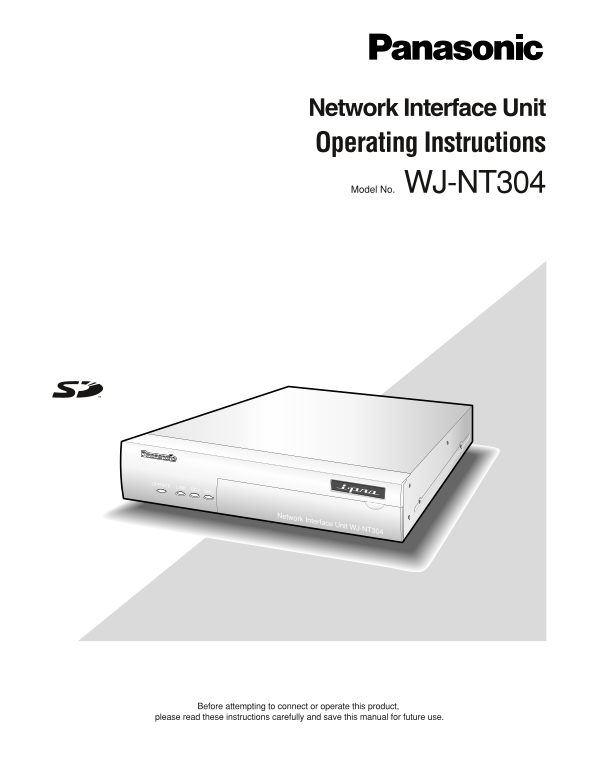
Network Interface Unit Operating Instructions Model No. WJ-NT304 OPERATE LINK RCV Network Interface Unit WJ-NT304 Before attempting to connect or operate this product, please read these instructions c...
Page 2
We declare under our sole responsibility that the product to which this Wij verklaren als enige aansprakelijke, dat het product waarop deze declaration relates is in conformity with the standards or o...
Page 3
For U.S.A The serial number of this product may be found on the sur- NOTE: This equipment has been tested and found to com- face of the unit. ply with the limits for a Class A digital device, pursuant...
Page 4
Important Safety Instructions 1) Read these instructions. 2) Keep these instructions. 3) Heed all warnings. 4) Follow all instructions. 5) Do not use this apparatus near water. 6) Clean only with dry ...
Page 5
Limitation of Liability THIS PUBLICATION IS PROVIDED "AS IS" WITHOUT WAR- THIS PUBLICATION COULD INCLUDE TECHNICAL INAC- RANTY OF ANY KIND, EITHER EXPRESS OR IMPLIED, CURACIES OR TYPOGRAPHIC...
Page 6
Preface Network Interface Unit WJ-NT304 is designed to capture images from analog cameras and compress the images in JPEG or MPEG-4 files. By connecting to a network (LAN) or the Internet, images and ...
Page 7
About These Operating Instructions There are 2 sets of operating instructions for the WJ-NT304 as follows. Installation Guide (book, these operating instructions) Network operating instructions (PDF) ...
Page 8
Network Security As you will use this product connected to a network, your attention is called to the following security risks. 1. Leakage or theft of information through this product 2. Use of this p...
Page 9
CONTENTS Important Safety Instructions ...................................................................................................................... Limitation of Liability .....................
Page 10
Precautions Do not block the ventilation opening or slots on the Use only the supplied power cord or AC adapter. cover. Use the power cord that is suited to your locality. To prevent the apparatus fro...
Page 11
MPEG-4 Visual patent portfolio license Router This product is licensed under the MPEG-4 Visual patent When connecting the unit to the Internet, use a broadband portfolio license for the personal and n...
Page 12
Major Operating Controls and Their Functions Front view LINK RCV SNDOPERATE Front cover Network Interface Unit WJ-NT304 WJ-NT304 Operation Indicator (OPERATE) SD memory card slot This LED will light w...
Page 13
Rear view IN SIGNAL GND DC12V IN OUT IN VIDEO AUDIO 10/100BASE•T RS-485 ALARM Video input connectors 1 to 4 (VIDEO IN 1 to 4) <Ratings> (BNC, 75 Ω, with auto termination) Alarm input (IN 1 to 4)...
Page 14
Rack Mounting Remove the rubber feet (4 pcs.) on the bottom of the unit. Remove the rubber feet. Install the rack mounting brackets (Option: Refer to the Bracket mounting following.) on both sides of ...
Page 15
Connection Example When connecting to a network using a Po E device (hub) <Required cable> LAN cable (category 5 or better, straight) Camera Hub Monitor Enternet cable (Category 5 or better, Cam...
Page 16
Insert/Remove an SD Memory Card How to insert an SD memory card Important: Before inserting a SD memory card, make sure that the power of the unit is turned off. Open the front cover. Insert an SD mem...
Page 17
Configure the Network Settings after around 20 minutes have passed when the values Install the software of all the following setup items are still the default val- Before installing the software, read...
Page 18
Troubleshooting Before asking for repairs, check the symptoms with the following table. Contact your dealer if a problem cannot be solved even after checking and trying the solution or if the problem ...
Page 19
Specifications Network Interface Unit Power source: 12 V DC, 1.0 A (using the supplied AC adapter) Power consumption: Approx. 12 W Ambient temperature: –10 °C to +50 °C {14 °F to 122 °F}*1 Ambient hum...
Page 20
Information on Disposal for Users of Waste Electrical & Electronic Equipment (private households) This symbol on the products and/or accompanying documents means that used electrical and electroni...