# A B C D E F G H I J K L M N O P Q R S T U V W X Y Z

Panasonic KX-TGA935 User's Guide

Summary

The KX-TGA935 is an additional digital cordless handset designed to extend the capabilities of existing Panasonic digital phone systems. This manual serves as a dedicated registration guide, detailing the specific steps required to successfully pair and activate this extra handset with your compatible base unit. It provides essential safety information, setup instructions, and battery care tips for seamless integration into your home communication network. Perfect for users who require supplemental handsets for their Panasonic cordless phone collection.
📄 Preview PAGE OF 11

Page 1 Text Content

TGA935(e).fm Page 1 Tuesday, January 15, 2008 7:47 PM

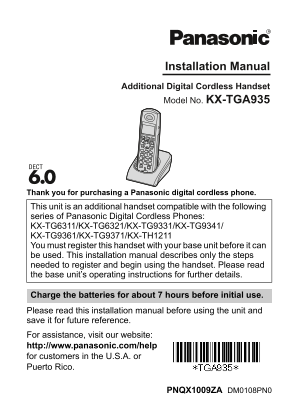
Installation Manual Additional Digital Cordless Handset Model No. KX-TGA935

Thank you for purchasing a Panasonic digital cordless phone.

This unit is an additional handset compatible with the following series of Panasonic Digital Cordless Phones: KX-TG6311/KX-TG6321/KX-TG9331/KX-TG9341/ KX-TG9361/KX-TG9371/KX-TH1211 You must register this handset with your base unit before it can be used. This installation manual describes only the steps needed to register and begin using the handset. Please read the base unit’s operating instructions for further details.

Charge the batteries for about 7 hours before initial use. Please read this installation manual before using the unit and save it for future reference. For assistance, visit our website: http://www.panasonic.com/help for customers in the U.S.A. or Puerto Rico.

PNQX1009ZA DM0108PN0

Page Summary Contents For Panasonic KX-TGA935 User's Guide

Page 1 TGA935(e).fm Page 1 Tuesday, January 15, 2008 7:47 PM Installation Manual Additional Digital Cordless Handset Model No. KX-TGA935 Thank you for purchasing a Panasonic digital cordless phone. This unit...
Page 2 TGA935(e).fm Page 2 Tuesday, January 15, 2008 7:47 PM Supplied accessories Accessory item/Order number Quantity Charger/PNLC1003ZB AC adaptor for charger/PQLV209T Rechargeable batteries*1 Handset cove...
Page 3 TGA935(e).fm Page 3 Tuesday, January 15, 2008 7:47 PM Battery installation and battery charge Important: LUse the supplied rechargeable batteries (Part No. HHR-65AAABU). LWhen installing the batteries...
Page 4 TGA935(e).fm Page 4 Tuesday, January 15, 2008 7:47 PM Note: If the batteries are fully charged, but the operating time seems to be shorter, clean the battery ends (S, T) and the charge contacts with a...
Page 5 TGA935(e).fm Page 5 Tuesday, January 15, 2008 7:47 PM Display language {MENU} i {#}{1}{1}{0} {V}/{^}: Select the desired setting. Press the right soft key to save. i {OFF} Wall mounting Drive the scre...
Page 6 TGA935(e).fm Page 6 Tuesday, January 15, 2008 7:47 PM For your safety To prevent severe injury and loss of life/property, read this section carefully before using the product to ensure proper and safe...
Page 7 TGA935(e).fm Page 7 Tuesday, January 15, 2008 7:47 PM Battery LWe recommend using the supplied batteries or additional/replacement batteries noted in the base unit’s operating instructions for replace...
Page 8 TGA935(e).fm Page 8 Tuesday, January 15, 2008 7:47 PM information such as phonebook or caller list entries from the memory before you dispose of, transfer, or return the product. Splash resistance (ha...
Page 9 TGA935(e).fm Page 9 Tuesday, January 15, 2008 7:47 PM 1) Remain on the line and briefly explain to the dispatcher the reason for the call. 2) Perform such activities in the off-peak hours, such as ear...
Page 10 TGA935(e).fm Page 10 Tuesday, January 15, 2008 7:47 PM FCC RF Exposure Warning: LThis product complies with FCC radiation exposure limits set forth for an uncontrolled environment. LThis handset may n...
Page 11 TGA935(e).fm Page 11 Tuesday, January 15, 2008 7:47 PM If you need assistance with setup or operation Visit our website: http://www.panasonic.com/help Contact us via the web at: http://www.panasonic.c...

Manual Details

Brand Panasonic
Pages 11
File Size 981.77 KB
Published June 02, 2026
52 views

Enter the captcha to get the download link:

captcha

Frequently Asked Questions

How long must I charge the handset after initial setup?

Charge the batteries for about 7 hours before first use.

What type of replacement batteries are allowed in this unit?

Only rechargeable Ni-MH AAA (R03) size batteries should be used; avoid Alkaline or Ni-Cd types.

My battery life is suddenly short. What maintenance step can I take?

Clean the battery ends and the charging contacts with a dry cloth.

What safety rule must I follow regarding the power adapter?

The AC adaptor must remain connected at all times, and ensure it is fully inserted into the outlet to prevent shock or fire.