# A B C D E F G H I J K L M N O P Q R S T U V W X Y Z

Panasonic KX-TGA550 KX-TGA552 User's Manual

Summary

Designed as a digital accessory handset, this device connects with specified Panasonic base units to provide seamless cordless communication. This installation manual guides new users through every step, from initial battery charging to registering the unit with your existing system using the belt clip. It covers basic operation details such as adjusting display language and ensures proper setup for reliable hands-free calling. Ideal for homeowners setting up a complete, connected phone system.
📄 Preview PAGE OF 11

Page 1 Text Content

TGA550(e).fm Page 1 Friday, April 1, 2005 12:28 PM

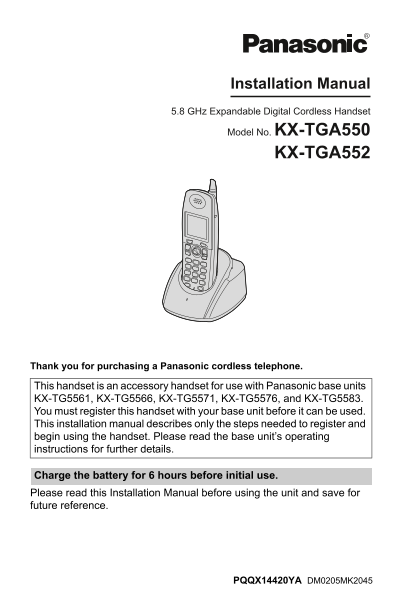
Installation Manual 5.8 GHz Expandable Digital Cordless Handset Model No. KX-TGA550 KX-TGA552

Thank you for purchasing a Panasonic cordless telephone.

This handset is an accessory handset for use with Panasonic base units KX-TG5561, KX-TG5566, KX-TG5571, KX-TG5576, and KX-TG5583. You must register this handset with your base unit before it can be used. This installation manual describes only the steps needed to register and begin using the handset. Please read the base unit’s operating instructions for further details.

Charge the battery for 6 hours before initial use. Please read this Installation Manual before using the unit and save for future reference.

PQQX14420YA DM0205MK2045

Page Summary Contents For Panasonic KX-TGA550 KX-TGA552 User's Manual

Page 1 TGA550(e).fm Page 1 Friday, April 1, 2005 12:28 PM Installation Manual 5.8 GHz Expandable Digital Cordless Handset Model No. KX-TGA550 KX-TGA552 Thank you for purchasing a Panasonic cordless telephone...
Page 2 TGA550(e).fm Page 2 Friday, April 1, 2005 12:28 PM Accessory information To order replacement accessories, call 1-800-332-5368. TTY users (hearing or speech impaired users) can call 1-866-605-1277. Qu...
Page 3 TGA550(e).fm Page 3 Friday, April 1, 2005 12:28 PM Battery installation Battery charge Insert the battery (1), and press it Place the handset on the charger for 6 down until it snaps into the hours be...
Page 4 TGA550(e).fm Page 4 Friday, April 1, 2005 12:28 PM Note: Battery performance LTo cancel the handset registration, After your Panasonic battery is fully please see your base unit’s operating charged, y...
Page 5 TGA550(e).fm Page 5 Friday, April 1, 2005 12:28 PM Headset (optional) Connecting an optional headset to the handset allows hands-free phone conversations. Please use only a Panasonic KX-TCA60, KX-TCA8...
Page 6 TGA550(e).fm Page 6 Friday, April 1, 2005 12:28 PM FCC and other information This equipment is hearing aid compatible as reasonable protection against harmful defined by the FCC in 47 CFR Section inte...
Page 7 TGA550(e).fm Page 7 Friday, April 1, 2005 12:28 PM CAUTION: conditions can cause fire or electric shock. Confirm that smoke has stopped Installation and contact the Panasonic Call Center LOperating ne...
Page 8 TGA550(e).fm Page 8 Friday, April 1, 2005 12:28 PM Customer services Customer Services Directory Obtain Product Information and Operating Assistance; locate your nearest Dealer or Servicenter; purchas...
Page 9 TGA550(e).fm Page 9 Friday, April 1, 2005 12:28 PM Warranty PANASONIC CONSUMER PANASONIC PUERTO RICO, INC. ELECTRONICS COMPANY, DIVISION San Gabriel Industrial Park, OF PANASONIC CORPORATION OF Ave. 6...
Page 10 TGA550(e).fm Page 10 Friday, April 1, 2005 12:28 PM Limited Warranty Limits And Exclusions This Limited Warranty ONLY COVERS failures due to defects in materials or workmanship, and DOES NOT COVER nor...
Page 11 TGA550(e).fm Page 11 Friday, April 1, 2005 12:28 PM If you need assistance with setup or operation; Visit our website: http://www.panasonic.com/consumersupport Contact us via the web at: http://www.pa...

Manual Details

Brand Panasonic
Pages 11
File Size 660.66 KB
Published June 20, 2026
7 views

Enter the captcha to get the download link:

captcha

Frequently Asked Questions

Which base units are compatible with the KX-TGA550 handset?

It is compatible with Panasonic base units models: KX-TG5561, KX-TG5566, KX-TG5571, KX-TG5576, and KX-TG5583.

How long should I charge the handset before first use?

Charge the battery for 6 hours before initial use.

What do I do if the charger's CHARGE indicator starts flashing?

Recharge the battery. The unit can be recharged when “Recharge battery” is displayed or flashes.

How do I change the display language on the handset?

Press {MENU}, then press {#} followed by {1} for English, or {2} for Spanish.

Where can I get replacement accessories or support?

Call 1-800-332-5368 (or TTY at 1-866-605-1277) for replacements, or visit http://www.panasonic.com/consumersupport.