Panasonic SV-SD50 User's Manual
Summary
This comprehensive guide provides new users with step-by-step instructions for setting up and optimizing their portable music player system. The manual details how to install necessary drivers and software, manage SD memory cards, and safely record or "check out" tracks from your PC. It also outlines processes for product registration, ensuring you can fully utilize features like WMA format compatibility and secure product support.
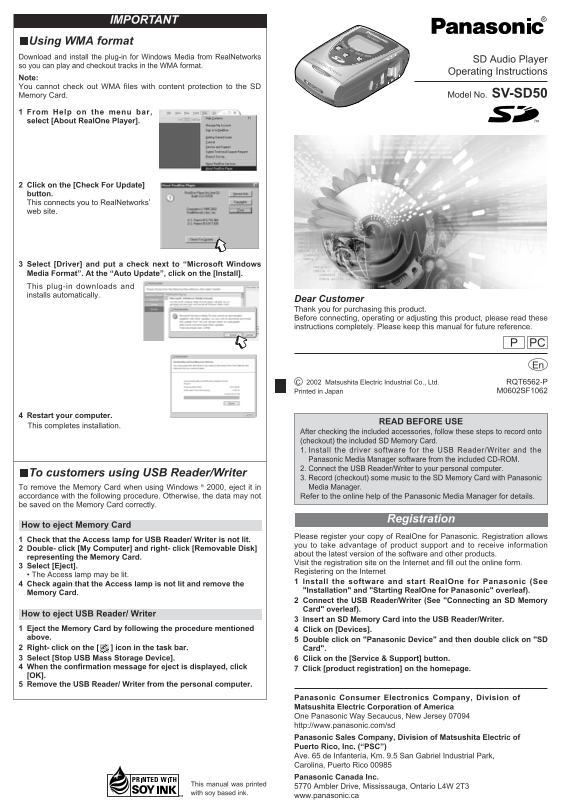
Page 1 Text Content
IMPORTANT
Using WMA format Download and install the plug-in for Windows Media from Real Networks
SD Audio Player
so you can play and checkout tracks in the WMA format.
Operating Instructions
Note: You cannot check out WMA files with content protection to the SD
Memory Card. Model No. SV-SD50
From Help on the menu bar, select [About Real One Player].
Click on the [Check For Update] button. This connects you to Real Networks’ web site.
Select [Driver] and put a check next to “Microsoft Windows Media Format”. At the “Auto Update”, click on the [Install]. This plug-in downloads and installs automatically.
Dear Customer Thank you for purchasing this product. Before connecting, operating or adjusting this product, please read these instructions completely. Please keep this manual for future reference.
PCP En C 2002 Matsushita Electric Industrial Co., Ltd. RQT6562-P M0602SF1062Printed in Japan
Restart your computer.
READ BEFORE USE
This completes installation.
After checking the included accessories, follow these steps to record onto (checkout) the included SD Memory Card. 1. Install the driver software for the USB Reader/Writer and the Panasonic Media Manager software from the included CD-ROM. 2. Connect the USB Reader/Writer to your personal computer.
To customers using USB Reader/Writer
3. Record (checkout) some music to the SD Memory Card with Panasonic To remove the Memory Card when using Windows ® 2000, eject it in Media Manager.
accordance with the following procedure. Otherwise, the data may not Refer to the online help of the Panasonic Media Manager for details. be saved on the Memory Card correctly.
Registration
How to eject Memory Card
Please register your copy of Real One for Panasonic. Registration allows
Check that the Access lamp for USB Reader/ Writer is not lit.
you to take advantage of product support and to receive information
Double- click [My Computer] and right- click [Removable Disk]
about the latest version of the software and other products.
representing the Memory Card.
Visit the registration site on the Internet and fill out the online form.
Select [Eject].
Registering on the Internet
• The Access lamp may be lit.
1 Install the software and start Real One for Panasonic (See
Check again that the Access lamp is not lit and remove the
"Installation" and "Starting Real One for Panasonic" overleaf).
Memory Card.
2 Connect the USB Reader/Writer (See "Connecting an SD Memory Card" overleaf).
How to eject USB Reader/ Writer
3 Insert an SD Memory Card into the USB Reader/Writer.
Eject the Memory Card by following the procedure mentioned 4 Click on [Devices]. above.
5 Double click on "Panasonic Device" and then double click on "SD
Right- click on the [ ] icon in the task bar. Card". Select [Stop USB Mass Storage Device]. 6 Click on the [Service & Support] button. When the confirmation message for eject is displayed, click Click [product registration] on the homepage. [OK]. Remove the USB Reader/ Writer from the personal computer.
Panasonic Consumer Electronics Company, Division of Matsushita Electric Corporation of America One Panasonic Way Secaucus, New Jersey 07094 http://www.panasonic.com/sd Panasonic Sales Company, Division of Matsushita Electric of Puerto Rico, Inc. (“PSC”) Ave. 65 de Infantería, Km. 9.5 San Gabriel Industrial Park, Carolina, Puerto Rico 00985 Panasonic Canada Inc.
This manual was printed
5770 Ambler Drive, Mississauga, Ontario L4W 2T3
with soy based ink.
www.panasonic.ca
Page Summary Contents For Panasonic SV-SD50 User's Manual
Manual Details
| Brand | Panasonic |
|---|---|
| Pages | 8 |
| File Size | 590.39 KB |
| Published | June 05, 2026 |
Enter the captcha to get the download link:

Frequently Asked Questions
What must I do before operating or adjusting this product?
Please read these instructions completely; keeping the manual for future reference is advised.
How should I safely remove the Memory Card?
Ensure the Access lamp is not lit. Eject it using your Media Manager software following the standard procedure.
What steps are needed to record music onto the SD Memory Card?
First, install the driver and Panasonic Media Manager from the CD-ROM. Then, connect the USB Reader/Writer and follow the recording procedure.
Are there limitations when using WMA format files?
No, you cannot check out WMA files that contain content protection to the SD Memory Card.