Panasonic SV-SD100V User's Manual
Summary
The SD-Jukebox is a powerful digital tool designed for recording, managing, and playing back your entire audio collection. This manual provides comprehensive instructions covering installation, how to digitize music from CDs onto its computer hard drive, and techniques for retrieving files onto compatible SD Memory Cards. It is essential reading for music lovers who wish to preserve and enjoy their cherished audio recordings while understanding file protection features and device usage limitations.
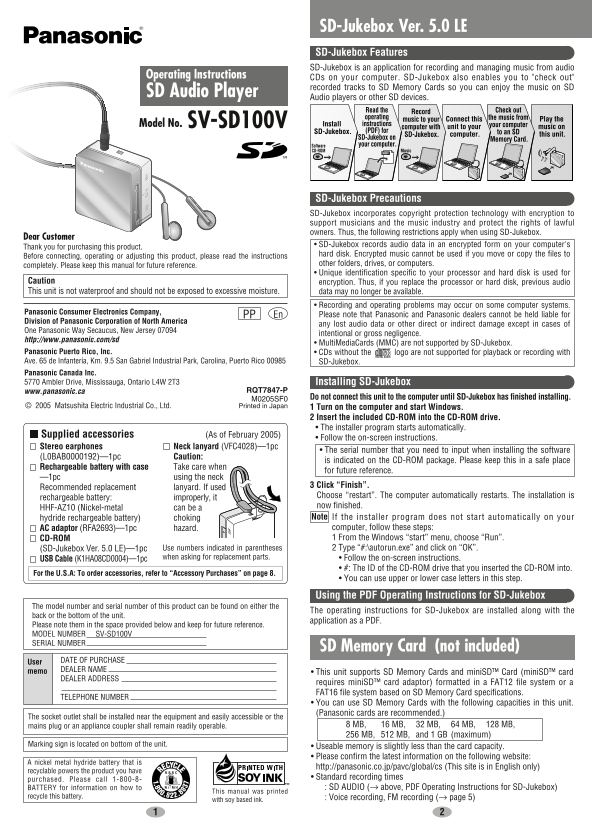
Page 1 Text Content
SV_SD100V_En0221 05.2.22 10:03 AM ページ 1
SD-Jukebox Ver. 5.0 LE SD-Jukebox Features SD-Jukebox is an application for recording and managing music from audio
Operating Instructions CDs on your computer. SD-Jukebox also enables you to "check out"
recorded tracks to SD Memory Cards so you can enjoy the music on SD
SD Audio Player
Audio players or other SD devices.
Read the Record Check out operating the music from
music to your Connect this Play the
SV-SD100VModel No. Install instructions your computer
computer with unit to your music on
SD-Jukebox. (PDF) for to an SD
SD-Jukebox. computer. this unit.
SD-Jukebox on
Memory Card.
your computer.Software
CD-ROM PDF Music
SD-Jukebox Precautions SD-Jukebox incorporates copyright protection technology with encryption to support musicians and the music industry and protect the rights of lawful owners. Thus, the following restrictions apply when using SD-Jukebox.
Dear Customer
• SD-Jukebox records audio data in an encrypted form on your computer's
Thank you for purchasing this product.
hard disk. Encrypted music cannot be used if you move or copy the files to
Before connecting, operating or adjusting this product, please read the instructions
other folders, drives, or computers.
completely. Please keep this manual for future reference.
• Unique identification specific to your processor and hard disk is used for
Caution encryption. Thus, if you replace the processor or hard disk, previous audio This unit is not waterproof and should not be exposed to excessive moisture. data may no longer be available.
• Recording and operating problems may occur on some computer systems.
Panasonic Consumer Electronics Company,
En PP Please note that Panasonic and Panasonic dealers cannot be held liable for
Division of Panasonic Corporation of North America
any lost audio data or other direct or indirect damage except in cases of
One Panasonic Way Secaucus, New Jersey 07094
intentional or gross negligence.
http://www.panasonic.com/sd
• Multi Media Cards (MMC) are not supported by SD-Jukebox.
Panasonic Puerto Rico, Inc. • CDs without the logo are not supported for playback or recording with Ave. 65 de Infantería, Km. 9.5 San Gabriel Industrial Park, Carolina, Puerto Rico 00985 SD-Jukebox. Panasonic Canada Inc. 5770 Ambler Drive, Mississauga, Ontario L4W 2T3 Installing SD-Jukebox
www.panasonic.ca RQT7847-P
M0205SF0 Do not connect this unit to the computer until SD-Jukebox has finished installing.
© 2005 Matsushita Electric Industrial Co., Ltd. Printed in Japan 1 Turn on the computer and start Windows.
2 Insert the included CD-ROM into the CD-ROM drive. • The installer program starts automatically.
Supplied accessories (As of February 2005)
• Follow the on-screen instructions.
Stereo earphones Neck lanyard (VFC4028)—1pc
• The serial number that you need to input when installing the software
(L0BAB0000192)—1pc Caution:
is indicated on the CD-ROM package. Please keep this in a safe place
Rechargeable battery with case Take care when
for future reference.
—1pc using the neck
3 Click “Finish”.
Recommended replacement lanyard. If used
Choose “restart”. The computer automatically restarts. The installation is
rechargeable battery: improperly, it
now finished.
HHF-AZ10 (Nickel-metal can be a
hydride rechargeable battery) choking Note If the installer program does not start automatically on your AC adaptor (RFA2693)—1pc hazard. computer, follow these steps: CD-ROM 1 From the Windows “start” menu, choose “Run”. (SD-Jukebox Ver. 5.0 LE)—1pc Use numbers indicated in parentheses 2 Type “#:\autorun.exe” and click on “OK”.
when asking for replacement parts. • Follow the on-screen instructions.
USB Cable (K1HA08CD0004)—1pc
• #: The ID of the CD-ROM drive that you inserted the CD-ROM into.
For the U.S.A: To order accessories, refer to “Accessory Purchases” on page 8.
• You can use upper or lower case letters in this step.
Using the PDF Operating Instructions for SD-Jukebox
The model number and serial number of this product can be found on either the
The operating instructions for SD-Jukebox are installed along with the
back or the bottom of the unit.
application as a PDF.
Please note them in the space provided below and keep for future reference. MODEL NUMBER SV-SD100V SERIAL NUMBER
SD Memory Card (not included)
User DATE OF PURCHASE memo DEALER NAME
• This unit supports SD Memory Cards and mini SD™ Card (mini SD™ card
DEALER ADDRESS
requires mini SD™ card adaptor) formatted in a FAT12 file system or a FAT16 file system based on SD Memory Card specifications.
TELEPHONE NUMBER
• You can use SD Memory Cards with the following capacities in this unit. (Panasonic cards are recommended.)
The socket outlet shall be installed near the equipment and easily accessible or the
mains plug or an appliance coupler shall remain readily operable. 8 MB, 16 MB, 32 MB, 64 MB, 128 MB, 256 MB, 512 MB, and 1 GB (maximum)
Marking sign is located on bottom of the unit.
• Useable memory is slightly less than the card capacity. • Please confirm the latest information on the following website:
A nickel metal hydride battery that is
http://panasonic.co.jp/pavc/global/cs (This site is in English only)
recyclable powers the product you have
• Standard recording times
purchased. Please call 1-800-8-
BATTERY for information on how to SD AUDIO (→ above, PDF Operating Instructions for SD-Jukebox)
This manual was printed
recycle this battery. Voice recording, FM recording (→ page 5)
with soy based ink.
Page Summary Contents For Panasonic SV-SD100V User's Manual
Manual Details
| Brand | Panasonic |
|---|---|
| Pages | 8 |
| File Size | 894.25 KB |
| Published | June 21, 2026 |
Enter the captcha to get the download link:
