# A B C D E F G H I J K L M N O P Q R S T U V W X Y Z

Panasonic SC-AK630 SC-AK633 CD Stereo System Operating Instructions

Summary

Maximize your musical enjoyment with this comprehensive guide for advanced stereo audio systems. The manual is specifically designed for users who seek to operate their hi-fi unit at peak performance and maximum safety. It provides detailed instructions on setting up all features, including CD playback modes (Program Play, Title Search), timer functions, radio tuning, sound quality adjustments, and basic operation. Essential reading for optimizing your listening experience while ensuring safe use of the equipment.
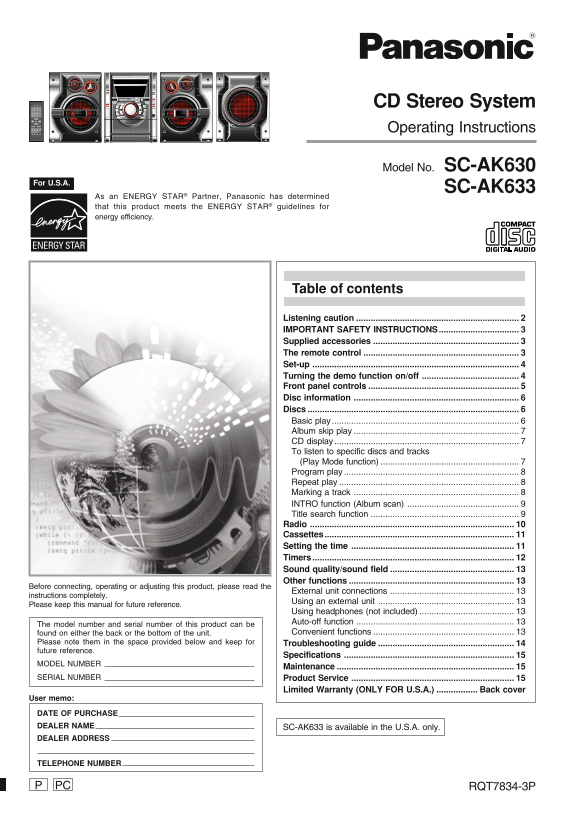
📄 Preview 📖 Table of Contents Contents PAGE OF 16

Page 1 Text Content

CD Stereo System Operating Instructions

Model No. SC-AK630

For U.S.A.

SC-AK633

As an ENERGY STAR® Partner, Panasonic has determined that this product meets the ENERGY STAR® guidelines for energy efficiency.

Table of contents

Listening caution IMPORTANT SAFETY INSTRUCTIONS................................. Supplied accessories The remote control Set-up Turning the demo function on/off Front panel controls Disc information Discs Basic play Album skip play CD display To listen to specific discs and tracks (Play Mode function) Program play Repeat play Marking a track INTRO function (Album scan) Title search function Radio Cassettes.............................................................................. Setting the time Timers Sound quality/sound field Other functions

Before connecting, operating or adjusting this product, please read the

External unit connections

instructions completely.

Using an external unit

Please keep this manual for future reference.

Using headphones (not included) Auto-off function

The model number and serial number of this product can be

found on either the back or the bottom of the unit. Convenient functions

Please note them in the space provided below and keep for Troubleshooting guide future reference.

Specifications

MODEL NUMBER

Maintenance

SERIAL NUMBER Product Service

Limited Warranty (ONLY FOR U.S.A.) Back cover

User memo: DATE OF PURCHASE DEALER NAME SC-AK633 is available in the U.S.A. only. DEALER ADDRESS

TELEPHONE NUMBER

PC RQT7834-3P

Page Summary Contents For Panasonic SC-AK630 SC-AK633 CD Stereo System Operating Instructions

Page 1 CD Stereo System Operating Instructions Model No. SC-AK630 For U.S.A. SC-AK633 As an ENERGY STAR® Partner, Panasonic has determined that this product meets the ENERGY STAR® guidelines for energy effic...
Page 2 Listening caution Dear customer Thank you for purchasing this product. For optimum performance and safety, please read these instructions carefully. Selecting fine audio equipment such as the unit you...
Page 3 IMPORTANT SAFETY INSTRUCTIONS Read these operating instructions carefully before using the unit. Follow the safety instructions on the unit and the applicable safety instructions listed below. Keep th...
Page 4 Set-up Connect the AC power supply cord only after all other connections have been made. Optional antenna connections (A page 10). Preparation Twist and pull off the vinyl tip of the antenna wires and...
Page 5 Front panel controls Main unit Display AC supply indicator [AC IN] This indicator lights when the unit is connected to the AC power supply. Standby/on switch [f/I, POWER] Press to switch the unit from...
Page 6 Disc information Disc selection MP3 information This unit can play MP3 files recorded on CD-R/RW with a computer. This unit can play MP3 and CD-DA (digital audio) format audio Files are treated as tra...
Page 7 Discs To listen to specific discs and CD MP3 tracks (Play Mode function) ALL-DISC: Plays all loaded discs in succession from the , ALBUM/ selected disc to the final disc \. CHARA, 1-SONG: Plays one se...
Page 8 Discs To check program contents Press [g, REW/3] or [f, 4/FF]. g CURSOR, ENTER CURSOR f Every time you press the button: CD The track number and program order are displayed: TITLE , ALBUM/ SEARCH CHAR...
Page 9 INTRO function (Album scan) MP3 To cancel partway through Press [L, STOP]. You can find an album by listening to the first track of all albums in the When there is no match for the searched keyword, t...
Page 10 Radio Automatic presetting g/REW/3, Do the following once each for FM and AM. f/FF/4 Preparation: Tune to the frequency where pre-setting is to begin. Hold down [PROGRAM] until the frequency changes. ...
Page 11 Cassettes Playback To stop recording Press [L, STOP]. You can use either deck 1 or deck 2 for tape playback. If the tape finishes before the disc Use normal position tapes. The disc continues playing....
Page 12 Timers Press [f] to turn the unit off. The unit must be off for the timers to operate. Headphones Play timer: Play will start in the set condition at the set time DISP, –DEMO (not included) with volum...
Page 13 Sound quality/sound field Using the built-in sound quality/sound Enhancing the bass sound field settings You can enhance low-frequency sound so that heavy bass sound can be heard clearly, even if the ...
Page 14 Troubleshooting guide Before requesting service, make the following checks. If you are in doubt about some of the check points, or if the remedies indicated in the chart do not solve the problem, refe...
Page 15 Specifications AMPLIFIER SECTION AK630 CASSETTE DECK SECTION SPEAKER SECTION RMS output power Track system 4 track, 2 channel Front speakers SB-AK630 THD 10%, both channels driven Heads 1 k Hz Type Re...
Page 16 Limited Warranty (ONLY FOR U.S.A.) Panasonic Consumer Electronics Company, Panasonic Puerto Rico, Inc. Division of Panasonic Corporation of North America Ave. 65 de Infantería, Km. 9.5 One Panasonic W...

Manual Details

Brand Panasonic
Pages 16
File Size 1.74 MB
Published June 01, 2026
73 views

Enter the captcha to get the download link:

captcha

Frequently Asked Questions

What safety precautions should I follow when using this audio equipment?

You are warned that prolonged exposure to excessive noise can affect your hearing, and setting the equipment at a safe level is recommended.

Where do I locate the model number and serial number for service?

The model number and serial number can be found on either the back or bottom of the unit. You should note them down for future reference.

What essential reading must I perform before connecting or adjusting the product?

Before connecting, operating, or adjusting this product, you must read the "External unit connections" instructions completely.

What advanced audio functions does the stereo system support besides basic CD play?

The system supports features such as Program play, Album skip play, Repeat play, Title search function, and Radio.