# A B C D E F G H I J K L M N O P Q R S T U V W X Y Z

Panasonic SAPM31 User Guide

Summary

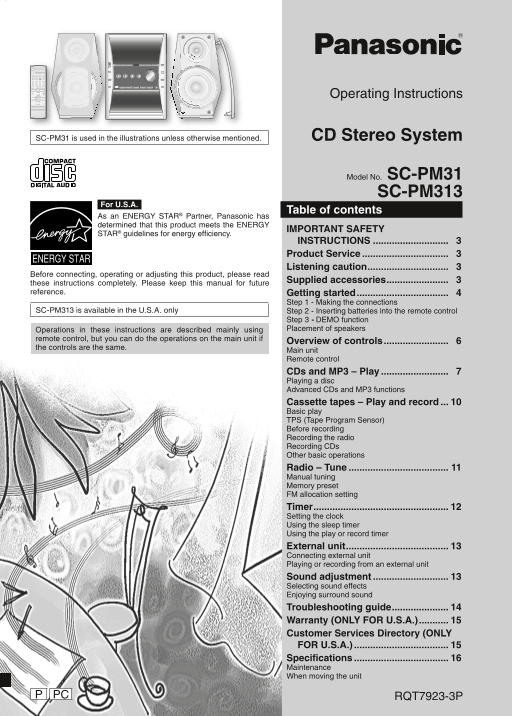
This operating manual covers the Panasonic SC-PM31 and SC-PM313 CD stereo systems, ENERGY STAR qualified for energy efficiency. The system combines CD and MP3 disc playback with a cassette tape deck supporting playback and recording, plus an AM/FM radio tuner with manual tuning and memory preset functions. Key features include TPS (Tape Program Sensor) for track navigation, timer functions for sleep, play, and recording, and sound adjustment options with selectable sound effects and simulated su
📄 Preview 📖 Table of Contents Contents PAGE OF 16

Page 1 Text Content

Operating Instructions

SC-PM31 is used in the illustrations unless otherwise mentioned. CD Stereo System

Model No. SC-PM31

SC-PM313

For U.S.A.

Table of contents

As an ENERGY STAR® Partner, Panasonic has determined that this product meets the ENERGY

IMPORTANT SAFETY

STAR® guidelines for energy effi ciency.

INSTRUCTIONS ............................ 3 Product Service ................................ 3 Listening caution .............................. 3

Before connecting, operating or adjusting this product, please read

Supplied accessories ....................... 3

these instructions completely. Please keep this manual for future reference. Getting started .................................. 4

Step 1 - Making the connections

SC-PM313 is available in the U.S.A. only Step 2 - Inserting batteries into the remote control

Step 3 - DEMO function Operations in these instructions are described mainly using Placement of speakers

remote control, but you can do the operations on the main unit if

Overview of controls ........................ 6

the controls are the same.

Main unit Remote control CDs and MP3 – Play ......................... 7 Playing a disc Advanced CDs and MP3 functions Cassette tapes – Play and record ... 10 Basic play TPS (Tape Program Sensor) Before recording Recording the radio Recording CDs Other basic operations Radio – Tune ..................................... 11 Manual tuning Memory preset FM allocation setting Timer .................................................. 12 Setting the clock Using the sleep timer Using the play or record timer External unit ...................................... 13 Connecting external unit Playing or recording from an external unit Sound adjustment ............................ 13 Selecting sound effects Enjoying surround sound Troubleshooting guide ..................... 14 Warranty (ONLY FOR U.S.A.) ........... 15 Customer Services Directory (ONLY FOR U.S.A.) ................................... 15 Specifi cations ................................... 16 Maintenance When moving the unit

PC RQT7923-3P

PM31_7923-3P.indd 1 3/17/05 12:29:18 PM

Page Summary Contents For Panasonic SAPM31 User Guide

Page 1 Operating Instructions SC-PM31 is used in the illustrations unless otherwise mentioned. CD Stereo System Model No. SC-PM31 SC-PM313 For U.S.A. Table of contents As an ENERGY STAR® Partner, Panasonic h...
Page 2 THE FOLLOWING APPLIES ONLY IN THE U.S.A. Dear customer Thank you for purchasing this product. For optimum performance and safety, please read these CAUTION: instructions carefully. This equipment has ...
Page 3 IMPORTANT SAFETY INSTRUCTIONS Read these operating instructions carefully before using the unit. Follow the safety instructions on the unit and the applicable safety instructions listed below. Keep th...
Page 4 Getting started Step 1 - Making the connections Connect the AC power supply cord only after all other connections have been made. Preparation Twist and pull off the vinyl tip of the speaker cords. OR ...
Page 5 Step 2 - Inserting batteries into the remote control ■ Batteries • Insert so the poles (+ and –) match those in the remote control. • Remove if the remote control is not going to be used for a long pe...
Page 6 Overview of controls Main unit Refer numbers in parentheses for page reference. Top of the unit Headphone jack (PHONES) Avoid listening for prolonged periods of time to prevent hearing damage. Plug ty...
Page 7 CDs and MP3 – Play Numeric buttons CD trays Play Mode function Playing a disc Press [y] to turn the unit on. Press [CD 6] and then [CLEAR 7]. Press [CD 1 ~ CD 5] to select your desired tray. Press [DI...
Page 8 CDs and MP3 – Play (Continued) Checking which CDs are in the trays Marking a track CD-DA MP3 (CD CHECK) CD-DA MP3 Enable you to mark one track for each loaded disc Press [CD CHECK]. so that you can di...
Page 9 To Action NOTE on CDs cancel program Press [PROGRAM] in the stop mode. • This unit can access up to 99 tracks. mode • Choose CD with this mark. replay the program Press [PROGRAM] then [CD 6 check prog...
Page 10 Cassette tapes – Play and record Top of the unit Cassette lid Basic play Recording CDs Press [OPEN 0] on top of the unit. Insert the cassette to be recorded on. Insert a cassette. Insert inside the gu...
Page 11 Radio – Tune Numeric buttons Manual tuning Memory preset Up to 15 stations each can be set in the FM and AM bands. Press [TUNER/BAND] to select “FM” or “AM”. Preparation Press [PLAY MODE] to select “M...
Page 12 Timer Using the play or record timer You can set the timer to come on at a certain time to wake you up (play timer) or to record from the radio or an aux source (record timer). Turn the unit on and se...
Page 13 Sound adjustment • Play timer and record timer cannot be used together. • The play timer will start at the preset time with volume increasing gradually to preset level. • The record timer will start 3...
Page 14 Troubleshooting guide Before requesting service, make the following checks. If you are in doubt about some of the check points, or if the remedies indicated in the chart do not solve the problem, refe...
Page 15 Warranty (ONLY FOR U.S.A.) Panasonic Consumer Electronics Company, Panasonic Puerto Rico, Inc. Division of Panasonic Corporation of North America Ave. 65 de Infantería, Km. 9.5 One Panasonic Way Secau...
Page 16 Specifi cations AMPLIFIER SECTION SPEAKER SECTION FTC Output Power both channel driven Type 2 way, 2 speaker system 10% total harmonic distortion Speaker(s) 60 Hz–3 k Hz Woofer 10 cm (4˝) cone type Tw...

Manual Details

Brand Panasonic
Pages 16
File Size 2.86 MB
Published June 18, 2026
1 views

Enter the captcha to get the download link:

captcha

Frequently Asked Questions

How should I clean the magnetic tape unit?

Wipe with a soft, dry cloth; never use alcohol, paint thinner, or benzine to clean it.

What are the key specifications for CD digital audio?

The sampling frequency is 44.1 kHz, and the device uses a semiconductor laser with a wavelength of 780 nm.

What precautions must be taken before operating the unit?

You must read all instructions completely and keep this manual available for future reference to ensure optimum performance and safety.