# A B C D E F G H I J K L M N O P Q R S T U V W X Y Z

Panasonic KX-TGA630 Installation Guide

Summary

Enhance your communication system with this additional digital cordless handset, designed for seamless integration into compatible Panasonic phone series. This manual guides you through every step needed to get started, including unit registration, setting up rechargeable batteries, and mounting the base station safely. Perfect for existing owners of these compatible systems who require an extra extension handset for enhanced coverage and convenience. Review full setup instructions and critical safety warnings before use.
📄 Preview PAGE OF 11

Page 1 Text Content

TGA630(e).fm Page 1 Tuesday, December 25, 2007 2:40 PM

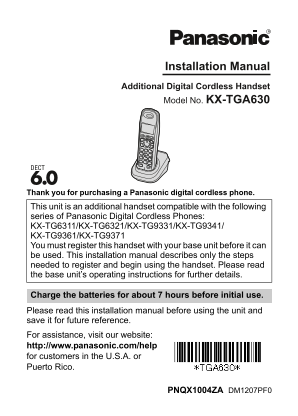
Installation Manual Additional Digital Cordless Handset Model No. KX-TGA630

Thank you for purchasing a Panasonic digital cordless phone.

This unit is an additional handset compatible with the following series of Panasonic Digital Cordless Phones: KX-TG6311/KX-TG6321/KX-TG9331/KX-TG9341/ KX-TG9361/KX-TG9371 You must register this handset with your base unit before it can be used. This installation manual describes only the steps needed to register and begin using the handset. Please read the base unit’s operating instructions for further details.

Charge the batteries for about 7 hours before initial use. Please read this installation manual before using the unit and save it for future reference. For assistance, visit our website: http://www.panasonic.com/help for customers in the U.S.A. or Puerto Rico.

PNQX1004ZA DM1207PF0

Page Summary Contents For Panasonic KX-TGA630 Installation Guide

Page 1 TGA630(e).fm Page 1 Tuesday, December 25, 2007 2:40 PM Installation Manual Additional Digital Cordless Handset Model No. KX-TGA630 Thank you for purchasing a Panasonic digital cordless phone. This uni...
Page 2 TGA630(e).fm Page 2 Tuesday, December 25, 2007 2:40 PM Supplied accessories Accessory item/Order number Quantity Charger/PNLC1001YS AC adaptor for charger/PQLV209T Rechargeable batteries*1 Handset cov...
Page 3 TGA630(e).fm Page 3 Tuesday, December 25, 2007 2:40 PM Battery installation and battery charge Important: LUse the supplied rechargeable batteries (Part No. HHR-65AAABU). LWhen installing the batterie...
Page 4 TGA630(e).fm Page 4 Tuesday, December 25, 2007 2:40 PM Attention: A nickel metal hydride battery that is recyclable powers the product you have purchased. Please call 1-800-8-BATTERY (1- 800-822-8837)...
Page 5 TGA630(e).fm Page 5 Tuesday, December 25, 2007 2:40 PM Wall mounting Drive the screws (not included) into the wall. Mount the charger (A), then slide it down (B) and to the right (C) until it is secur...
Page 6 TGA630(e).fm Page 6 Tuesday, December 25, 2007 2:40 PM For your safety To prevent severe injury and loss of life/property, read this section carefully before using the product to ensure proper and saf...
Page 7 TGA630(e).fm Page 7 Tuesday, December 25, 2007 2:40 PM Battery LWe recommend using the supplied batteries or additional/replacement batteries noted in the base unit’s operating instructions for replac...
Page 8 TGA630(e).fm Page 8 Tuesday, December 25, 2007 2:40 PM information such as phonebook or caller list entries from the memory before you dispose of, transfer, or return the product. FCC and other inform...
Page 9 TGA630(e).fm Page 9 Tuesday, December 25, 2007 2:40 PM NOTE: This equipment has been tested and found to comply with the limits for a Class B digital device, pursuant to Part 15 of the FCC Rules. Thes...
Page 10 TGA630(e).fm Page 10 Tuesday, December 25, 2007 2:40 PM Notice LThis product is designed for use in the United States of America. Sale or use of this product in other countries may violate local laws....
Page 11 TGA630(e).fm Page 11 Tuesday, December 25, 2007 2:40 PM If you need assistance with setup or operation Visit our website: http://www.panasonic.com/help Contact us via the web at: http://www.panasonic....

Manual Details

Brand Panasonic
Pages 11
File Size 790.88 KB
Published June 01, 2026
56 views

Enter the captcha to get the download link:

captcha

Frequently Asked Questions

Which cordless phones are compatible with this handset?

It is compatible with the KX-TG6311, KX-TG6321, KX-TG9331, KX-TG9341, KX-TG9361, and KX-TG9371 series.

How long should I charge the batteries initially?

You must place the handset on the charger for about 7 hours before initial use.

What kind of batteries can I use or replace them with?

Use only rechargeable Ni-MH AAA (R03) size batteries; do not use Alkaline, Manganese, or Ni-Cd batteries.

Are there specific safety steps for power connection?

The AC adaptor must remain connected at all times. Regularly remove dust from the power plug by pulling it out and wiping with a dry cloth.