Panasonic KX-TGA450 Installation Manual
Summary
This installation manual provides essential setup guidance for your expandable digital cordless handset accessory (Model KX-TGA4500). Designed for users pairing the handset with a Panasonic KX-TG4500 base unit, it walks you through initial setup steps including charging, proper battery installation, and system registration. The guide ensures quick deployment of features like optional headset connection and wall mounting, allowing seamless integration into your home or office communication network.
Page 1 Text Content
5.8 GHz Expandable Digital Cordless Handset
Model No. KX-TGA450
Installation Manual PLEASE READ BEFORE USE AND SAVE.
This handset is an accessory cordless handset for use with the Panasonic KX-TG4500. This installation manual only describes the steps necessary to start up the handset. Please read the KX-TG4500 Operating Instructions for further details.
Accessories (included). For extra orders, call 1-800-332-5368. ACharger Unit . . . . . . . . . . . . . . . . . . . . . . . . .1 ACordless Handset Battery. . . . .1 Charger Order No. PQLV30046ZA Order No. HHR-P104 AC Adaptor Order No. PQLV256Z ABelt Clip . . . . . . . . . . . . . . . . . .1 AHandset Battery Cover . . . . . . . . . . . . . . . . .1 Order No. PQKE10377Z5 Order No. PQYNTG4500BR
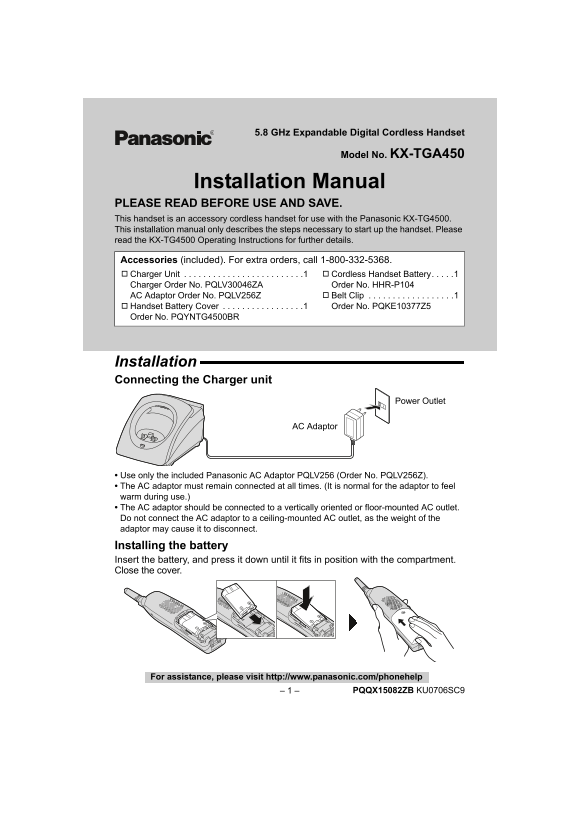
Installation Connecting the Charger unit
Power Outlet
AC Adaptor
Use only the included Panasonic AC Adaptor PQLV256 (Order No. PQLV256Z). The AC adaptor must remain connected at all times. (It is normal for the adaptor to feel warm during use.) The AC adaptor should be connected to a vertically oriented or floor-mounted AC outlet. Do not connect the AC adaptor to a ceiling-mounted AC outlet, as the weight of the adaptor may cause it to disconnect. Installing the battery Insert the battery, and press it down until it fits in position with the compartment. Close the cover.
For assistance, please visit http://www.panasonic.com/phonehelp
– 1 – PQQX15082ZB KU0706SC9
Page Summary Contents For Panasonic KX-TGA450 Installation Manual
Manual Details
| Brand | Panasonic |
|---|---|
| Pages | 12 |
| File Size | 2.29 MB |
| Published | June 01, 2026 |
Enter the captcha to get the download link:

Frequently Asked Questions
How long does the battery last?
While in use, it lasts up to 15 hours; while not in use (standby), it lasts up to 7 days.
What do I do if my device needs recharging?
Recharge when 'Recharge battery' is displayed, '2' flashes, or the handset beeps every 60 seconds while in use or standby.
Can this unit be wall-mounted?
Yes, the charger can be mounted to the wall by using the included template and screws.
Is an optional headset supported?
Yes, it supports a hands-free conversation using only a Panasonic KX-TCA86 headset (sold separately).
What must happen before I use the device initially?
The battery must be charged for 7 hours before initial use.