Page 1
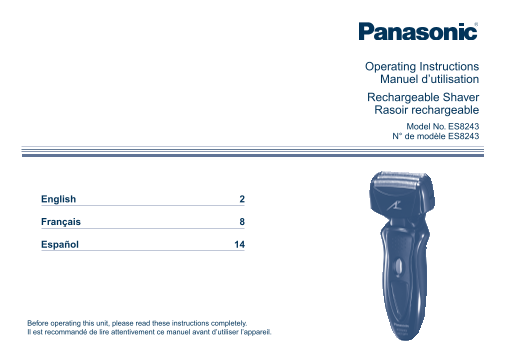
Operating Instructions Manuel d’utilisation Rechargeable Shaver Rasoir rechargeable Model No. ES8243 N° de modèle ES8243 English Français Español Before operating this unit, please read these instruct...
Page 2
2. Use this appliance only for its intended use as IMPORTANT SAFETY INSTRUCTIONS described in this manual. Do not use When using an electrical appliance, basic attachments not recommended by the preca...
Page 3
If the indicators on the LCD panel do not glow, wait for a short Important while until it glows. The adaptor is intended to be correctly oriented in a vertical or Before use floor mount position. This...
Page 4
Parts identification Charging Charg Insert the appliance plug into the shaver. Plug in the adaptor into a household outlet. The indicators on the LCD panel glow and charging starts. Charging is comple...
Page 5
Reading the LCD panel Using the shaver Shav The LCD panel shows the remaining battery capacity from 0% to 100%, in 10% increments. 10 minutes after After charging is While charging charging is complet...
Page 6
Caution for turbo mode Shaving in turbo mode may damage your skin. Turn the shaver Cleaning Clea off and then on again to cancel turbo mode. Do not place your fingers on the OFF/ON switch while using ...
Page 7
Replacing the system outer foil and the inner Removing the built-in rechargeable battery blades ATTENTION: appears on the LCD panel once a year. (This will differ A lithium ion battery that is recycla...
Page 8
3. N’utilisez jamais cet appareil si le cordon ou la CONSIGNES DE SÉCURITÉ IMPORTANTES fiche est endommagé, s’il ne fonctionne pas Lors de l’utilisation d’un appareil électrique, il faut correctement,...
Page 9
La température adéquate pour le chargement est 15-35 °C (59-95 °F). Important Si les indicateurs du panneau ACL ne s’allument pas, veuillez patienter quelques instants jusqu’à ce qu’ils s’allument. Av...
Page 10
Identification des pièces ment Charge Charge Insérez la prise de l’appareil dans le rasoir. Branchez l’adaptateur à la prise secteur. Les indicateurs du panneau ACL s’allument, puis la recharge commen...
Page 11
À propos du panneau ACL ase Utilisation du rasoir Le panneau ACL indique la charge restante de la pile, allant de 0% à 100%, par pas de 10%. Pendant le Une fois le 10 minutes après la fin chargement c...
Page 12
Avertissement concernant le mode turbo Le rasage en mode turbo pourrait blesser votre peau. Éteignez le Nettoyage Netto rasoir et rallumez-le pour annuler le mode turbo. Ne touchez pas l’interrupteur ...
Page 13
2. Retirez les lames intérieures, une Retrait de la batterie rechargeable intégrée à la fois comme indiqué sur l’illustration. Ne touchez pas le fil (partie ATTENTION: métallique) des lames L’appareil...
Page 14
recomendado por el fabricante. INSTRUCCIONES DE SEGURIDAD IMPORTANTES 3. Nunca utilice el dispositivo si tiene el cordón o el Al utilizar un dispositivo eléctrico, deben seguirse enchufe dañado, si no...
Page 15
Si los indicadores en el panel LCD no se iluminan, espere unos Importante instantes hasta que se ilumine. El adaptador está preparado para orientarlo correctamente en una Antes de utilizarlo posición ...
Page 16
Identificación de las partes Carga Carg Inserte el enchufe del dispositivo en la afeitadora. Enchufe el adaptador en una toma de corriente doméstica. La carga inicia cuando los indicadores en el panel...
Page 17
Acerca del panel LCD tad Utilización de la afeitadora El panel LCD muestra la capacidad restante de la batería desde 0% a 100%, en incrementos de 10%. 10 minutos después Durante la carga Cuando la car...
Page 18
Precauciones para el modo turbo Afeitar con el modo turbo podría dañar su piel. Apague la afeitadora y Limpieza enciéndala de nuevo para cancelar el modo turbo. Limpieza No coloque los dedos en el int...
Page 19
Sustitución de la lámina exterior del sistema y las Retirar la batería recargable interna cuchillas internas ATENCIÓN: aparece en el panel LCD una vez al año. (Esto puede variar El producto que ha com...
Page 20
IN USA CONTACT: Panasonic Consumer Electronics Company One Panasonic Way 2F-3 Secaucus, NJ 07094 IN PUERTO RICO CONTACT: Panasonic Puerto Rico, Inc. San Gabriel Industrial Park 65th Infantry Avenue KM...