Page 1
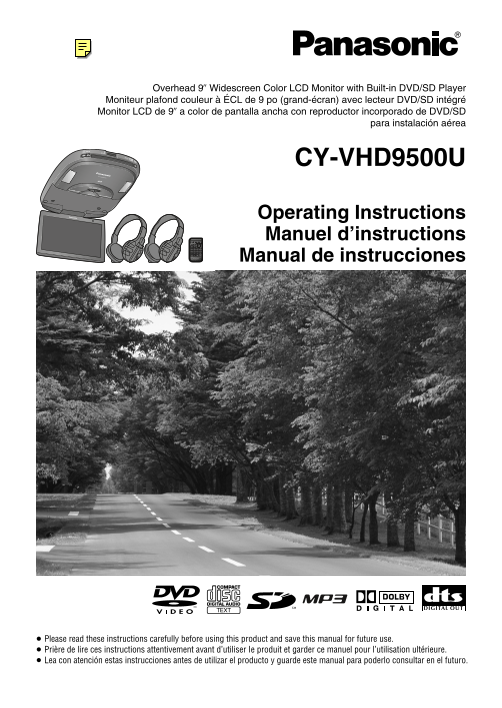
Overhead 9q Widescreen Color LCD Monitor with Built-in DVD/SD Player Moniteur plafond couleur à ÉCL de 9 po (grand-écran) avec lecteur DVD/SD intégré Monitor LCD de 9q a color de pantalla ancha con re...
Page 2
Warnings Panasonic welcomes you to our ever growing family of electronic product owners. We know that At the time of operation this product will bring you many hours of enjoyment. Our reputation is bu...
Page 3
Safety Information (continued) Warnings At the time of installation At the time of installation HWarnings Do not, under any circumstances, Install the product securely so that it Be sure to use fuses ...
Page 4
Safety Information (continued) At the time of operation Cautions At the time of operation HCautions Use the product at the proper volume Do not insert foreign objects into the Avoid keeping the dome l...
Page 5
Safety Information (continued) Cautions At the time of operation or installation Cautions At the time of installation Caution for replacing the bulb of the dome light Caution for electrical connection...
Page 6
Notes on Use When Listening with IR Wireless Liquid Crystal Panel HProtect Disc and SD memory Card ≥ Storage temperature range: `4 °F to 176 °F Exemption from Liability Headphones ≥ When you leave the...
Page 7
Installation Guide Features For details on installation, refer to the installation instructions provided separately. 9 inch Flip-down Overhead Monitor 2 sets of VTR Input Terminals and 1 set In respon...
Page 8
System Upgrade Discs/Cards that can be Played Back Recommended system Disc Mark (logo) Disc size Video format Audio format Region No. (system which outputs the sound from the speakers through the fron...
Page 9
Accessories Contents Item Diagram Q’ty Item Diagram Q’ty Safety Information Remote Control Unit Paper Template Notes on Use ...............................................................................
Page 10
Name of Controls E Main Unit Concerning volume level adjustments The main unit does not have a function for adjusting the volume level. To adjust the volume SD memory card slot;/1 (Except SD mode) <...
Page 11
Name of Controls (continued) Remote Control Unit Concerning volume level adjustments The main unit does not have a function for Aim the remote control at the remote control sensor of the main unit and...
Page 12
Monitor Position Adjustment Remote Control Unit Preparation Open the Display Unit Display Unit Lateral Angle Battery Installation Battery Notes Adjustment 1 Remove the battery holder. ≥ Battery type: ...
Page 13
IR Wireless Headphones Preparation PO ER PO ER PO PO ER ER PO ER Battery Installation Battery Notes How to Use the IR Wireless Headphones (Inserting/Replacing the Batteries) Battery information: Opera...
Page 14
General [SRC] (Source) (POWER) Power Source (continued) Volume Preparation Example: When listening to sound through the accessory IR 1 Turn your car’s ignition key ACC wireless headphones DVD video mo...
Page 15
Playing Discs (Disc General/DVD video/Video CD) Indicates the compatible types of disc. Place the label side face up. Note: Press [1] (PLAY). Press [;/1]. [SRC] (Source) Playback ≥ Refer to page 15 ab...
Page 16
Playing Discs (DVD video/Video CD) (continued) Indicates the compatible types of disc. Press and hold [1] (SUBTITLE) SP:01 DVD Menu/ 1 Press [DVD/SD MENU] during Switching the Example for more than 2 ...
Page 17
Playing Discs (CD/MP3) Indicates the compatible types of disc. Press [1] (PLAY). Press [;/1]. Press [5] (SCAN). The fi rst 10 seconds of each track plays in Playback Scan Play sequence. Press [5] (SCA...
Page 18
Playing Discs (CD/MP3) (continued) Notes on MP3 This player allows you to play MP3 fi les recorded on CD-ROMs, CD-Rs Folder selection order/MP3 fi le playback order (Example) (Recordable) and CD-RWs (...
Page 19
VTR (Game etc.) [SRC] (Source) VTR1/VTR2 Mode External Devices Connectable to VTR1/VTR2 You can view the images and listen to the sounds from the connected external devices in the VTR1 mode and VTR2 m...
Page 20
Playing SD Cards Notes on SD Cards Music Recording to an SD Card on a PC IMPORTANT: ≥ If you have saved still image and/or moving SD audio recorded with “Panasonic Media Manager” You can copy still an...
Page 21
Playing SD Cards (continued) Notes on SD Cards (continued) WARNING: ≥ Do not place SD memory cards within the reach of children. There is a risk that children could swallow the SD memory card. If a ch...
Page 22
Playing SD Cards (continued) SD Mode Operation (MPEG4) Elapsed playback time [π] (STOP): Playing Back Press this to return to the Setting Repeat during moving picture list screen. Moving Picture Movin...
Page 23
Playing SD Cards (continued) SD Mode Operation (MUSIC) Elapsed playback time (While the music fi le list screen is displayed) Playing Back Music [π] (STOP): 1 Press [DVD/SD MENU]. Press this to return...
Page 24
Playing SD Cards (continued) SD Mode Operation (PICTURE) SD Mode Operation (VOICE) Elapsed playback time [$]/[9]: Playing Voice Playing Back Still Press this to display the next still [π] (STOP): Reco...
Page 25
Display (SCREEN) Settings SCREEN USER SCREEN USER IMMER CONTRAST BR GHT COLOR NT MMER AUTO : SELECT ENTER:SEL ENTER: SET : SELECT SOURCE : END 1 Menu 2 Submenu 3 Setting 1 Press [MENU] 1 Press ["...
Page 26
Other (USER) Settings SCREEN USER SCREEN USER VI DEO-CONT BEEP IGHT OUTPUT LEVEL MEMORY CLEAR? VTR VTR2 : SELECT ENTER:SEL SOURCE : END : SELECT ENTER: SET 1 Menu 2 Submenu 3 Setting 1 Press [MENU] 1 ...
Page 27
DVD video Settings <Main Menu> <Menu Language> Note: 1. Menu Language : English ≥ After the DVD settings have been changed and Select 1. English 2. Subtitle Language : English Language 2. ...
Page 28
DVD video Settings (continued) <Main Menu> <TV Mode> Note: 1. Menu Language : English ≥ After the DVD settings have been changed and Select 1. Pan&Scan 2. Subtitle Language : English T...
Page 29
Aspect Ratio Replacing the Bulb of the Dome Light Press [A] (ASPECT) to change the aspect ratio as Preparation: follows. ≥ Turn the dome light switch off (page 46). Default: NORMAL ≥ Open the display ...
Page 30
Troubleshooting E Common (continued) WARNING: ≥ Do not use the product when it is broken or there is some abnormality. Possible cause Possible solution 44Problem In the unlikely event that the product...
Page 31
Troubleshooting (continued) DVD video/Video CD/CD/MP3 DVD video Problem Possible cause Possible solution Problem Possible cause Possible solution No playback The disc is inserted upside down. Insert a...
Page 32
Troubleshooting (continued) VCR, Camcorder, etc. Error Display Messages Problem Possible cause Possible solution DVD video/Video CD/CD/MP3 The picture from a A VCR or Camcorder is not Connect a VCR or...
Page 33
Troubleshooting (continued) Error Display Messages (continued) Maintenance SD card Your product is designed and manufactured to ensure a minimum of maintenance. Use a dry and soft cloth for routine ex...
Page 34
Notes on Discs/Cards Notes on CD-Rs/RWs Maintenance ≥ You may have trouble playing back some How to hold the disc or card Do not leave discs or cards on the following SD card precautions CD-R/RW discs...
Page 35
Language Code List E Defi nition of Terms Digital audio output connector (Optical) Playback control (Video CD) In “Other” cases (Menu Language, Subtitle Language, Audio Langage) (page 80) The digital ...
Page 36
After-sales Service for Products (U.S.A) (CANADA) WARRANTY SERVICE Customer Services Directory For product operation and information assistance, please contact your Dealer or our Customer Care Centre ...
Page 37
Specifi cations Overall System Display Unit U.S. Patent Nos. 4,631,603; 4,577,216; General Disc played: Liquid crystal panel: 9q 4,819,098; 4,907,093; and 6,516,132. Power supply: DC 12 V (11 V–16 V),...
Page 38
Panasonic Consumer Panasonic Sales Company. Panasonic Canada Inc. Electronics Company, Division of Matsushita Electric 5770 Ambler Drive, Division of Matsushita Electric of Puerto Rico, Inc. (“PSC”) M...