Page 1
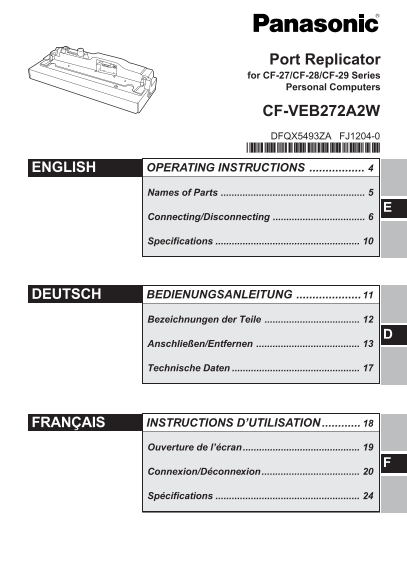
Port Replicator for CF-27/CF-28/CF-29 Series Personal Computers CF-VEB272A2W DFQX5493ZA FJ1204-0 ENGLISH OPERATING INSTRUCTIONS Names of Parts Connecting/Disconnecting Specifications DEUTSCH BEDIENUNG...
Page 2
Interface Cable Use of an interface cable longer than 3 m (9.84 feet) is not recommended. Schnittstellenkabel Verwendete Schnittstellenkabel sollten eine Länge von 3 Metern möglichst nicht überschreit...
Page 3
Compliance Notice - CE Mark This equipment is in conformance with the requirements of the European Council Directive listed below: 73/23/EEC Low Voltage Directive with amendment 93/68/EEC 89/336/EEC E...
Page 4
ENGLISH Thank you for purchasing the port replicator for the Panasonic CF-27/CF-28/ CF-29 notebook computer series. By connecting your peripheral devices to the port replicator, you can save yourself ...
Page 5
Names of Parts Serial Port B Rear Parallel Port Headphone Jack Serial Port A Mouse Port Microphone Jack Display Port Keyboard Port DC-IN Jack USB Port Security Lock (for Kensington Cable) For the func...
Page 6
Connecting/Disconnecting Updating BIOS When using a computer in the CF-29C, D, E, F or G Series To use a device that supports USB 2.0, you must update BIOS. For the BIOS update program and updating pr...
Page 7
CAUTION Be sure to use the AC adaptor. (The port replicator will not function using the computer’s battery power.) Be sure to use the specified AC adaptor and AC cord which are included with the compu...
Page 8
Connecting/Disconnecting Slide the lever until it exceeds the mark of the “DOCK”, as shown in the right figure to connect the expansion bus connector of the port replicator. (If necessary, lock the co...
Page 9
Disconnecting CAUTION Do not connect or disconnect the port replicator while the computer is powered on or in the standby or hibernation mode. Turn the computer off. (If the port replicator is locked,...
Page 10
Specifications Item Description Power Supply Input DC 15.6 V Expansion Bus Connector 80-pin female Parallel Port Dsub 25-pin female Display port Mini Dsub 15-pin female Serial Port A Dsub 9-pin male S...
Page 11
DEUTSCH Wir freuen uns darüber, dass Sie sich zum Kauf eines Portreplikators für das Panasonic-Notebook der Serie CF-27/CF-28/CF-29 entschieden haben. Bei Anschluß Ihrer Peripheriegeräte an den Portre...
Page 12
Bezeichnungen der Teile Rückseite Anschluß für externe Maus Kopfhörerbuchse Serieller Anschluß B Paralleler Anschluß Mikrofonbuchse Serieller Anschluß A Anschluß für externes Display Sicherungsschloß ...
Page 13
Anschließen/Entfernen Aktualisierung des Basis-Eingabe-Ausgabe-Systems (BIOS) Bei Verwendung eines Computers der Serie CF-29C, D, E, F oder G Um ein Gerät zu verwenden, das den USB 2.0-Anschluss unter...
Page 14
Anschließen/Entfernen Schließen Sie den Stecker des Netzadapters, der im Konversionskabels (das nur für die Geräte der Serie CF-29 geeignet ist) enthaltenen ist, an die Gleichstrom- Eingangsbuchse (DC...
Page 15
Drücken Sie die beiden hinteren Ecken des Computers leicht nach unten auf die Führungsstifte des Portreplikators.6 VORSICHT Versuchen Sie auf keinen Fall, die Anschlüsse herzustellen, wenn die Abdecku...
Page 16
Anschließen/Entfernen Entfernen VORSICHT Schließen Sie das Notebook nicht an oder entfernen es, wenn das Notebook im Betrieb ist, oder sich im Bereitschaftsmodus oder Stillegungsmodus befindet. Schalt...
Page 17
Technische Daten Gegenstand Beschreibung Stromversorgung Eingang DC 15,6 V Erweiterungsbus-Anschluß 80-polig Paralleler Anschluß DB-25-Steckbuchse Display Anschluß DB-15-Mini-Steckbuchse Serieller Ans...
Page 18
FRANÇAIS Merci d’avoir choisi le duplicateur de ports pour la série d’ordinateurs por- tables Panasonic CF-27/CF-28/CF-29. Si vous connectez vos périphériques au duplicateur de ports, vous n’aurez plu...
Page 19
Ouverture de l’écran Arrière Port parallèle Prise casque Port série B Port série A Port souris Prise micro Port écran externe Port clavier Prise DC-IN Port USB Verrou antivol (pour câble antivol Kensi...
Page 20
Connexion/Déconnexion Mise à jour du BIOS Lors de l’utilisation d’un ordinateur de la série CF-29C, D, E, F ou G Pour utiliser un périphérique compatible USB 2.0, vous devez mettre à jour le BIOS. Pou...
Page 21
Raccordez la fiche de l’adaptateur secteur fourni avec l’ordinateur ou celle du câble convertisseur (conçu exclusivement pour la série CF-29) à la prise DC-IN du duplicateur de ports, et branchez l’au...
Page 22
Connexion/Déconnexion Appuyez légèrement vers le bas pour faire entrer les coins arrière de l’ordinateur entre les tiges de guidage du duplicateur de ports. ATTENTION N’essayez pas d’effectuer les con...
Page 23
Déconnexion ATTENTION Ne connectez pas et ne déconnectez pas le duplicateur de ports lorsque l’ordinateur est allumé ou en mode veille ou en mode veille prolongée. Mettez l’ordinateur hors tension. (S...
Page 24
Spécifications Caractéristiques Description Alimentation 15,6 V CC Connecteur de bus d’extension 80 broches (femelle) Port parallèle D-sub 25 broches (femelle) Port écran externe Mini D-sub 15 broches...