Page 1
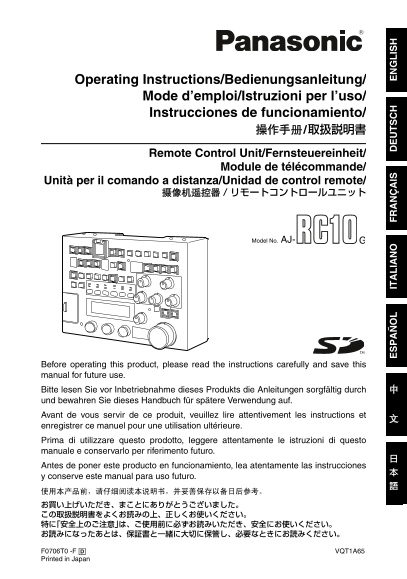
AJ-RC10G.book 1 ページ 2006年7月26日 水曜日 午前9時25分 Operating Instructions/Bedienungsanleitung/ Mode d’emploi/Istruzioni per l’uso/ Instrucciones de funcionamiento/ Remote Control Unit/Fernsteuereinheit/ Modul...
Page 2
AJ-RC10G.book 1 ページ 2006年7月26日 水曜日 午前9時25分 Read this first! For General DO NOT REMOVE PANEL COVERS CAUTION: BY UNSCREWING THEM. TO REDUCE THE RISK OF FIRE OR To reduce the risk of electric shock, do S...
Page 3
AJ-RC10G.book 2 ページ 2006年7月26日 水曜日 午前9時25分 Read this first! (Continued) For USA FCC Note: CAUTION This equipment has been tested and found RISK OF ELECTRIC SHOCK to comply with the limits for a class ...
Page 4
AJ-RC10G.book 3 ページ 2006年7月26日 水曜日 午前9時25分 Table of Contents Read this first! ................................1 Menu item General ............................................4 Menu ......................
Page 5
AJ-RC10G.book 4 ページ 2006年7月26日 水曜日 午前9時25分 General The AJ-RC10G (hereinafter called “the unit”) is a remote control unit connected to the camera recorder. The unit controls the camera recorder from th...
Page 6
AJ-RC10G.book 5 ページ 2006年7月26日 水曜日 午前9時25分 Connection <Notes> While the power supply of the camera The frame frequency of the camera recorder recorder is turned off, connect the RCU 10- must be ...
Page 7
AJ-RC10G.book 6 ページ 2006年7月26日 水曜日 午前9時25分 Parts and functions Front panel !3" SW ACTIVE button Panel part For enabling button/switch operations !3" !1"!2" When the lamp is on: The...
Page 8
AJ-RC10G.book 7 ページ 2006年7月26日 水曜日 午前9時25分 Parts and functions (Continued) Camera recorder/Scene file operation !3" REW/1 button In recorder mode: !3" !4"!2" !6" !7"!5&qu...
Page 9
AJ-RC10G.book 8 ページ 2006年7月26日 水曜日 午前9時25分 Parts and functions (Continued) !7" CHECK/5-button In recorder mode: This is the recording confirmation button. If the button is pressed when recording ...
Page 10
AJ-RC10G.book 9 ページ 2006年7月26日 水曜日 午前9時25分 Parts and functions (Continued) Basic camera operations !4" PRE/A/B button Operations of this button are the same as !1" for the WHITE BAL switch o...
Page 11
AJ-RC10G.book 10 ページ 2006年7月26日 水曜日 午前9時25分 Parts and functions (Continued) Basic camera operations (Continued) !12" AWB button When this button is pressed, the camera !9" !12" !13"...
Page 12
AJ-RC10G.book 11 ページ 2006年7月26日 水曜日 午前9時25分 Parts and functions (Continued) Basic camera operations (Continued) !16" A.KNEE ON button This button switches the AUTO KNEE !14" !15" !16&qu...
Page 13
AJ-RC10G.book 12 ページ 2006年7月26日 水曜日 午前9時25分 Parts and functions (Continued) Volume settings !4" R BLACK volume This adjusts the Rch black level. !2" !3" Switching between the relative v...
Page 14
AJ-RC10G.book 13 ページ 2006年7月26日 水曜日 午前9時25分 Parts and functions (Continued) Menu operation of the unit !6" FLARE lamp This lamp is on when FLARE is selected on !3" !6" !9" !12"...
Page 15
AJ-RC10G.book 14 ページ 2006年7月26日 水曜日 午前9時25分 Parts and functions (Continued) !14" KNEE/FUNC button This selects the large item displayed on the !22" LCD panel. The display will switch to KNEE...
Page 16
AJ-RC10G.book 15 ページ 2006年7月26日 水曜日 午前9時25分 Parts and functions (Continued) Rear panel !6" Covering screw The unit can be used when the four screws !6" !2" !1" are removed. However...
Page 17
AJ-RC10G.book 16 ページ 2006年7月26日 水曜日 午前9時25分 Basic operations When the power is on 3) To display numerical values on the LCD panel When the POWER button is pressed, the lamp The GAIN volume is displaye...
Page 18
AJ-RC10G.book 17 ページ 2006年7月26日 水曜日 午前9時25分 Basic operations (Continued) Operation of the camera recorder 1) Operation of the display interlocking 4) Operation of other switches switch For the MATRIX ...
Page 19
AJ-RC10G.book 18 ページ 2006年7月26日 水曜日 午前9時25分 Basic operation (Continued) Operation of the camera using the unit volume When the lamp of the PANEL ACTIVE button is 2) BLACK volume on, operations of the ...
Page 20
AJ-RC10G.book 19 ページ 2006年7月26日 水曜日 午前9時25分 Basic operation (Continued) 3) M.PED volume Operation of the scene file When the volume operation is enabled, the The unit has five sets of scene files and ...
Page 21
AJ-RC10G.book 20 ページ 2006年7月26日 水曜日 午前9時25分 Basic operation (Continued) <Notes> <Reference> If a scene file is loaded while the volume It is possible to adjust the scene file setting of th...
Page 22
AJ-RC10G.book 21 ページ 2006年7月26日 水曜日 午前9時25分 Saving/Loading of scene files onto the SD memory card It is possible to store up to 8 sets of settings for To load data from the card the unit. When “SYSTEM...
Page 23
AJ-RC10G.book 22 ページ 2006年7月26日 水曜日 午前9時25分 Saving/Loading of scene files onto the SD memory card (Continued) To write data on the card To delete files from the card Select “SYSTEM” using the SHUTTER/...
Page 24
AJ-RC10G.book 23 ページ 2006年7月26日 水曜日 午前9時25分 Menu operation Operations using the LCD panel Operation of the camera recorder The menu can be adjusted using the Rotary menu Encoders (1 to 3) after displa...
Page 25
AJ-RC10G.book 24 ページ 2006年7月26日 水曜日 午前9時25分 Menu item Menu BLACK The menu items on the unit may vary with the Variable Layer Item Contents description Storage camera recorder connected to the unit. ra...
Page 26
AJ-RC10G.book 25 ページ 2006年7月26日 水曜日 午前9時25分 Menu item (Continued) FLARE WHITE Variable Variable Layer Item Contents description Storage Layer Item Contents description Storage range range RFLAR –100 T...
Page 27
AJ-RC10G.book 26 ページ 2006年7月26日 水曜日 午前9時25分 Menu item (Continued) WHITE (Continued) Variable Variable Layer Item Contents description Storage Layer Item Contents description Storage range range COLR- ...
Page 28
AJ-RC10G.book 27 ページ 2006年7月26日 水曜日 午前9時25分 Menu item (Continued) KNEE SHUTTER Variable Variable Layer Item Contents description Storage Layer Item Contents description Storage range range M-KNEE ON T...
Page 29
AJ-RC10G.book 28 ページ 2006年7月26日 水曜日 午前9時25分 Menu item (Continued) SHAD MATRIX Variable Variable Layer Item Contents description Storage Layer Item Contents description Storage range range B-SHD ON To ...
Page 30
AJ-RC10G.book 29 ページ 2006年7月26日 水曜日 午前9時25分 Menu item (Continued) DTL SKIN DTL Variable Variable Layer Item Contents description Storage Layer Item Contents description Storage range range MDTL –31 To...
Page 31
AJ-RC10G.book 30 ページ 2006年7月26日 水曜日 午前9時25分 Menu item (Continued) SKIN DTL (Continued) FUNC Variable Variable Layer Item Contents description Storage Layer Item Contents description Storage range rang...
Page 32
AJ-RC10G.book 31 ページ 2006年7月26日 水曜日 午前9時25分 Menu item (Continued) FUNC (Continued) SYSTEM Variable Variable Layer Item Contents description Storage Layer Item Contents description Storage range range ...
Page 33
AJ-RC10G.book 32 ページ 2006年7月26日 水曜日 午前9時25分 Connection cable A 10 m connection cable is attached to the unit. To extend the cable, use the optional dedicated cable. If several 10 m cables are connecte...
Page 34
AJ-RC10G.book 33 ページ 2006年7月26日 水曜日 午前9時25分 Specifications Power supply: DC 12 V Power consumption: 6 W indicates safety items. External dimensions (W a H a D) 185 mm a 131 mm a 60 mm (7-5/16 inches a...
Page 35
AJ-RC10G.book 34 ページ 2006年7月26日 水曜日 午前9時25分 Information on Disposal for Users of Waste Electrical & Electronic Equipment (private households) This symbol on the products and/or accompanying docume...
Page 36
AJ-RC10G.book 35 ページ 2006年7月26日 水曜日 午前9時25分 PANASONIC BROADCAST & TELEVISION SYSTEMS COMPANY UNIT COMPANY OF PANASONIC CORPORATION OF NORTH AMERICA Executive Office: One Panasonic Way 4E-7, Secauc...