Page 1
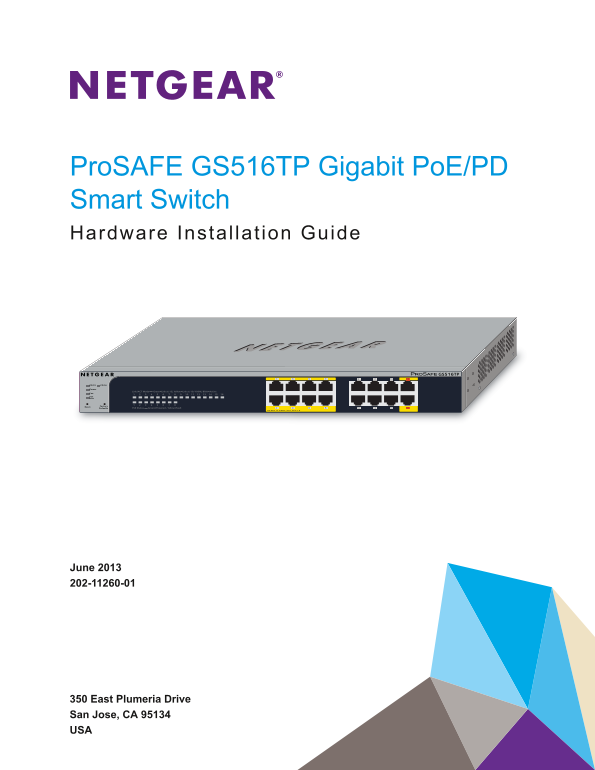
Pro SAFE GS516TP Gigabit Po E/PD Smart Switch Hardware Instal lat ion Guide June 2013 202-11260-01 350 East Plumeria Drive San Jose, CA 95134 USA
Page 2
GS516TP Gigabit Po E/PD Smart Switch No part of this publication may be reproduced, transmitted, transcribed, stored in a retrieval system, or translated into any language in any form or by any means ...
Page 3
Contents Chapter 1 Introduction Overview . . . . . . . . . . . . . . . . . . . . . . . . . . . . . . . . . . . . . . . . . . . . . . . . . . . 6 Features . . . . . . . . . . . . . . . . . . . . . . . ...
Page 4
GS516TP Gigabit Smart Switch Autonegotiation. . . . . . . . . . . . . . . . . . . . . . . . . . . . . . . . . . . . . . . . . . . . Appendix B Technical Specifications Network Protocol and Standards C...
Page 5
1. Introduction Congratulations on the purchase of your NETGEAR® Pro SAFETM GS516TP Gigabit Smart Switch. Your GS516TP Gigabit Smart Switch is a state-of-the-art, high-performance, IEEE-compliant netw...
Page 6
GS516TP Gigabit Smart Switch Overview The NETGEAR GS516TP Gigabit Smart Switch provides 16 twisted-pair ports that support nonstop 10/100/1000M networks. Using these gigabit slots, you can create high...
Page 7
GS516TP Gigabit Smart Switch IEEE802.3af (DTE Power via MDI) IEEE802.3at (DTE Power via MDI Enhancements) IEEE802.3az (Energy Efficient Ethernet) IEEE 802.3x (Full-duplex flow control) Auto Sensing an...
Page 8
GS516TP Gigabit Smart Switch Package Contents The following figure shows the package contents of the GS516TP Gigabit Smart Switch. Rubber AC power cord footpads Resource CD Installation guide Rack-mou...
Page 9
GS516TP Gigabit Smart Switch Introduction
Page 10
2. Physical Description This chapter describes the GS516TP Gigabit Po E Smart Switch hardware features. Topics include: GS516TP Front Panel and Back Panel Configuration LED Designations Device Hardwar...
Page 11
GS516TP Gigabit Po E Smart Switch GS516TP Front Panel and Back Panel Configuration The smart switch has sixteen 10/100/1000 Mbps copper ports. Each port is capable of sensing the line speed and negoti...
Page 12
GS516TP Gigabit Po E Smart Switch The following figure illustrates the smart switch back panel. Power connector Figure 2. Back panel The back panel contains a power connector. LED Designations This se...
Page 13
GS516TP Gigabit Po E Smart Switch System LEDs The following table describes the system LED designations. Table 2-2. System LEDs LED Designation Power • Solid green. The device is powered on; runtime c...
Page 14
GS516TP Gigabit Po E Smart Switch Reset Button The smart switch has a Reset button on the front panel to allow you to manually reboot the switch. This action is equivalent to powering the unit off and...
Page 15
3. Applications Your smart switch is designed to provide flexibility in configuring your network connections. It can be used as your only network traffic-distribution device or with 10 Mbps, 100 Mbps,...
Page 16
GS516TP Gigabit Smart Switch Desktop Switching The smart switch can be used as a desktop switch to build a small network that enables users to have 1000 Mbps access to a file server. With full-duplex ...
Page 17
GS516TP Gigabit Smart Switch Backbone Switching You can use the smart switch as a backbone switch in a small network that gives users high-speed access to servers and other network devices. Figure 4. ...
Page 18
4. Installation This chapter describes the installation procedures for your GS516TP Gigabit Smart Switch. Switch installation involves the procedures described in the following sections: Prepare the S...
Page 19
GS516TP Gigabit Smart Switch Prepare the Site Before you install the switch, ensure that the operating environment meets the site requirements in the following table. Table 4-3. Site Requirements Char...
Page 20
GS516TP Gigabit Smart Switch 2. Insert the screws provided in the rack-mount kit through each bracket and into the bracket mounting holes in the switch. 3. Tighten the screws with a No. 1 Phillips scr...
Page 21
GS516TP Gigabit Smart Switch Connect Devices to the Switch The following procedure describes how to connect computers to the switch’s RJ-45 ports. The switch contains Auto Uplink technology, which all...
Page 22
GS516TP Gigabit Smart Switch Before connecting the power cord, select an AC outlet that is not controlled by a wall switch, which can turn off power to the switch. After selecting an appropriate outle...
Page 23
GS516TP Gigabit Smart Switch Note: The switch is configured with a default IP address of 192.168.0.239 and a subnet mask of 255.255.255.0. Installation
Page 24
A. Troubleshooting This chapter provides information about troubleshooting the NETGEAR Smart Switch. Topics include the following: Troubleshooting Chart Additional Troubleshooting Suggestions
Page 25
GS516TP Gigabit Smart Switch Troubleshooting Chart The following table lists symptoms and causes of and solutions to possible problems. Table A-4. Troubleshooting Chart Symptom Cause Solution Power LE...
Page 26
GS516TP Gigabit Smart Switch that cable distances, repeater limits, and other physical aspects of the installation do not exceed the Ethernet limitations. Switch Integrity If necessary, verify the int...
Page 27
B. Technical Specifications Network Protocol and Standards Compatibility IEEE 802.3 10BASE-T IEEE 802.3u 100BASE-TX IEEE 802.3ab 1000BASE-T IEEE802.3af (DTE Power via MDI) IEEE802.3at (DTE Power via M...
Page 28
GS516TP Gigabit Smart Switch Static routing MLD snooping DHCP snooping ACLs (MAC, IPv4, IPv6, and TCP/UDP based) DHCP client function Auto voice VLAN Protected ports Time-based Po E management Syslog ...
Page 29
GS516TP Gigabit Smart Switch 132,722 hours (~15.15 years) at 55°C Power Supply AC voltage: 100–240 V Frequency: 50/60 Hz Amperage (maximum): 1.8A Physical Specifications Dimensions (H x W x D): 328 x ...
Page 30
C. Notification of Compliance NETGEAR wired products Regulatory Compliance Information This section includes user requirements for operating this product in accordance with National laws for usage of ...
Page 31
Product Name & Model FCC Radio Frequency Interference Warnings & Instructions This equipment has been tested and found to comply with the limits for a Class B digital device, pursuant to Part ...