Page 1
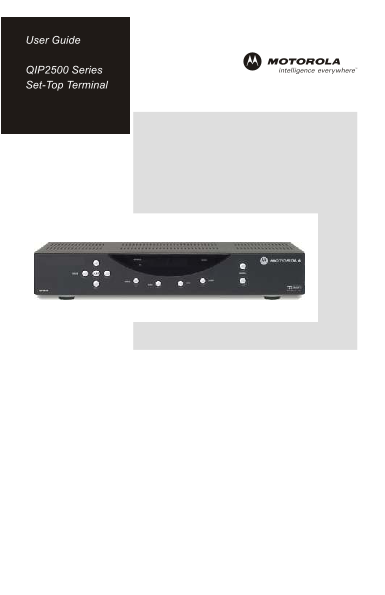
User Guide QIP2500 Series Set-Top Terminal
Page 2
CAUTION RISK OF ELECTRIC SHOCK CAUTION: TO REDUCE THE RISK OF ELECTRIC SHOCK, DO NOT REMOVE COVER (OR BACK). NO USER-SERVICEABLE PARTS INSIDE. REFER SERVICING TO QUALIFIED SERVICE PERSONNEL. Graphical...
Page 3
IMPORTANT SAFETY INSTRUCTIONS 1 Read these instructions. 2 Keep these instructions. Heed all warnings. Follow all instructions. Do not use this apparatus near water. Clean only with dry cloth. Do not ...
Page 4
Regulatory Information Federal Communications Commission Radio and Television Interface Statement for a Class ‘B’ Device This equipment has been tested and found to comply with the limits for a Class ...
Page 5
Software License IMPORTANT: PLEASE READ THIS SOFTWARE LICENSE (“LICENSE”) CAREFULLY BEFORE YOU USE ANY SOFTWARE, FIRMWARE AND RELATED DOCUMENTATION (“SOFTWARE”) PROVIDED WITH MOTOROLA’S DIGITAL CABLE ...
Page 6
Contact Us For technical support of your set-top, call Motorola Support at 1-866-668-2271 or 1-866-MOT-BCS1. For questions about your TV service, call your local service provider. For Motorola consume...
Page 7
QIP2500 User Guide CONTENTS Introduction ................................................................................2 Front Panel ....................................................................
Page 8
INTRODUCTION Congratulations on receiving your state-of-the-art QIP2500 Digital Set- top Terminal. The QIP2500 brings unsurpassed digital audio and video quality to your TV viewing and enables electro...
Page 9
QIP2500 User Guide INTRODUCTION Front Panel The QIP2500 front panel has 11 keys and an LED display. Use the keys to perform basic functions, such as changing channels and turning the set-top on and of...
Page 10
INTRODUCTION Rear Panel Before you begin installing the QIP2500, take a moment to become familiar with the rear panel connections. These connectors are for home entertainment cabling. An AC power cord...
Page 11
QIP2500 User Guide INTRODUCTION Item Description 1 RF IN – Connects to and receives a cable signal from your service provider 2 TO TV/VCR – Connects to a TV or VCR 3 DIGITAL AUDIO OPTICAL – Connects t...
Page 12
USING THE REMOTE CONTROL – EXAMPLE ONLY Use a remote control to operate the QIP2500, TV, and VCR. Your remote control is provided by your local service provider and may be different from the example s...
Page 13
QIP2500 User Guide BASIC OPERATION Turning Power On and Off Press POWER on the front panel to turn the set-top on or off. When using the remote control, be sure you press CABLE before pressing POWER. ...
Page 14
AUDIO/VIDEO CONNECTIONS Before you begin to install your QIP2500, review the following guidelines: • For basic cable connections, use 75-ohm coaxial cables equipped with F-type connectors. You can fin...
Page 15
QIP2500 User Guide Important Safety Considerations Follow these important safety guidelines when positioning and connecting the set-top: • Position the set-top with at least two inches of space above ...
Page 16
RECORDING YOUR CONNECTIONS Use this diagram to record cable connections on the rear panel. Later, you can use this diagram to reconnect your system if you move the equipment or add new equipment. Your...
Page 17
QIP2500 User Guide CONNECTING YOUR QIP2500 Standard TV Cabling Use 75-ohm coaxial cables to connect your set-top to a standard TV. This is the most common cable connection and it provides all of the b...
Page 18
CONNECTING YOUR QIP2500 Standard VCR Cabling To connect your VCR, you will need 75-ohm coaxial cables. The method shown lets you record the program you are watching, including Pay-Per-View events. You...
Page 19
QIP2500 User Guide CONNECTING YOUR QIP2500 Composite Video and S-Video Connect the set-top using composite Video or S-Video outputs for stereo audio if available on your TV. Composite Video: Connect a...
Page 20
CONNECTING YOUR QIP2500 Composite VCR Cabling This diagram shows how to connect the set-top to a VCR using the audio connectors on the VCR. When connecting the video path, never connect baseband compo...
Page 21
QIP2500 User Guide CONNECTING YOUR QIP2500 Stereo Cabling (VCR to Stereo) This diagram shows how to connect the set-top to a stereo using the audio connectors on the VCR. The VCR sound is played throu...
Page 22
CONNECTING YOUR QIP2500 Stereo Cabling (TV to Stereo) This diagram shows how to connect the TV so that its sound plays through the stereo. When connecting the video path, never connect baseband compos...
Page 23
QIP2500 User Guide CONNECTING YOUR QIP2500 Baseband Cabling This diagram shows baseband audio and video connections to a Dolby® Digital receiver. This setup lets you record on the VCR and play back wi...
Page 24
CONNECTING YOUR QIP2500 Dolby Digital Cabling This diagram shows audio and video connections to a Dolby Digital receiver. This setup lets you record on the VCR and play back with sound through the Dol...
Page 25
QIP2500 User Guide TROUBLESHOOTING Problem Possible Solution The set-top will Reconnect the power cord. Be sure the QIP2500 is not power on plugged into an outlet that is always live. The set-top may ...
Page 26
There is no Not all Dolby Digital® programs feature full 5:1 surround audio from the sound. In some cases, the programs may only contain left center and/or and right stereo audio. surround Verify that...
Page 27
QIP2500 User Guide There is no Verify that the TV is powered on and set to the video on the TV appropriate input source for the set-top. screen Verify that the set-top is powered on and tuned to an au...
Page 28
Visit our website at: www.motorola.com