Page 1
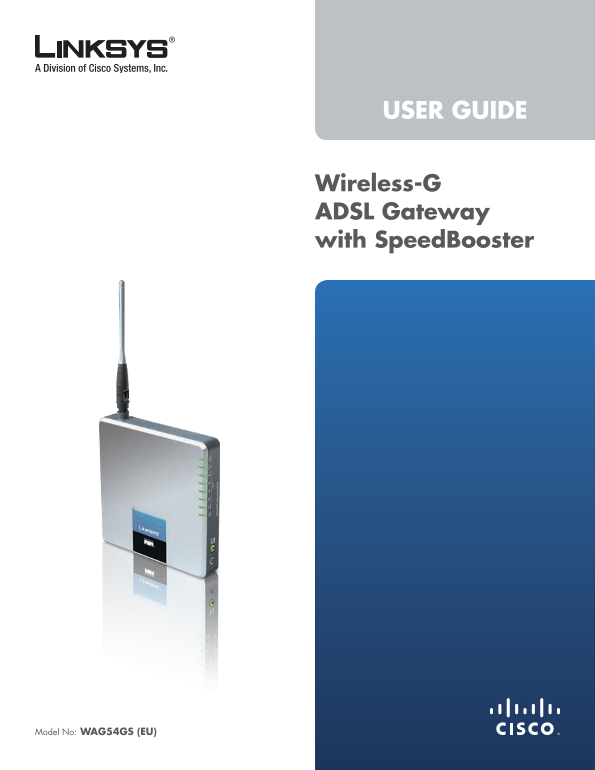
USER GUIDE Wireless-G ADSL Gateway with Speed Booster Model No: WAG54GS (EU)
Page 2
About This Guide About Th�s Gu�de Icon Descriptions While reading through the User Guide you may see various icons that call attention to specific items. Below is a description of these icons: NOTE: T...
Page 3
Table of Contents Chapter 1: Product Overview 4 Front Panel. Back Panel . . . . . . . . . . . . . . . . . . . . . . . . . . . . . . . . . . . . . . . . . . . . . . . . . . 4 Chapter 2: Wireless Securi...
Page 4
Table of Contents Appendix D: Regulatory Information 30 FCC Statement . . . . . . . . . . . . . . . . . . . . . . . . . . . . . . . . . . . . . . . . . . . . . . .30 Safety Notices. .30 Industry Canad...
Page 5
Chapter�1 Product Overview Chapter 1: Power (Green) The Power LED lights up and stays on while the Gateway is powered on. Product Overv�ew W�reless (Green) The Wireless LED lights up when the wireless...
Page 6
Chapter�2 Wireless Security Checklist Chapter 2: . Enable encrypt�on W�reless Secur�ty Checkl�st Encryption protects data transmitted over a wireless network. Wi-Fi Protected Access (WPA/WPA2) and Wir...
Page 7
Chapter�3 Installation Chapter 3: Installat�on NOTE: To avoid interference, you may need to place a microfilter or splitter between the phone cable and wall jack. Contact your ISP to Linksys strongly ...
Page 8
Chapter�4 Advanced Configuration Chapter �: Advanced Conf�gurat�on After setting up the Gateway with the Setup Wizard (located on the CD-ROM), the Gateway will be ready for use. However, if you’d like...
Page 9
Chapter�4 Advanced Configuration Qo S Type Select from the drop-down menu: CBR inactivity, Connect on Demand enables the Gateway to (Continuous Bit Rate) to specify fixed bandwidth for voice automatic...
Page 10
Chapter�4 Advanced Configuration will automatically re-establish your connection. To use IP Settings this option, select Keep Al�ve. In the Redial Period field, Your ISP provides these settings. you ...
Page 11
Chapter�4 Advanced Configuration Mode Only. All NAT and routing settings are disabled in Local IP Address The default value is 192.1�8.1.1. this mode. Subnet Mask The default value is 2��.2��.2��.0. N...
Page 12
Chapter�4 Advanced Configuration DNS server IP addresses here. The Gateway will use these Dyn DNS.org for quicker access to functioning DNS servers. WINS The Windows Internet Naming Service (WINS) con...
Page 13
Chapter�4 Advanced Configuration Dest�nat�on IP Address The Destination IP Address is Setup > Advanced Routing the IP address of the remote network or host to which you This screen is used to set u...
Page 14
Chapter�4 Advanced Configuration by the Gateway. If you want to broadcast the Gateway’s Wireless > Basic Wireless Settings SSID, keep the default, Enable. Otherwise, select D�sable. The basic setti...
Page 15
Chapter�4 Advanced Configuration Passphrase Enter a Passphrase (also called a WPA shared WEP key) of 8-63 characters. Key Renewal Enter a Key Renewal period, which instructs the Gateway how often it s...
Page 16
Chapter�4 Advanced Configuration Access. If you do not wish to filter users by MAC address, Click Save Sett�ngs to apply your changes, or click Cancel keep the default, Allow All. Changes to cancel yo...
Page 17
Chapter�4 Advanced Configuration sends the next DTIM with a DTIM Interval value. Its clients F�lter Java Applets Java is a programming language for hear the beacons and awaken to receive the broadcast...
Page 18
Chapter�4 Advanced Configuration L2TP Passthrough Layer 2 Tunneling Protocol is the method used to enable Point-to-Point sessions via the Internet on the Layer 2 level. To allow L2TP tunnels to pass t...
Page 19
Chapter�4 Advanced Configuration 5. Select the appropriate option, Deny or Allow, depending on whether you want to block or allow Internet access for the computers you selected on the Internet Access ...
Page 20
Chapter�4 Advanced Configuration When users send these types of requests to your network via Applications & Gaming > Port Range the Internet, the Gateway will forward those requests to the appr...
Page 21
Chapter�4 Advanced Configuration because it only opens the ports you want to have opened, Qo S (Quality of Service) while DMZ hosting opens all the ports of one computer, exposing the computer to the ...
Page 22
Chapter�4 Advanced Configuration Administration > Management NOTE: When you are in a remote location and wish to manage the Gateway, enter The Administration > Management screen allows the htt...
Page 23
Chapter�4 Advanced Configuration Administration > Reporting Log Type Select ALL, Access Log, or F�rewall Log. The Gateway can keep logs of traffic and events for your Internet connection. Click pag...
Page 24
Chapter�4 Advanced Configuration Administration > Factory Defaults The Administration > Factory Defaults screen allows you to restore the Gateway’s configuration to its factory default settings....
Page 25
Chapter�4 Advanced Configuration on the Internet connection type selected on the Basic NOTE: The Gateway may lose the settings Setup screen. you have customized. Before you upgrade its firmware, writ...
Page 26
Chapter�4 Advanced Configuration DHCP Active IP Table Wireless The DHCP Active IP Table lists computers and other F�rmware Vers�on The version number of the firmware devices that have been assigned IP...
Page 27
Chapter�4 Advanced Configuration DSL Connection Status The status of the DSL connection is displayed. Downstream Rate The download speed of traffic from the Internet to the Gateway is displayed. Upstr...
Page 28
Appendix�A Troubleshooting You need to modify the basic settings on the Gateway. Append�x A: Run the Setup Wizard on the Setup CD-ROM. Troubleshoot�ng You need to modify the advanced settings on the G...
Page 29
Appendix�B Specifications Append�x B: Spec�f�cat�ons Model Number WAG54GS Standards IEEE 802.11g, IEEE 802.11b, IEEE 802.3u, IEEE 802.3, g.992.1 (g.dmt), g.992.2 (g.lite), g.992.3, g.992.5, T1.413i2, ...
Page 30
Appendix�C Warranty Information TO THE EXTENT NOT PROHIBITED BY LAW, IN NO EVENT Append�x C: WILL LINKSYS BE LIABLE FOR ANY LOST DATA, REVENUE OR PROFIT, OR FOR SPECIAL, INDIRECT, CONSEQUENTIAL, Warra...
Page 31
Appendix�D Regulatory Information Append�x D: Industry Canada Statement This device complies with Industry Canada ICES-003 and Regulatory Informat�on RSS210 rules. Operation is subject to the followin...
Page 32
Appendix�D Regulatory Information Declaration of Conformity with Regard to Dit apparaat voldoet aan de essentiele eisen Nederlands en andere van toepassing zijnde bepalingen EU Directive 1999/5/EC (R&...
Page 33
Appendix�D Regulatory Information The following standards were applied during the National Restrictions assessment of the product against the requirements of the Directive 1999/5/EC: This product may ...
Page 34
Appendix�D Regulatory Information France Product Usage Restrictions For 2,4 GHz, the product should not be used outdoors This product is designed for indoor usage only. Outdoor in the band 2454 - 2483...
Page 35
Appendix�D Regulatory Information Cešt�na (Czech) - Informace o ochraně ž�votního User Information for Consumer Products prostředí pro zákazníky v zemích Evropské un�e Covered by EU Directive 2002/96/...
Page 36
Appendix�D Regulatory Information Eest� (Eston�an) - Keskkonnaalane �nformats�oon França�s (French) - Informat�ons env�ronnementales Euroopa L��dus asuvatele kl�ent�dele pour les cl�ents de l’Un�on eu...
Page 37
Appendix�D Regulatory Information L�etuvška� (L�thuan�an) - Apl�nkosaugos �nformac�ja, Nederlands (Dutch) - M�l�eu-�nformat�e voor klanten sk�rta Europos Sąjungos vartotojams n de Europese Un�e Europo...
Page 38
Appendix�D Regulatory Information Português (Portuguese) - Informação amb�ental para Slovenč�na (Slovene) - Okoljske �nformac�je za stranke cl�entes da Un�ão Europe�a v Evropsk� un�j A Directiva Europ...