Page 1
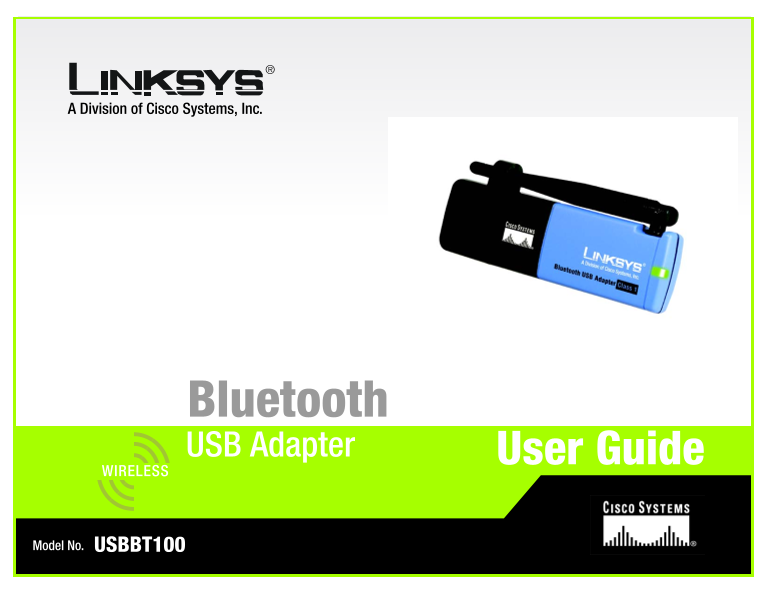
A Division of Cisco Systems, Inc. Bluetooth USB Adapter User Guide WIRELESS Model No. USBBT100
Page 2
Bluetooth USB Adapter Copyright and Trademarks Specifications are subject to change without notice. Linksys is a registered trademark or trademark of Cisco Systems, Inc. and/or its affiliates in the U...
Page 3
Bluetooth USB Adapter Chapter 1: Introduction Welcome What’s in this Guide? Chapter 2: Installing the Bluetooth Software and Connecting the Adapter Installing the Bluetooth Software Connecting the Ada...
Page 4
Dual-Band Wireless Access Point Figure 1-1: The Bluetooth USB Adapter 1 Figure 2-1: The Setup Wizard’s Welcome Screen 3 Figure 2-2: The Install Shield Wizard’s Welcome Screen 3 Figure 2-3: The License...
Page 5
Bluetooth USB Adapter Chapter 1: Introduction Welcome Thank you for choosing the Bluetooth USB Adapter. This Adapter brings all the uses of Bluetooth directly to your PC. As you probably already know,...
Page 6
Bluetooth USB Adapter What’s in this Guide? This user guide covers the steps for setting up and using the Bluetooth USB Adapter. Chapter 1: Introduction This chapter describes the Adapter’s applicatio...
Page 7
Bluetooth USB Adapter Chapter 2: Installing the Bluetooth Software and Connecting the Adapter IMPORTANT: You must install the Bluetooth Software from the CD included with the Adapter Installing the Bl...
Page 8
Bluetooth USB Adapter 3. The next screen is the License Agreement screen. Read the License Agreement and click the radio button for I accept the terms in the license agreement. Then, click the Next bu...
Page 9
Bluetooth USB Adapter 6. During installation, you may see a Driver Signature Notice. This product has been tested for use with Windows. Click the OK button to continue. Figure 2-6: The Driver Signatur...
Page 10
Bluetooth USB Adapter Connecting the Adapter After a moment, Windows will automatically detect the Adapter and a Bluetooth icon will appear in your system tray. Figure 2-9: The Bluetooth Icon To conne...
Page 11
Bluetooth USB Adapter Chapter 3: Using the Bluetooth USB Adapter Navigating from Your Desktop Once you’ve installed the Bluetooth software and connected the Adapter, you will find some changes on your...
Page 12
Bluetooth USB Adapter The Bluetooth System Tray Icon Let’s review some of the things you’ll be able to do by right-clicking the Bluetooth Icon in the System Tray. Right- clicking your mouse over the i...
Page 13
Bluetooth USB Adapter The Bluetooth Setup Wizard Before you can begin using the Adapter, you must run the Bluetooth Setup Wizard. Right-click the Bluetooth System Tray Icon and select Bluetooth Setup ...
Page 14
Bluetooth USB Adapter I know the service I want to use and I want to find a Bluetooth device that provides that service. After you select this option from the Wizard’s menu and click the Next button, ...
Page 15
Bluetooth USB Adapter I want to find a specific Bluetooth device and configure how this computer will use its services. After you select this option from the Wizard’s menu and click the Next button, t...
Page 16
Bluetooth USB Adapter I want to configure the Bluetooth services that this computer will provide to remote devices. What services do you wish the Adapter to provide to your other Bluetooth devices? Se...
Page 17
Bluetooth USB Adapter Advanced Cofiguration While the advanced configuration is not required, it will allow you to optimize and personalize many of the Adapter’s options. When selecting the Advanced C...
Page 18
Bluetooth USB Adapter The Accessibility tab. From this tab, you can manage access the Adapter has to other Bluetooth devices. To allow Bluetooth devices to discover the Adapter, select the box beside ...
Page 19
Bluetooth USB Adapter The Discovery tab. From this tab, you can specify the types of Bluetooth devices the Adapter will access. The Adapter automatically searches for new Bluetooth devices every ten m...
Page 20
Bluetooth USB Adapter The Local Services tab. From this tab, you can determine which services the Adapter will provide to other Bluetooth devices. The Add Serial Service button allows you to connect o...
Page 21
Bluetooth USB Adapter The Client Applications tab. From this tab, you can select which services the Adapter will access from other Bluetooth devices. The Add COM port button allows you to connect one ...
Page 22
Bluetooth USB Adapter The Hardware tab. This tab displays general hardware information about the Adapter, such as firmware version and MAC Address. Quick Connection Figure 3-21: Bluetooth Configuratio...
Page 23
Bluetooth USB Adapter Appendix A: Troubleshooting This appendix consists of two parts: “Common Problems and Solutions” and “Frequently Asked Questions.” This appendix provides solutions to problems th...
Page 24
Bluetooth USB Adapter Frequently Asked Questions What is “pairing”? Pairing (or bonding) is a concept introduced to create a first time recognition of what devices are allowed to communicate with each...
Page 25
Bluetooth USB Adapter Appendix B: Bluetooth Applications and Services The Bluetooth USB Adapter allows you to use many Bluetooth Applications and Services directly from your PC. Here are a list of tho...
Page 26
Bluetooth USB Adapter Network Access. This allows your PC to connect to a Local Area Network via a physical connection on a remote Bluetooth device and also to connect to an ad hoc network provided by...
Page 27
Bluetooth USB Adapter Appendix C: Specifications Standards Bluetooth 1.2, USB 1.1 Operating Frequency 2.4 ~ 2.4835GHz Transmit Power 13~17d Bm (Class 1) Antenna 1.2 d Bi Receive Sensitivity -80dbm @ 0...
Page 28
Bluetooth USB Adapter Operating Temp. 0ºC to 70ºC (32ºF to 104ºF) Storage Temp. -20ºC to 90ºC (-4ºF to 158ºF) Operating Humidity 10% to 90% Non-Condensing Storage Humidity 10% to 90% Non-Condensing 24...
Page 29
Bluetooth USB Adapter Appendix D: Warranty Information LIMITED WARRANTY Linksys warrants to the original end user purchaser ("You") that, for a period of one year. Your Linksys product will ...
Page 30
Bluetooth USB Adapter Appendix E: Regulatory Information FCC STATEMENT This product has been tested and complies with the specifications for a Class B digital device, pursuant to Part 15 of the FCC Ru...
Page 31
Bluetooth USB Adapter Note: This equipment is intended to be used in all EU and EFTA countries. Outdoor use may be restricted to certain frequencies and/or may require a license for operation. For mor...
Page 32
Bluetooth USB Adapter Deutschland D: Anmeldung im Outdoor-Bereich notwending, aber nicht genehmigungspflichtig. Bitte mit Händler die Vorgehensweise abstimmen. Germany D: License required for outdoor ...
Page 33
Bluetooth USB Adapter Appendix F: Contact Information Need to contact Linksys? Visit us online for information on the latest products and updates to your existing products at: http://www.linksys.com o...