LINKSYS WMP300N( EU ) User Guide Manual
Summary
Upgrade your desktop computer's connectivity with this high-speed Wireless-N PCI Adapter. Designed for users needing reliable and robust Wi-Fi signals, it provides ultra-fast data speeds, vastly increased range, and seamless coverage throughout homes or offices. Installation is simple thanks to the plug-and-play design and included Setup Wizard. Enjoy advanced security (WPA2) and dependable performance compatible with multiple wireless standards.
Page 1 Text Content
Go Wireless, Fast Jump into the connectivity fast lane. Simply install the Wireless-N PCI Adapter in your
DATASHEET
desktop computer and get ready to enjoy today’s fastest wireless speeds and widest coverage.
Speed is Power High-speed Wireless-N (draft 802.11n) networking for your
Easily upgrade your tower or desktop computer with the power of today’s most advanced
desktop computer
wireless technology, Wireless-N, and experience ultra-fast connectivity and expansive, rock- solid coverage throughout your wirelessly networked home. Offers optimal performance when connecting to Wireless-N networks, but works with Wireless-G and -B networks as
MIMO technology uses multiple
well.
radios to create a robust signal that travels up to 4 times farther and
Easy Setup
reduces dead spots
Installs easily in your computer’s PCI slot. Step-by-step Setup Wizard makes it easy to configure to your network’s settings.
Up to 12 times faster than Wireless-G,
Powerful Protection
but can also connect to Wireless-G
Rest secure – industrial-strength encryption helps keep your communications and
and -B networks
information private.
Advanced wireless security: Wi-Fi Protected Access™ (WPA2) with up to 256-bit encryption
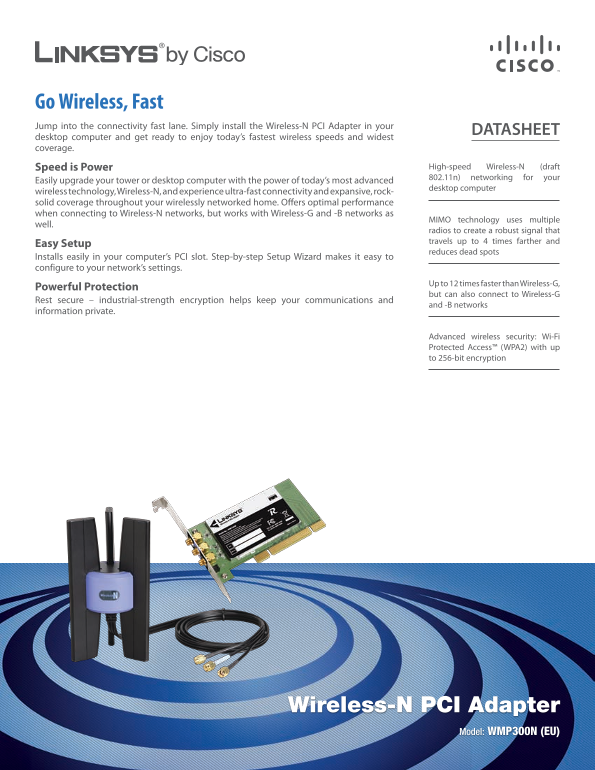
Wireless-N PCI Adapter
Model: WMP300N (EU)
Page Summary Contents For LINKSYS WMP300N( EU ) User Guide Manual
Manual Details
| Brand | Linksys |
|---|---|
| Pages | 2 |
| File Size | 708.64 KB |
| Published | May 26, 2026 |
Enter the captcha to get the download link:

Frequently Asked Questions
How do I install the adapter?
It installs easily in your computer’s PCI slot, and a Setup Wizard helps configure it.
What types of networks does this adaptor support?
It supports IEEE 802.11b (Wireless-B), 802.11g (Wireless-G), and Draft IEEE 802.11n (Wireless-N).
Does it offer advanced security features?
Yes, it supports Wi-Fi Protected Access™ (WPA2) with up to 256-bit encryption.
What are the minimum system requirements?
You need a PC with 256 MB of RAM, a CD-ROM Drive, an available PCI Slot, and Windows 2000 or XP.