Page 1
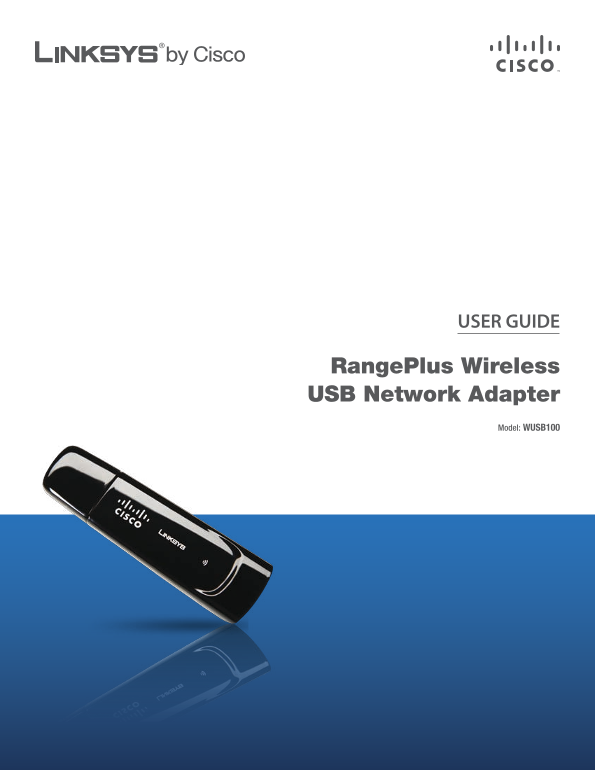
USER GUIDE Range Plus Wireless USB Network Adapter Model: WUSB100
Page 2
About This Guide About This Guide Icon Descriptions While reading through the User Guide you may see various icons that call attention to specific items. Below is a description of these icons: NOTE: T...
Page 3
Table of Contents Chapter 1: Product Overview 1 LEDs Chapter 2: Wireless Security Checklist 2 General Network Security Guidelines Additional Security Tips . . . . . . . . . . . . . . . . . . . . . . ....
Page 4
Table of Contents iii Range Plus Wireless USB Network Adapter
Page 5
Chapter 1 Product Overview Chapter 1: Product Overview Thank you for choosing the Range Plus Wireless USB Network Adapter. The Adapter connects to your PC via a USB port, leaving your PC’s slots avail...
Page 6
Chapter 2 Wireless Security Checklist Chapter 2: 4. Enable encryption Wireless Security Checklist Encryption protects data transmitted over a wireless network. Wi-Fi Protected Access (WPA/WPA2) and Wi...
Page 7
Chapter 3 Advanced Configuration Chapter 3: Configuration The Linksys Wireless Manager is used to configure the Adapter. The Wireless Manager lets you search for available wireless networks, establish...
Page 8
Chapter 3 Advanced Configuration To connect to a wireless network, proceed to How to The 5. Checking Connection screen appears while the Connect to a Wireless Network, page 4. To disconnect Wireless M...
Page 9
Chapter 3 Advanced Configuration How to Connect to a Hidden Wireless Network NOTE: If your wireless network is NOT hidden, select My Network is not hidden, and then click Next. Follow the instructions...
Page 10
Chapter 3 Advanced Configuration The 5. Checking Connection screen appears. How to Connect Using Wi-Fi Protected Setup On the Connect to a Wireless Network screen, the Wi-Fi Protected Setup icon ( ) i...
Page 11
Chapter 3 Advanced Configuration The Adapter connects to the network.5. Enter the Adapter’s PIN Number Connecting to the Network via Wi-Fi Protected Setup Enter the PIN Number Access the web-based uti...
Page 12
Chapter 3 Advanced Configuration Saved Networks How to Connect to a Saved Network When you connect to a wireless network, you can save To connect to a saved network, follow these instructions. its set...
Page 13
Appendix A Troubleshooting Appendix A: Troubleshooting Your computer does not recognize the Adapter. Make sure that the Adapter is properly inserted into the USB slot. The Adapter does not work proper...
Page 14
Appendix B Specifications Appendix B: Specifications Model WUSB100 Standards IEEE 802.11b, IEEE 802.11g LEDs Power/Link/Act No. of Antennas 1 Internal Antenna Connector Type USB Transmit Power 802.11b...
Page 15
Appendix C Warranty Information service offerings. This limited warranty shall not apply to Appendix C: such third party software or service offerings. This limited warranty does not guarantee any con...
Page 16
Appendix C Warranty Information rejected. Do not include any other items with the product you are returning to Linksys. Defective product covered by this limited warranty will be repaired or replaced ...
Page 17
Appendix D Regulatory Information The availability of some specific channels and/or Appendix D: operational frequency bands are country dependent and are firmware programmed at the factory to match Re...
Page 18
Appendix D Regulatory Information Industry Canada Statement Wireless Disclaimer This Class B digital apparatus complies with Canadian The maximum performance for wireless is derived from ICES-003. IEE...
Page 19
Appendix D Regulatory Information Čeština (Czech) - Informace o ochraně životního User Information for Consumer Products prostředí pro zákazníky v zemích Evropské unie Covered by EU Directive 2002/96/...
Page 20
Appendix D Regulatory Information Eesti (Estonian) - Keskkonnaalane informatsioon Français (French) - Informations environnementales Euroopa Liidus asuvatele klientidele pour les clients de l’Union eu...
Page 21
Appendix D Regulatory Information Lietuvškai (Lithuanian) - Aplinkosaugos informacija, Nederlands (Dutch) - Milieu-informatie voor klanten skirta Europos Sąjungos vartotojams in de Europese Unie Europ...
Page 22
Appendix D Regulatory Information Português (Portuguese) - Informação ambiental para Slovenščina (Slovene) - Okoljske informacije za stranke clientes da União Europeia v Evropski uniji A Directiva Eur...
Page 23
Appendix E Software License Agreement Appendix E: Software Schedule 1 - Linksys Software License Agreement THIS LICENSE AGREEMENT IS BETWEEN YOU AND License Agreement CISCO-LINKSYS LLC OR ONE OF ITS A...
Page 24
Appendix E Software License Agreement your Linksys product and/or the Software is being used in OR RELATED TO THE USE OF OR INABILITY TO USE THE accordance with the terms of this Agreement; (iii) to p...
Page 25
Appendix E Software License Agreement GNU General Public License is intended to guarantee your TERMS AND CONDITIONS FOR COPYING, DISTRIBUTION AND freedom to share and change free software–to make sure...
Page 26
Appendix E Software License Agreement If the modified program normally reads commands c. Accompany it with the information you received as c. interactively when run, you must cause it, when to the off...
Page 27
Appendix E Software License Agreement If, as a consequence of a court judgment or allegation 7. not specify a version number of this License, you of patent infringement or for any other reason (not ma...
Page 28
Appendix E Software License Agreement GNU LESSER GENERAL PUBLIC LICENSE To protect each distributor, we want to make it very clear that there is no warranty for the free library. Also, if the Version ...
Page 29
Appendix E Software License Agreement freedom and the wherewithal to run that program using a You may copy and distribute verbatim copies of the 1. modified version of the Library. Library’s complete ...
Page 30
Appendix E Software License Agreement Thus, it is not the intent of this section to claim When a “work that uses the Library” uses material from rights or contest your rights to work written entirely ...
Page 31
Appendix E Software License Agreement Use a suitable shared library mechanism for linking b) You may not copy, modify, sublicense, link with, or 8. with the Library. A suitable mechanism is one that d...
Page 32
Appendix E Software License Agreement software distributed through that system in reliance BECAUSE THE LIBRARY IS LICENSED FREE OF CHARGE, 15. on consistent application of that system; it is up to THE...
Page 33
Appendix E Software License Agreement Open SSL License Original SSLeay License Copyright © 1998-2007 The Open SSL Project. All rights Copyright © 1995-1998 Eric Young ([email protected])All reserved. ...
Page 34
Appendix E Software License Agreement DIRECT, INDIRECT, INCIDENTAL, SPECIAL, EXEMPLARY, OR CONSEQUENTIAL DAMAGES (INCLUDING, BUT NOT LIMITED TO, PROCUREMENT OF SUBSTITUTE GOODS OR SERVICES; LOSS OF US...