Page 1
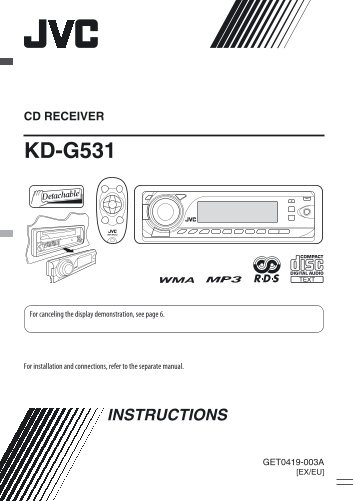
CD RECEIVER KD-G531 For canceling the display demonstration, see page 6. For installation and connections, refer to the separate manual. INSTRUCTIONS GET0419-003A [EX/EU] Cover_KD-G531_003A_1.indd 1 1...
Page 2
EN LI SH Thank you for purchasing a JVC product. Please read all instructions carefully before operation, to ensure your complete understanding and to obtain the best possible performance from the uni...
Page 3
The following marks are used to indicate... CONTENTS : Built-in CD player operations. : External CD changer operations. Control panel .................................. : Indicator displayed for the R...
Page 4
EN LI SH Control panel Parts identification Display window 1 SRC (source) button o 4 /¢ buttons 2 B BAND button ; AUX (auxiliary) input jack 3 (standby/on attenuator) button / a S.BASS (super bass) in...
Page 5
Remote controller — RM-RK50 Main elements and features Installing the lithium coin battery (CR2025) Aim the remote controller directly at the remote 1 (standby/on/attenuator) button sensor on the unit...
Page 6
EN LI SH 5 SOURCE button • For DAB tuner • Selects the source. 6 2 R (reverse) / F (forward) 3 buttons • Searches for stations (or DAB services) if pressed briefly. ⁄ Adjust the volume. • Searches for...
Page 7
3 Finish the procedure. 2 Select a desired station frequency. When an FM stereo broadcast is hard to To check the current clock time while the receive power is turned off Clock time is shown on the di...
Page 8
EN LI SH Manual presetting By receiving the RDS data, this unit can do the following: Ex.: Storing FM station of 92.5 MHz into preset number • Programme Type (PTY) Search (see the following) 4 of the ...
Page 9
To activate TA Standby Reception Storing your favorite programme The TP (Traffic Programme) indicator types either lights up or flashes. You can store six favorite programme types. • If the TP indicat...
Page 10
EN LI SH To check the current clock time while Tracing the same programme— listening to an FM RDS station Network-Tracking Reception Station name (PS) = Station When driving in an area where FM recept...
Page 11
Playing discs in the CD changer To fast-forward or reverse the track All discs in the magazine will be played repeatedly until you change the source. • Ejecting the magazine will also stop playback. T...
Page 12
EN LI SH Other main functions Changing the display information Skipping tracks quickly during play While playing an audio CD or a CD Text Only possible on JVC MP3-compatible CD changer • For MP3 or WM...
Page 13
Selecting the playback modes Sound adjustments You can use only one of the following playback modes You can select a preset sound mode suitable to the at a time. music genre (i EQ: intelligent equaliz...
Page 14
EN LI SH Adjusting the sound General settings — PSM You can adjust the sound characteristics to your You can change PSM (Preferred Setting Mode) items preference. listed in the table that follows. 2 S...
Page 15
Indications Item Setting, [reference page] ( : Initial) DEMO • DEMO ON : Display demonstration will be activated automatically if no Display operation is done for about 20 seconds, [6]. demonstration ...
Page 16
EN LI SH Indications Item Setting, [reference page] ( : Initial) DAB AF*4 • AF ON : Traces the programme among DAB services and FM RDS Alternative stations, [10, 18]. frequency • AF OFF : Cancels. rec...
Page 17
Indications Item Setting, [reference page] ( : Initial) IF BAND • AUTO : Increases the tuner selectivity to reduce interference noises Intermediate between close stations. (Stereo effect may be lost.)...
Page 18
EN LI SH • While receiving an FM RDS station: Storing DAB services in memory When driving in an area where a DAB service is broadcasting the same programme as the FM RDS You can preset six DAB service...
Page 19
Preparations: Selecting a track from the menu Make sure “CHANGER” is selected for the external input 1 Enter the main menu. setting, see page 16. Now the 5/∞/ 4 /¢ buttons work as the menu selecting b...
Page 20
EN LI SH Selecting the playback modes Other external component operations You can connect an external component to... 2 Select your desired playback mode. • CD changer jack on the rear using the Line ...
Page 21
Moisture condensation Ÿ Turn on the connected component and Moisture may condense on the lens inside the unit in start playing the source. the following cases: • After starting the heater in the car. ...
Page 22
EN LI SH • When storing a station manually, the previously Do not use the following discs: preset station is erased when a new station is stored in the same preset number. Warped disc FM RDS operation...
Page 23
Playing a CD-R or CD-RW • This unit can play back MP3/WMA files meeting the conditions below: • Use only “finalized” CD-Rs or CD-RWs. – Bit rate: 8 kbps — 320 kbps • This unit can play back only files...
Page 24
EN LI SH Ejecting a disc i Pod or D. player operations • If the ejected disc is not removed within 15 seconds, FM /A Ge ne ra • When you turn on this unit, the i Pod or D. player is the disc is automa...
Page 25
Symptoms Remedies/Causes CD ch an ge P3 /W pl ay ba ck Di sc la yb ac • Disc cannot be played back. Insert the disc correctly. • CD-R/CD-RW cannot be played back. • Insert a finalized CD-R/CD-RW. • Tr...
Page 26
EN LI SH Symptoms Remedies/Causes i P od /D . p la ye r p la yb ac DA • “no SIGNAL” appears on the display. Move to an area with stronger signals. • “RESET 8” appears on the display. Connect this unit...
Page 27
Specifications AUDIO AMPLIFIER SECTION CD PLAYER SECTION Maximum Power Output: Type: Compact disc player Front/Rear: 50 W per channel Signal Detection Non-contact optical pickup Continuous Power Outpu...
Page 28
Having TROUBLE with operation? Please reset your unit Refer to page of How to reset your unit Dear Customer, This apparatus is in conformance with the valid European directives and standards regarding...