Page 1
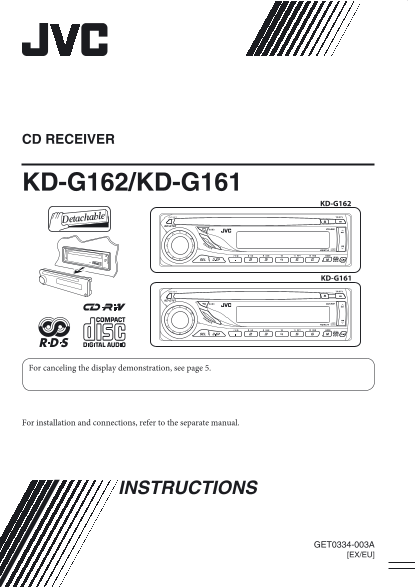
CD RECEIVER KD-G162/KD-G161 KD-G162 KD-G162 KD-G161 KD-G161 For canceling the display demonstration, see page 5. For installation and connections, refer to the separate manual. INSTRUCTIONS GET0334-00...
Page 2
EN LI SH Thank you for purchasing a JVC product. Please read all instructions carefully before operation, to ensure your complete understanding and to obtain the best possible performance from the uni...
Page 3
How to read this manual CONTENTS • Button operations are mainly explained with the illustrations in the table below. • is used to indicate an indicator is Control panel — KD-G162 and KD-G161 ........ ...
Page 4
EN LI SH Control panel — KD-G612/KD-G611/KD-G511 tr l el KD-G162 and KD-G161 Parts identification Display window 1 (standby/on/attenuator) button i M MODE button 2 SOURCE button o (control panel relea...
Page 5
Getting started Basic settings • See also “General settings — PSM” on pages Basic operations 11 and 12. ~ Turn on the power. * You cannot select “DISC” as the 1 Canceling the display playback source i...
Page 6
EN LI SH When an FM stereo broadcast is hard to Radio operations receive Lights up when monaural mode is activated. Reception improves, but stereo effect will be Lights up when receiving an FM stereo ...
Page 7
Manual presetting FM RDS operations Ex.: Storing FM station of 92.5 MHz into preset number 4 of the FM1 band. What you can do with RDS RDS (Radio Data System) allows FM stations to send an additional ...
Page 8
EN LI SH ! Start searching for your favorite Using the standby receptions programme. TA Standby Reception If there is a station broadcasting a programme TA Standby Reception allows the unit to switch ...
Page 9
To locate a particular track Tracing the same programme— To select a number from 01 – 06: Network-Tracking Reception When driving in an area where FM reception is not sufficient enough, this unit auto...
Page 10
EN LI SH Sound adjustments Adjusting the sound You can adjust the sound characteristics to your You can select a preset sound mode suitable to preference. the music genre (C-EQ: custom equalizer). Ind...
Page 11
General settings — PSM You can change PSM (Preferred Setting Mode) 3 Adjust the PSM item selected. items listed in the table below. 2 Select a PSM item. 4 Repeat steps 2 and 3 to adjust other PSM item...
Page 12
EN LI SH Indications Selectable settings, [reference page] PTY-STBY Activates PTY Standby Reception with one of the PTY codes, [8]. PTY standby OFF [Initial] = PTY codes, [15] = (back to the beginning...
Page 13
To keep discs clean Maintenance A dirty disc may not play correctly. If a disc does become dirty, wipe it How to clean the connectors with a soft cloth in a straight line Frequent detachment will dete...
Page 14
EN LI SH • When Alternative Frequency Reception More about this unit is activated (with AF selected), Network- Tracking Reception is also activated automatically. On the other hand, Network- Basic ope...
Page 15
Playing a CD-R or CD-RW General settings—PSM • Use only “finalized” CD-Rs or CD-RWs. • If you change the “AMP GAIN” setting from • This unit can play back multi-session discs; “HIGH PWR” to “LOW PWR” ...
Page 16
EN LI SH Troubleshooting Di sc la yb ac FM /A Ge ne ra What appears to be trouble is not always serious. Check the following points before calling a service center. Symptoms Remedies/Causes • Sound ca...
Page 17
Specifications AUDIO AMPLIFIER SECTION CD PLAYER SECTION Maximum Power Output: Type: Compact disc player Front: 45 W per channel Signal Detection System: Non-contact optical Rear: 45 W per channel pic...
Page 18
Having TROUBLE with operation? Please reset your unit Refer to page of How to reset your unit EN, FR © 2005 Victor Company of Japan, Limited 1005DTSMDTJEIN Rear_KD-G162_161[EX_EU]f.indd 2 10/18/05 4:4...